
Your IT team just wrapped an exhaustive security test. The network is locked down. Your organization’s tech stack has MFA enforced across the board. Employees just finished anti-phishing training.
And yesterday, Bob from Finance shared Q3 revenue projections with a Google Sheets link set to “anyone with the link can edit.” Bob was just doing his job in a way that works for him. Still, that doesn’t stop Bob’s Google Sheets link from becoming your entire system’s weak link.
Insider threats typically mean disgruntled employees stealing data. But well-meaning people like Bob reaching for spreadsheets because their approved tools can’t do everything they need is much more common.
Maybe that beefy ERP software does 90% of the work people need to do, but that last 10% – whether it’s tweaking charts or exporting PDF reports – just doesn’t quite get projects across the finish line.
So people export. They pull data into spreadsheets, do that last 10%, and then maybe — maybe — update or reconcile the official system later. That spreadsheet is still out there, floating around for anyone who has the link. Let’s call this a ‘shadow spreadsheet’.
Here at Grist Labs we see IT teams dealing with shadow spreadsheets on a daily basis. We’ve built an open-source spreadsheet-database to kill these shadows, but more on that later. First, let’s look at why shadow spreadsheets are a real problem.
How a shadow spreadsheet becomes a security risk
When teams move critical data to spreadsheets, we usually see one of two scenarios, both less-than-ideal:
Oversharing by default
Someone creates a master spreadsheet for collaboration. They set sharing to “anyone in the organization with this link” and send it en masse to everyone in a Slack channel.
Now your entire company can access salary data, customer payment terms, strategic expansion plans, or whatever else this spreadsheet ends up containing. Most won’t, but you’ve already lost control of who can, likely without even the possibility of being notified.
Security aside, maybe this spreadsheet starts pushing the limits of Sheets or Excel? Employees build apps in spreadsheets all the time, they just don’t always call them apps. Fragile formulas in these spreadsheets-turned-apps might turn a typo into a 3-hour working troubleshoot.
Then, in an attempt to prevent this from happening again, IT adds a bright red row above each critical section reading “WARNING: DO NOT TOUCH THIS FORMULA, EVER.” Bob from Finance immediately touches the formula.
Spreadsheet sprawl
To avoid oversharing, people get nervous and instead create “safe” copies. This version for Finance, that version for the executive team, another for the consultant they hired. Six versions of the same spreadsheet circulate via email, Slack DMs, and SharePoint folders. Someone apparently has a copy on a personal Google Drive too.
Which one is canonical, or even current? Who has access to what? When someone finds an error, which versions get corrected? And most importantly, what kind of exposure threat does this pose?
By prioritizing visibility, employees have also compromised integrity and now your audit trail has vanished.
What keeps CISOs up at night
Bob forwards a customer analysis spreadsheet to a consultant working on a project for them. The spreadsheet has multiple tabs. The consultant just needs tab three. Tab seven, which Bob forgot about, contains customer contract terms, renewal dates, and pricing for top accounts.
The consultant isn’t trying to commit identity theft. However, they’re also probably not bound by your organization’s DLP policies. That sensitive information is now outside your perimeter, and you have no idea where it could go next.
Shadow spreadsheets create an attack surface that is impossible to map. If you don’t know how many different copies exist, where they live, or who’s accessed and downloaded them, all you know is that you’re in trouble.
When there actually is a bad actor involved, fragmented data creates plausible deniability. Without an authoritative source with audit logs, there’s no way to prove what they accessed, changed, or exported within a sheet.
If the official system’s too rigid to support actual work, people will work around it every time. How do you address this?
Grist gives teams the spreadsheet flexibility they need with the access controls IT requires.
Granular permissions, complete audit logs, open-source, and self-hosted deployment options. No vendor lock-in.
Get Started Free
Why obvious solutions fail
Training won’t fix a tool that doesn’t do what people need. You also can’t policy your way past the inevitable clash between security controls and “just getting work done”.
What if you crack down? Lock down file-sharing and implement DLP that flags or blocks spreadsheet attachments containing sensitive data? People will often find even less secure workarounds – USB drives, personal Dropbox accounts – because they have jobs to do. This just makes the problem even harder to track.
What about building an internal app tailored specifically to how your team works? Now you’re looking at six months of development time and $200k+ in costs.
By the time you’ve scoped requirements, hired contractors, and navigated procurement, the team that needed a solution nine months ago has already circulated a dozen more shadow spreadsheets. And when business needs inevitably shift, it’s a perpetual game of catch-up. Custom builds solve the flexibility and security problem by creating a maintenance burden that never ends.
We’ve found that people use spreadsheets because a spreadsheet is really good for most things. It’s a universal interface that most people understand. Many SaaS platforms are essentially a spreadsheet with a fancy UI. Fighting spreadsheets often means fighting your the majority of your organization.
So, if you can’t fight the spreadsheet, why not secure it?
Grist: where spreadsheets come out of the shadows
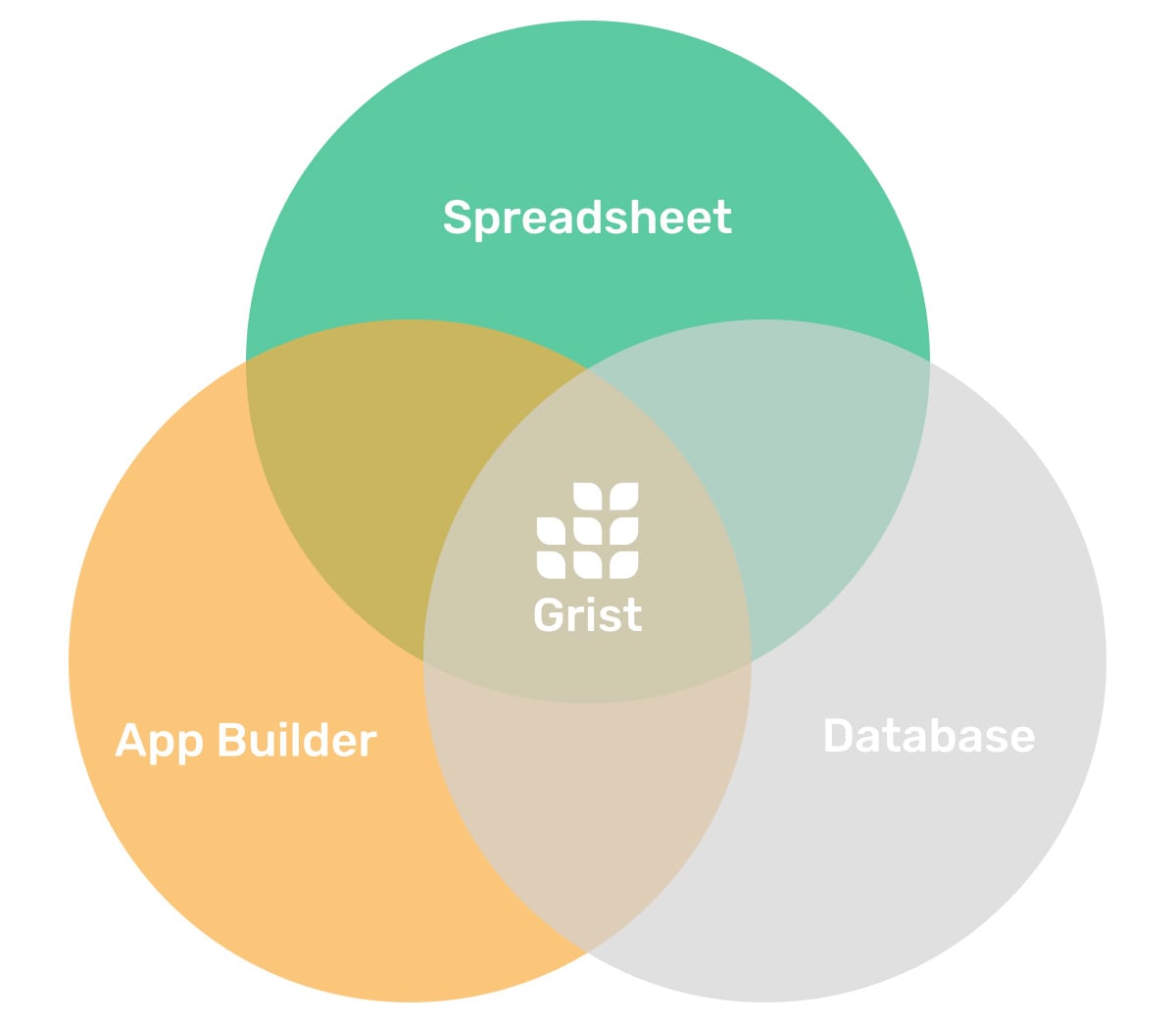
At Grist Labs, we’ve set out to create software that keeps the best of spreadsheets and avoids the worst. We were founded by an ex-Google Sheets engineer all too familiar with the strengths and weaknesses of the classic tabular grid. Grist was made to look and feel like a spreadsheet, but is built on top of a relational database that enables granular role-based access control.
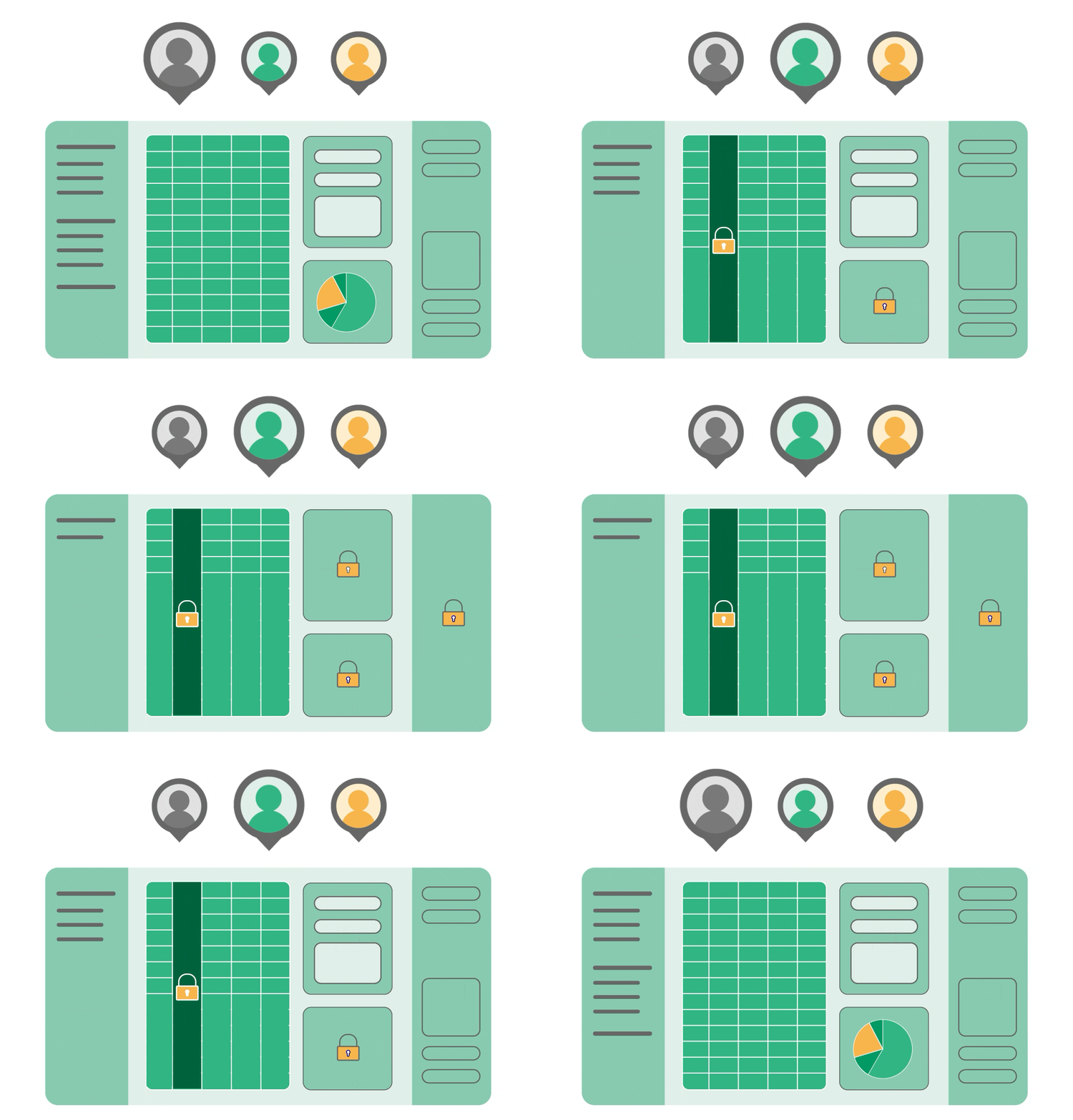
You can self-host Grist on your own infrastructure, which means sensitive data never leaves your environment. Our RBAC can be set up at the column and row level, meaning users can collaborate in real-time, while everyone, from external contractors to executives, sees only what they should without making copies. It’s an actual single source of truth.
Plus, you can restrict Bob’s ability to ever mess up important formulas again.
You can connect Grist to your SSO, and run it behind a VPN or even air-gapped. Our Enterprise version includes additional admin controls. Among other things, this lets you see a list of all link-shared documents across your installation, or confirm exactly what Bob can access. You can also enable audit logging that connects to your external SIEM system.
When you have familiar-feeling tools that makes sense to your users, adoption is possible. Instead of fighting against spreadsheet experience, use it as a shared foundational interface that works for everyone except potential bad actors.
Come see the evolution of spreadsheets for yourself today.
Sponsored and written by Grist.