
GlassWire is a free network monitoring and security application for Windows and Android. It lets you see how your system communicates over the internet and local network. The Windows version also offers a Premium tier with advanced features, while the Android app focuses on monitoring and control. By combining visual network activity with simple controls, GlassWire helps you understand what’s happening behind the scenes and take action when something looks out of the ordinary.
Today we take a look at the Android version of GlassWire. The setup is straightforward, requires only a download from Google Play and giving permission to monitor network activity. No account creation is required, and the app begins tracking data usage, privacy, and security as soon as it’s enabled.
The app focuses on real-time and historical data usage. You can see how much mobile data or Wi-Fi each app uses by the hour, day, week, or month. This makes it easier to identify apps that quietly consume data or change behavior after an update. The visual graphs show usage over time, so sudden spikes are easy to spot without digging through menus.
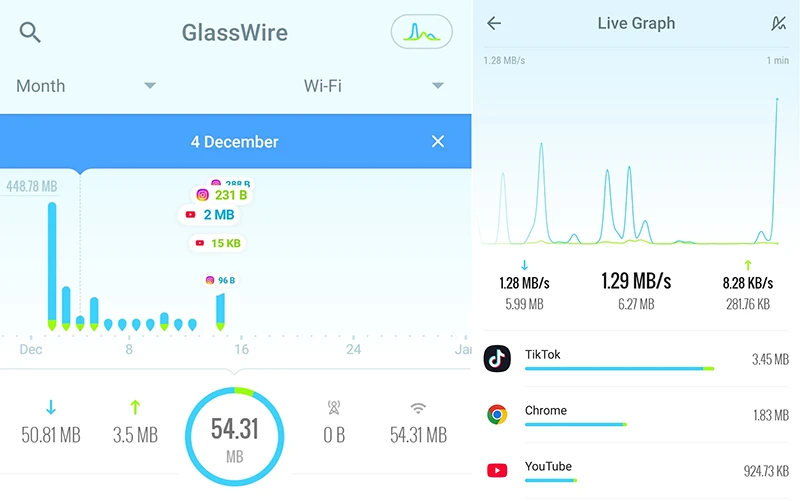
GlassWire also includes live network activity monitoring. When an app starts using the network, you can see it immediately. This is useful for identifying apps that connect in the background, even when you’re not actively using them. You can also see which apps use Wi-Fi versus mobile data, which helps when managing limited data plans.
Firewall option
For users who want more control, GlassWire offers firewall functionality on supported devices. You can block specific apps from accessing Wi-Fi or mobile data, which helps reduce background usage or prevent certain apps from going online entirely. This can be useful when traveling, roaming, or trying to conserve battery life.
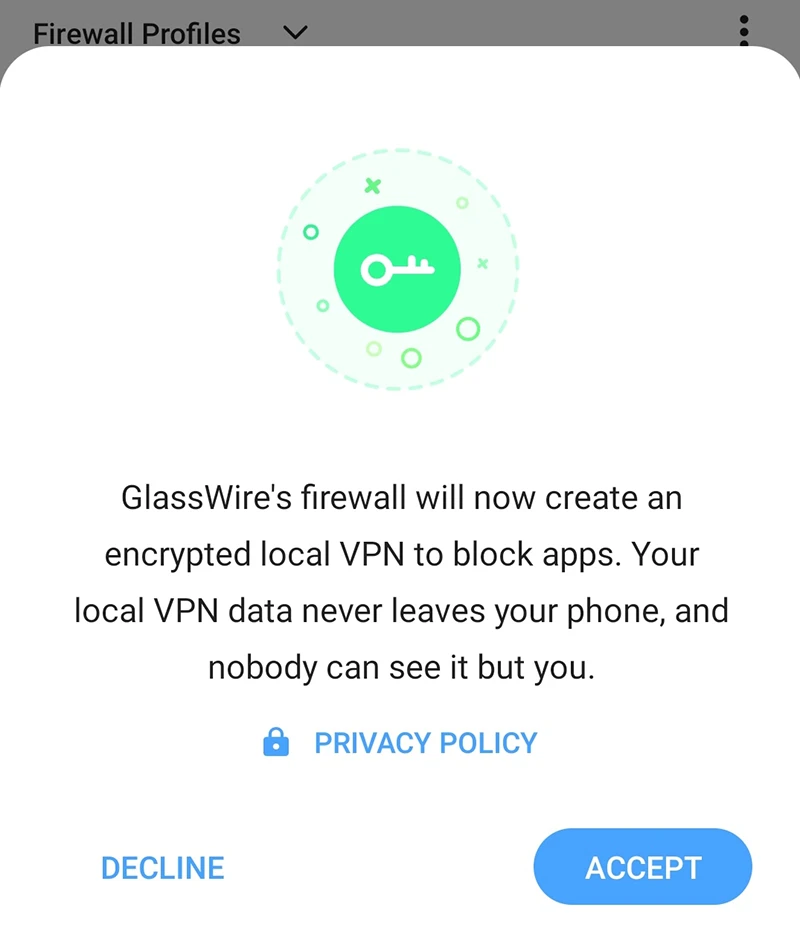
The firewall is turned off by default, but you can enable it manually. Once enabled, GlassWire creates an encrypted local VPN to block network access for selected apps.
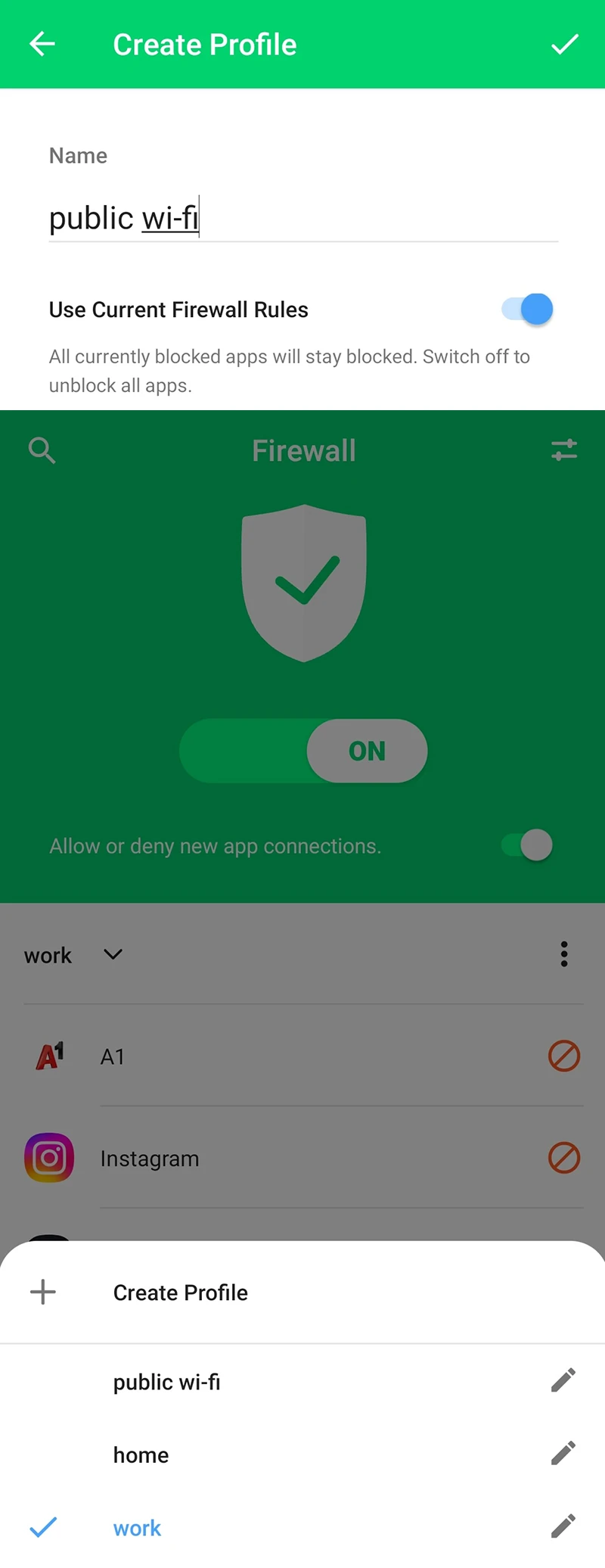
One feature I found particularly useful is the ability to create multiple profiles and manage internet access per profile. I created three profiles (work, home, and public Wi-Fi) and restricted internet access for several apps accordingly.
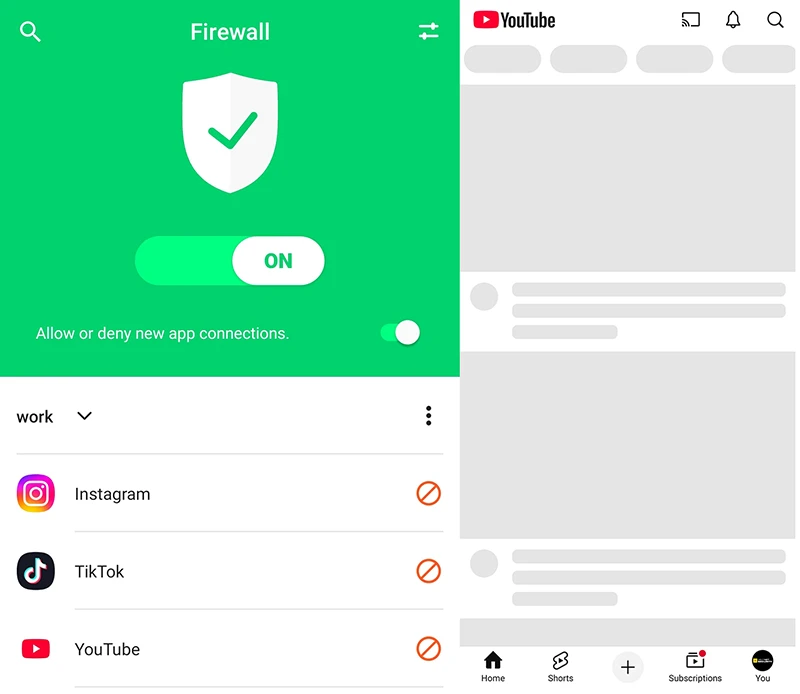
When I tried to open a blocked app, it was unable to load any content.
Data plans
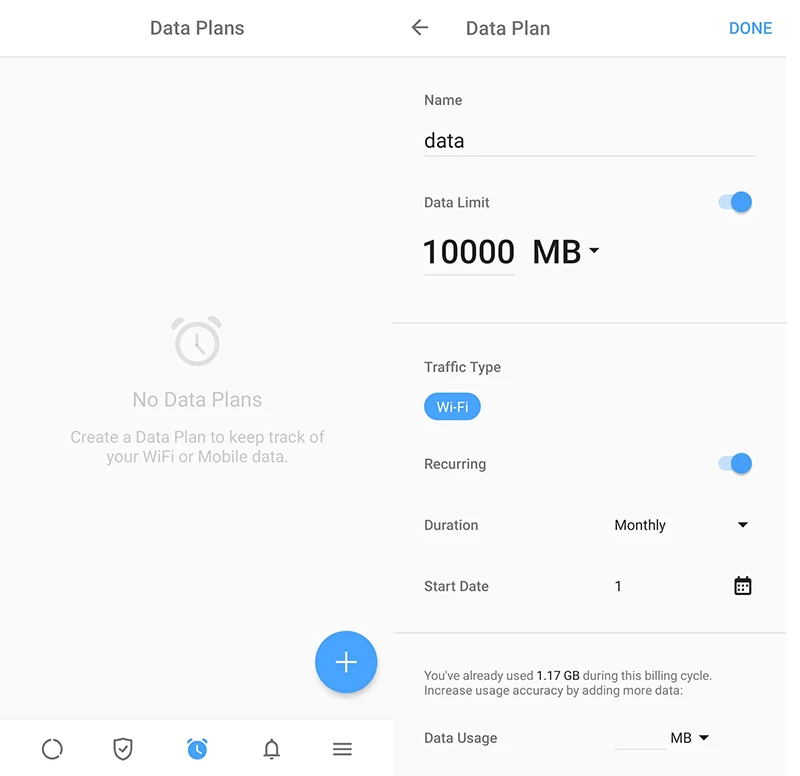
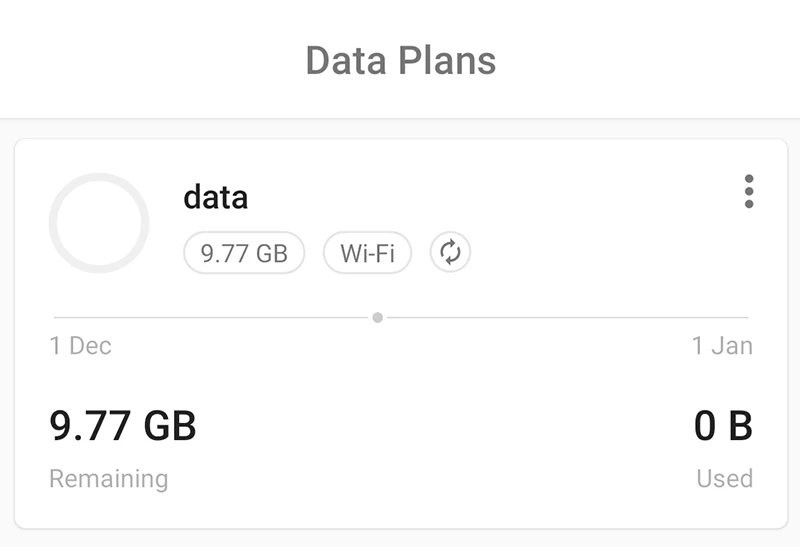
GlassWire also helps prevent data overages. You can set data usage alerts that notify you before you reach your limit. This works well for prepaid or capped mobile plans, where unexpected usage can be expensive. The app keeps your usage history visible so you can plan ahead.
Final thoughts
GlassWire combines network visibility, firewall control, and data usage insights into a single tool. It’s a practical choice for users who want better awareness and control over their network activity without needing advanced technical knowledge.