
Scammers are flooding LinkedIn posts this week with fake “reply” comments that appear to come from the platform itself, warning users of bogus policy violations and urging them to visit an external link.
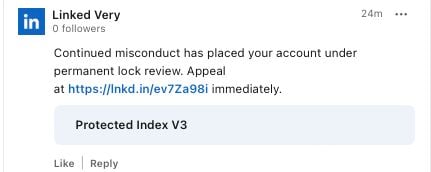
The messages convincingly impersonate LinkedIn branding and in some cases even use the company’s official lnkd.in URL shortener, making the phishing links harder to distinguish from legitimate ones.
‘Access to your account is temporarily restricted’
Over the past few days, LinkedIn users have been targeted with bot-like activity from several LinkedIn-themed profiles commenting on their posts.

These posts falsely claim that the user has “engaged in activities that are not in compliance” with the platform and that their account has been “temporarily restricted” until they visit the specified link in the comment.
The fabricated reply bearing the LinkedIn logo, shown below and archived here, appears fairly convincing depending on how viewers are interacting with the comments area and on what device.
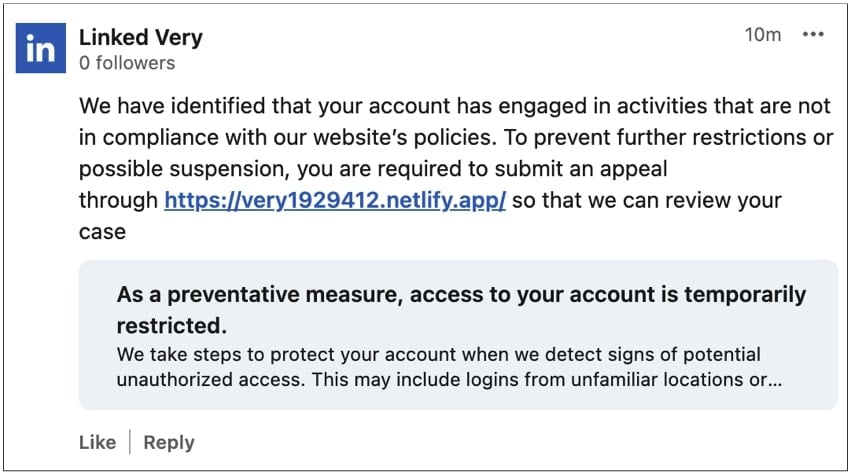
“We take steps to protect your account when we detect signs of potential unauthorized access. This may include logins from unfamiliar locations or…” also states the link preview generated in the crafted reply.
The example shared above shows an alphanumeric “.app” domain that is not associated with LinkedIn and may raise suspicion among some users. However, other posts take this lure a step further by masking the destination links via LinkedIn’s official URL shortener, lnkd.in, making phishing domains harder to spot without clicking on them. This can be especially concerning if the link preview does not fully appear on certain devices.
Examples of such replies and comments were shared by several LinkedIn members, including Ratko Ivekovic, Jocelyn M., Candyce Edelen, and Adama Coulibaly.
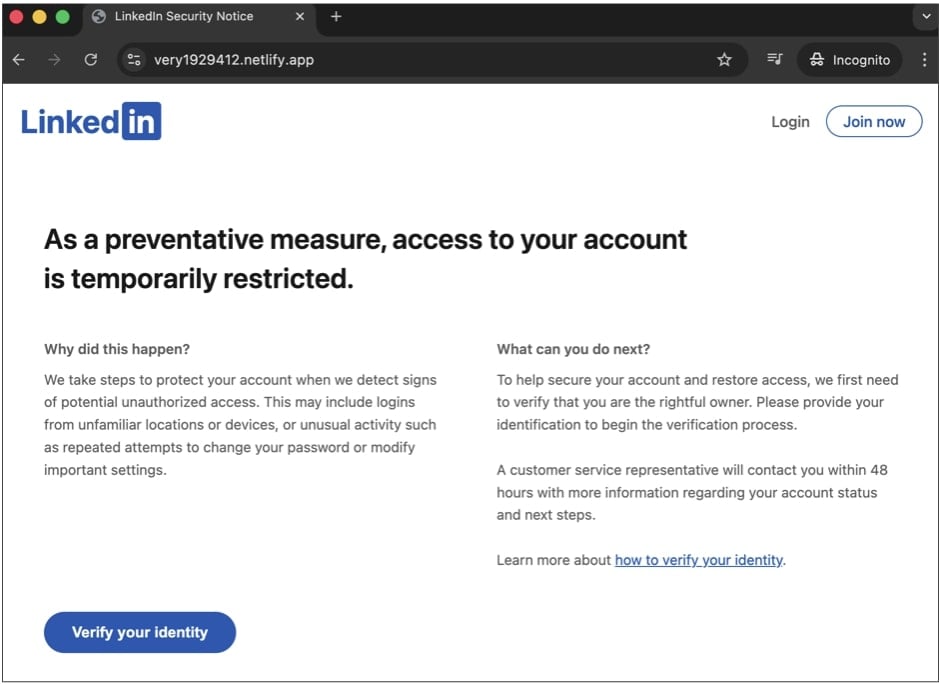
The very1929412.netlify[.]app phishing site in particular, seen by BleepingComputer, first elaborates on the false “temporary restriction” and advises the viewer that they need to “verify” their identity to lift the restriction:
When clicked, the “Verify your identity” button directs the user to yet another phishing domain, https://very128918[.]site which is where credential harvesting actually occurs:
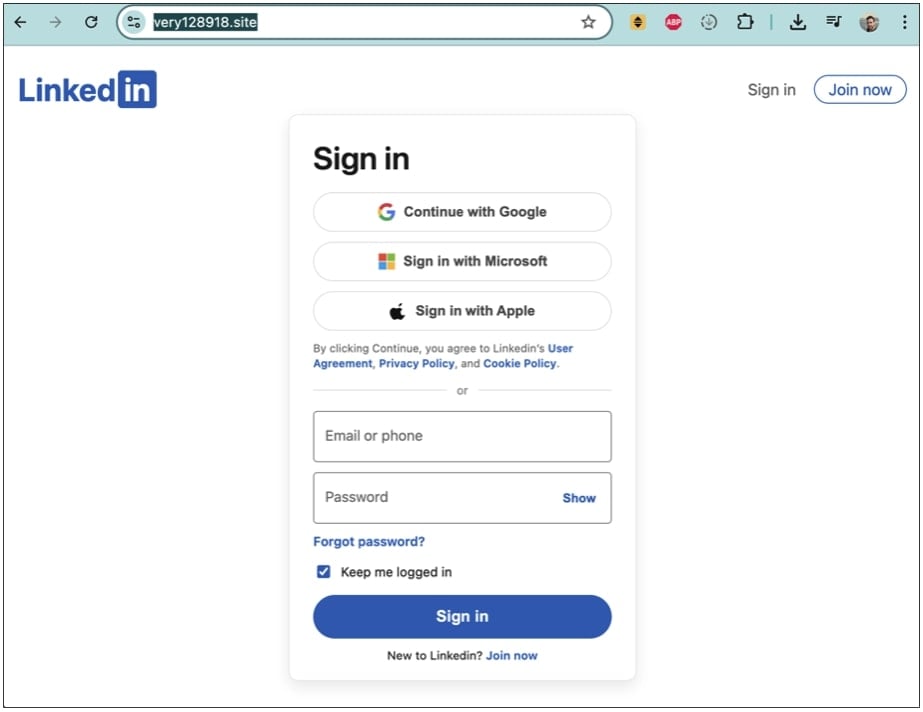
(BleepingComputer)
LinkedIn Company pages being abused
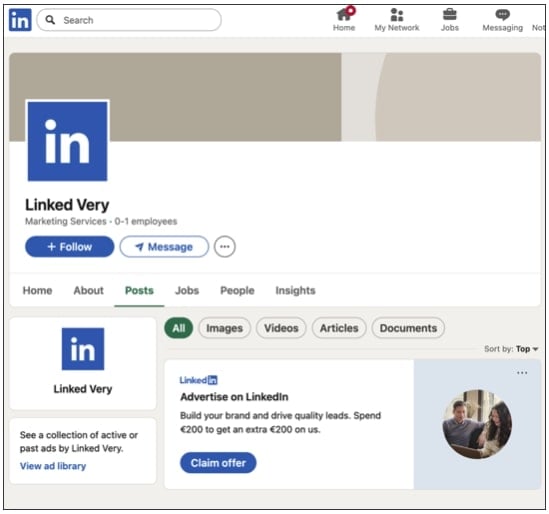
These comments are being posted from fake company pages using LinkedIn’s official logo and a variation of the platform’s name, e.g. Linked Very.
Edelen shared several such “Linked Very” accounts that popped up on the professional networking platform in the past week.
At the time of writing, the page shown below has been taken down by LinkedIn:
LinkedIn aware and tackling the campaign
BleepingComputer reached out to LinkedIn to ask if the platform was aware of this ongoing campaign.
“I can confirm that we are aware of this activity and our teams are working to take action,” a LinkedIn spokesperson stated to BleepingComputer.
“It’s important to note that LinkedIn does not and will not communicate policy violations to our members through public comments, and we encourage our members to make a report if they encounter this suspicious behavior. This way we can review and take the appropriate action.”
In 2023, BleepingComputer first reported a convincing X (then Twitter) scam in which accounts impersonating major banks replied to customers’ complaints directed at the real institutions, urging them to contact a scammer-controlled phone number.
Users should remain vigilant and avoid interacting with comments, replies, or private messages that appear to impersonate LinkedIn and urge recipients to click external links.

Whether you’re cleaning up old keys or setting guardrails for AI-generated code, this guide helps your team build securely from the start.
Get the cheat sheet and take the guesswork out of secrets management.