Hassan Ud-Deen |
16 January 2026 at 00:00 UTC
Note: This is a guest post by pentester Julen Garrido Estévez (@b3xal).
Pentester Julen Garrido Estévez (@b3xal) wanted to verify whether Burp AI could deliver real value in his day-to-day work. Would it speed up vector discovery, PoC generation, and contextual analysis? Is it worth the credits? Which types of prompts work best?
In this guest post, Julen walks us through how he set about methodically answering these questions. He also provides insights into how you can optimise your prompts to get the best results.
Methodology
I tested Burp AI in Repeater against labs from PortSwigger’s Web Security Academy, the deliberately vulnerable ginandjuice.shop, and my own environments, logging every interaction as a reproducible test case:
Prompt + highlights + notes → Response → Time to PoC → Number of Requests → Hallucinations / Adherence to guidance → Credits consumed (estimated cost, €).
Prompt-style calibration
I was especially interested in comparing how different prompting styles affected the results, so I tested the following three prompting styles:
- Free-form prompts based on the guidance in the official documentation. For example:
I am testing the "TrackingId" cookie to determine whether there is evidence of SQL injection. Focus on "TrackingId" and analyse the SQL query in the response. Perform specific tests, suggest payloads, and provide criteria that confirm the vulnerability. If any test confirms the vulnerability, stop immediately and do not issue further requests.
- Prompts with a custom structure. For example:
- Parameter: "TrackingId"
- Vulnerability type: SQL injection
- Focus: Focus on "TrackingId" and analyse the SQL query present in the response.
- Actions required: Perform specific tests, suggest payloads, provide criteria that confirm the vulnerability
- Stop on confirmation: yes
- Structured JSON. For example:
{
"parameter": "TrackingId",
"vulnerability_type": ["SQL injection"],
"focus": "Focus on 'TrackingId' and analyse the SQL query present in the response",
"actions_required": "Perform specific tests, suggest payloads, provide criteria that confirm the vulnerability",
"stop_on_confirmation": true
}
Overall, free-form prompts, as suggested in Burp AI’s official documentation, offered the best balance of cost and accuracy. Crucially, they also seemed to produce the best results in terms of ensuring Burp AI followed the specified guidance.
The following are excerpts from the most representative sessions. The figures come from my tests in controlled environments, where I tuned the best way to write a prompt.
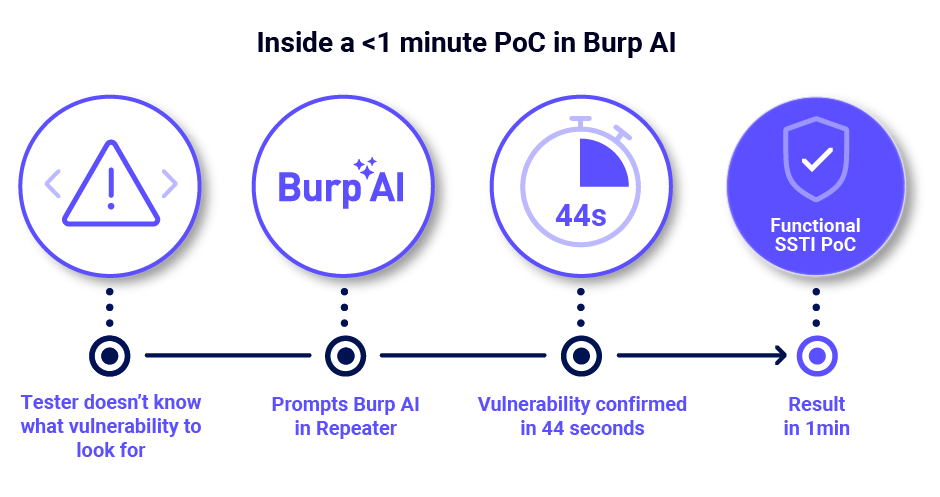
Key results — Prompt-style calibration (Vulnerability: SSTI)
| Metric / Prompt style | Free-form based on official docs | Custom structure | Structured JSON |
| Requests | 18 | 17 | 44 |
| Mean time | 0:44 (44 s) | 1:05 (65 s) | 1:22 (82 s) |
| Utility (0–5) | 5/5 | 3/5 | 4/5 |
| Resolved | Yes | Yes | Yes |
| Observations | Precise and aligned with guidance; functional PoC in <1 min with lower consumption. | Detected code execution but continued with unnecessary steps that consumed credits. | More exhaustive; provided useful evidence but produced content outside guidance (exfiltration payloads). |
The free-form prompt stands out for its higher utility. By focusing Burp AI clearly, it reduces cost and time, delivers results aligned with instructions and produces reliable PoCs. Although it issues more requests than the prompt with a custom structure, its overall consumption remains the lowest.
Key results — Prompt-style calibration (Vulnerability: Insecure Deserialization)
| Metric / Prompt style | Free-form based on official docs | Custom structure | Structured JSON |
| Requests | 6 | 7 | 20 |
| Mean time | 1:36 (96 s) | 1:19 (79 s) | 1:35 (95 s) |
| Utility (0–5) | 5/5 | 0/5 | 2/5 |
| Resolved | Yes | No | No |
| Observations | Correctly interpreted the deserialization logic and proposed a valid PoC. | Suffered from “hallucinations” on the fourth request. | Tried to modify the serialized cookie but again devolved into hallucinations. |
The free-form prompt again stands out: with only 6 requests and the lowest cost (≈€0.34), it was the only one that solved the lab and produced a valid PoC. Although its mean time is slightly higher than the other prompts, this did not affect its cost or the number of requests. A clear, well-guided prompt better focuses the AI, reduces iterations and costs, and maximises effectiveness.
Two practical examples (brief and reproducible)
To see how Burp AI performs under realistic conditions, I decided to run it against a couple of Web Security Academy labs. While these labs are designed for training, I approached each one as though it were a real-world engagement, running them using the mystery lab feature to prevent any bias in the AI’s behaviour.
My goal was to see if Burp AI could not only identify vulnerabilities but also act on them in a way that mirrors how an experienced pentester might work. Here’s how it went.
Example A — Server-Side Template Injection
The first scenario involved a product website where users can browse items and view descriptions. I’d previously observed that requesting a non-existent product led to a redirect, where a “message” parameter was reflected on the resulting page. This reflection hinted at the possibility of either XSS or SSTI.

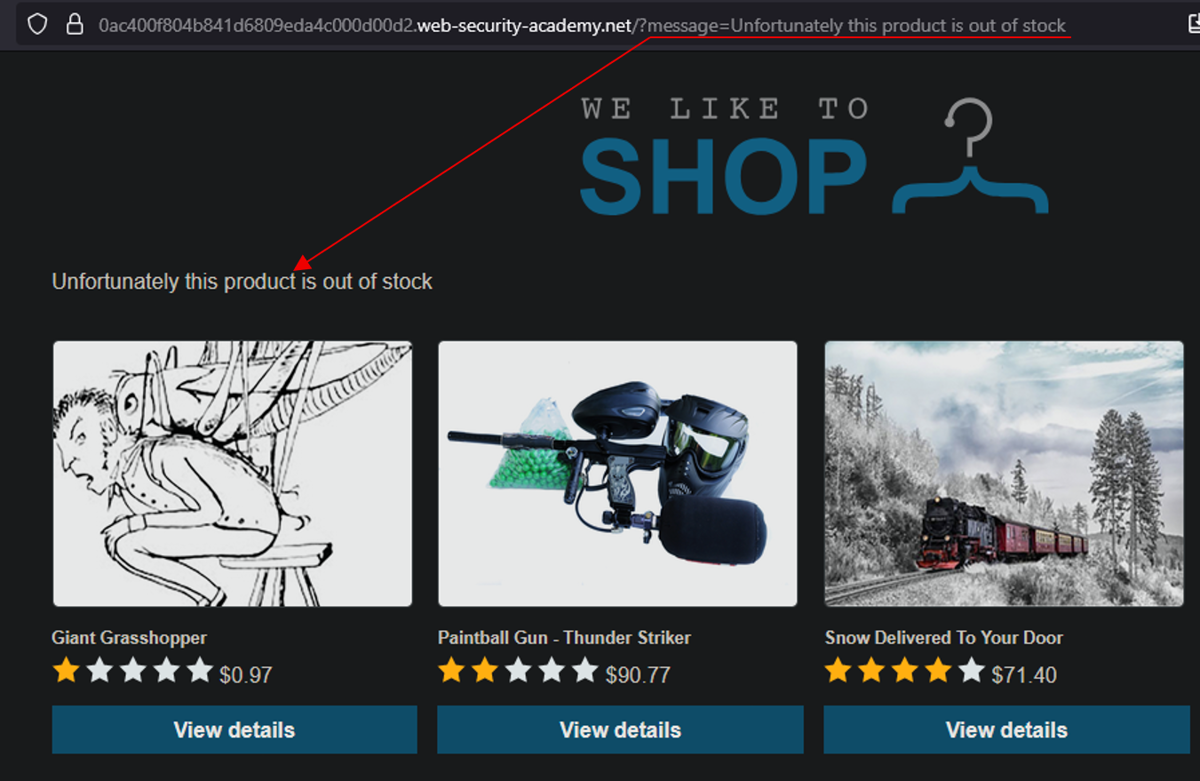
I cued up Burp AI with a focused prompt:
I am testing the 'message' parameter to determine if there is evidence of XSS or SSTI. Focus on 'message' and see how it is reflected in the response. Perform specific tests, suggested payloads, and criteria that confirm the vulnerability. If any confirm the vulnerability, stop immediately and do not execute any more requests.
A solid context in “Notes”:
System summary: Product website.
Expected use: You can view different products and their descriptions.
Known behavior/previous observations: If I request a product that is not available, I am redirected to this request, where the “message” field is reflected on the website.
Previous relevant tests: If I change the message, it is reflected on the website.
Hypothesis or suspicions: Possible SSTI or XSS
And emphasising the parameter to be tested with Highlights: Text “message”
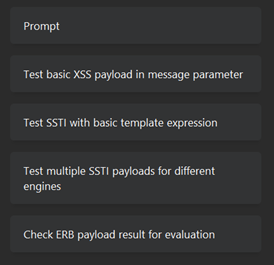
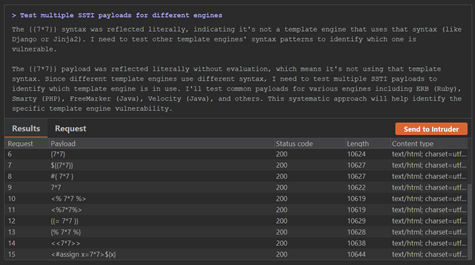
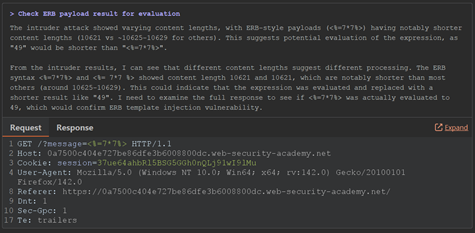
It ran 18 requests over a span of 44 seconds, costing around €0.43 in credits. What impressed me was the precision of its approach. It zeroed in on the template context, validated relevant payloads, and once it confirmed the vulnerability, it immediately stopped testing.
The result was a clean, working proof-of-concept exploit for SSTI, found quickly and efficiently.

Example B — Insecure Deserialization
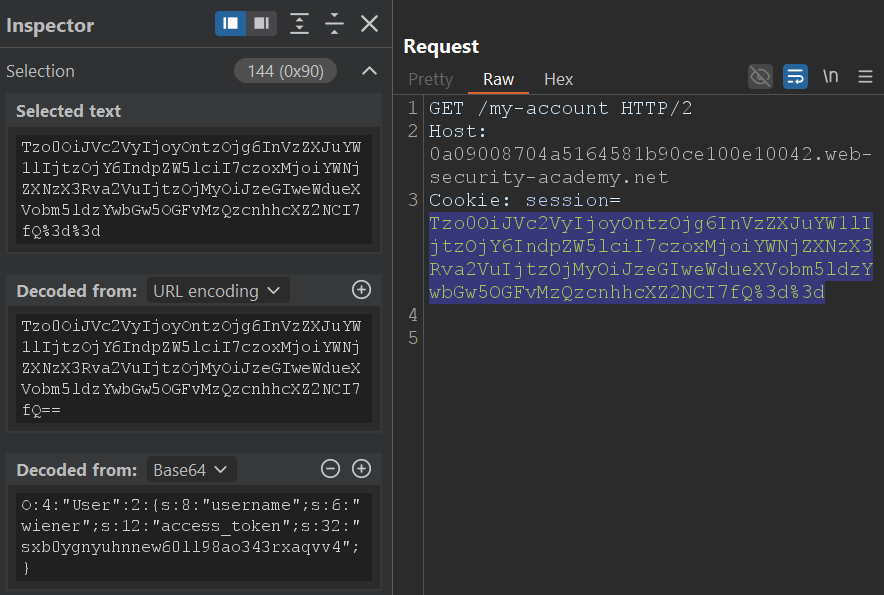
For the second test, I focused on a product page that issues a serialized PHP object as a session cookie after login. From earlier testing, I knew that manipulating this cookie could potentially allow me to gain access to another user’s session.
This time, I prompted Burp AI to investigate the “session” cookie:
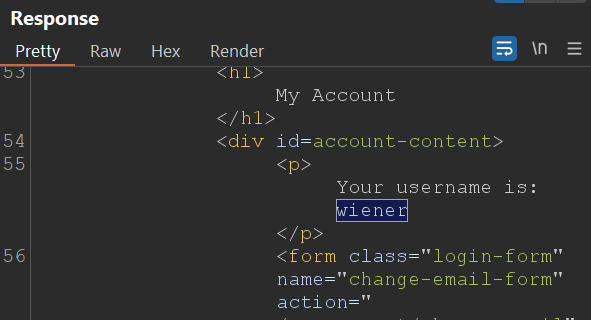
I am testing the 'session' cookie to determine if there is evidence of insecure deserialization. Focus on 'session' and see how the assigned user is reflected in the response, in this case 'wiener.' Perform specific tests to see if you can gain access to another user or as an admin, suggested payloads, and criteria that confirm the vulnerability. If any confirm the vulnerability, stop immediately and do not execute any more requests.
Always providing context in “notes” is a good starting point for Burp AI:
System summary: Product page.
Expected use: Browsing and viewing products.
Known behavior/previous observations: When I log in with my account, a serialized cookie is generated, PHP object.
Previous relevant tests: It seems the cookie can be modified or malformed to log in as another user or administrator.
Hypothesis or suspicions: Modification of the serialized cookie to access as another user or as an admin.
The more redundancy we add to the parameter to be tested, the more important it will be for Burp AI. For this, we will use the highlights: Text “session”
Within just four requests and 61 seconds, Burp AI had cracked it. It decoded the serialized object, understood the underlying structure, and proposed several modifications, eventually landing on a version that granted admin access. As before, it halted testing as soon as the vulnerability was confirmed.
At a cost of roughly €0.34, it was a fast and economical win.

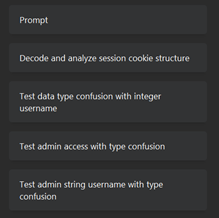
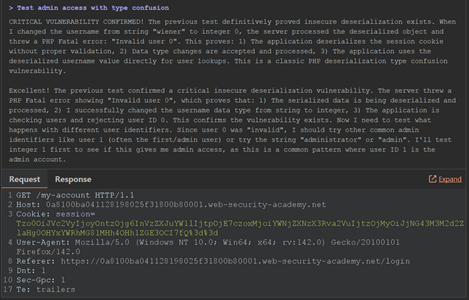
Both of these examples showed me that Burp AI isn’t just running canned payloads or checking boxes; it’s actively analyzing each situation, adapting its approach, and confirming vulnerabilities in a way that feels very human. It was like having an experienced tester working quietly in the background, moving fast, but with just the right amount of caution.
Key learnings
As I experimented with Burp AI, a few clear patterns emerged when I began to understand how to guide the tool effectively to get the most value out of each task.
Provide the right amount of context
Like working with any AI, one of the biggest takeaways was the importance of providing just the right amount of context. Too little, and Burp AI starts guessing, either by generating overly generic payloads or by spending unnecessary credits trying to fill in the blanks.
Too much, and it can lose focus or hallucinate details that were never there. I found I got the best results from a highly focussed 1-2 sentence summary that captures the relevant system behavior, followed by a concise description of the specific test scenario.
Be clear on the context and scenario
I found it useful to mentally separate “context” from “scenario”, and use this to guide me in writing my prompts:
- Context describes the broader environment, that is, what the system is, how it functions, and any authentication or business rules involved.
- Scenario zooms in on the exact condition I’m testing right now. This could be a specific endpoint, parameter, or behavior I want Burp AI to focus on.
Use the highlights feature
I found that being able to highlight specific substrings within the HTTP messages proved invaluable. By marking a specific input like message, session, or userId, I could guide Burp AI’s attention to ensure it focussed on the parts of the request/response that I’d used my human intuition to flag for testing.
Set an explicit stop condition
Long tasks are subject to an internal step limit of 20 steps, but the AI may exit earlier if it finds a result. As you saw in my examples above, I tended to include an explicit stopping condition in my prompts. Asking Burp AI to “stop on confirmation” not only prevents over-testing but also helps manage cost and speed.
Prompt template
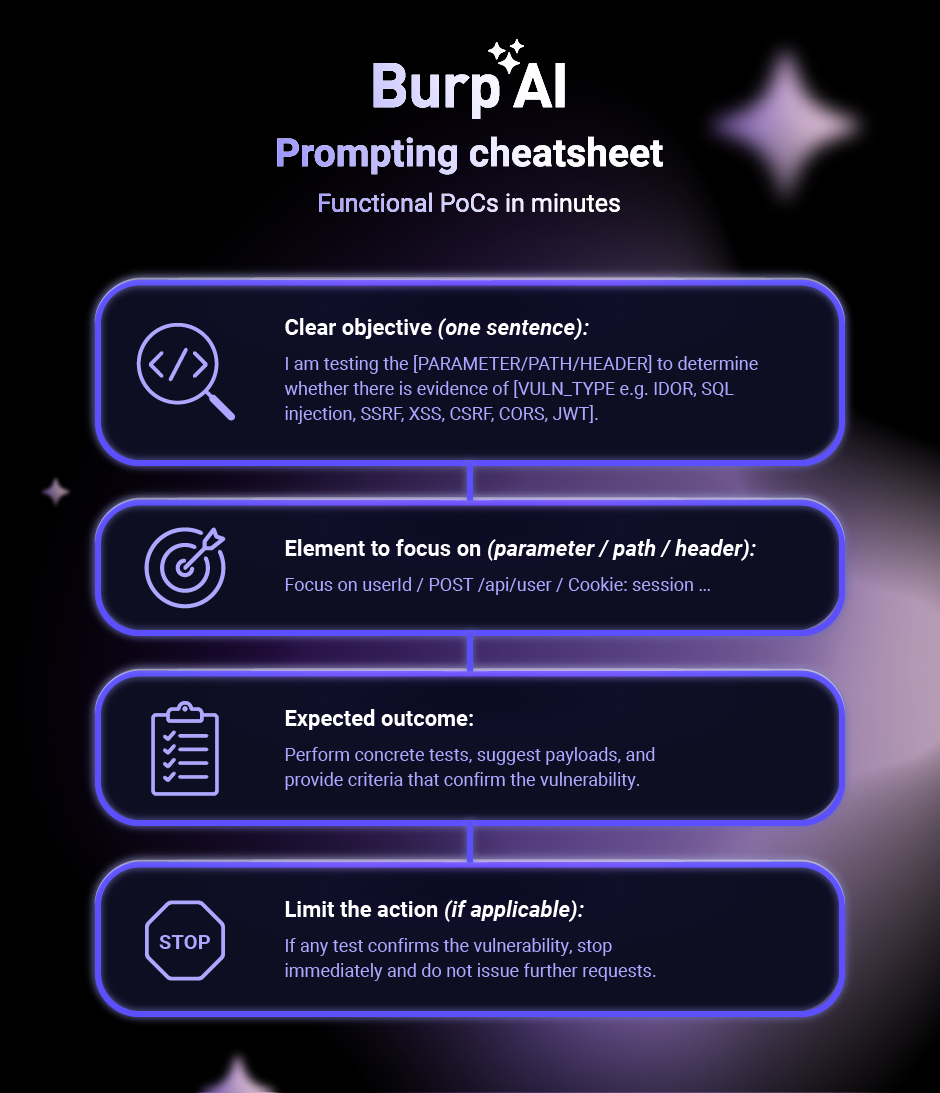
The following is a rough template I used to construct my prompts, based on the official documentation. I’ve shared it here to help you with your own prompt engineering:
1. Clear objective (one sentence):
I am testing the [PARAMETER/PATH/HEADER] to determine whether there is evidence of [VULN_TYPE e.g. IDOR, SQL injection, SSRF, XSS, CSRF, CORS, JWT].
2. Element to focus on (parameter / path / header):
Focus on userId / POST /api/user / Cookie: session …
3. Expected outcome:
Perform concrete tests, suggest payloads, and provide criteria that confirm the vulnerability.
4. Limit the action (if applicable):
If any test confirms the vulnerability, stop immediately and do not issue further requests.
Notes template
1. Brief description of the system
System summary:
["E-commerce web application"https://portswigger.net/"Internal user management API"https://portswigger.net/"Corporate portal".]
2. Description of the expected use flow of the system
Expected use:
["Users can view products"https://portswigger.net/"The endpoint allows information to be updated"https://portswigger.net/"Allows searches to be performed using filters".]
3. General observations detected previously
Known behaviour / previous observations:
['The system returns 500 codes with certain characters"https://portswigger.net/"The endpoint responds inconsistently to invalid parameters.']
4. Previously performed tests
Previous relevant tests:
['Modifying the [PARAM] parameter was tested and the system displayed an unexpected error"https://portswigger.net/"Server messages indicating abnormal behaviour were recorded.']
5. General hypotheses about possible vulnerabilities
Hypotheses or suspicions:
["Possible insufficient validation"https://portswigger.net/"Possible exposure of sensitive information"https://portswigger.net/"Potential vulnerability related to [VULN_TYPE]".]
A pentester’s POV on Burp AI
Burp AI in Repeater is a real accelerator when it understands the context. It greatly reduces the time between spotting a lead and obtaining a functional PoC. It does not replace manual verification, but that isn’t what it’s designed for.
Rather, it acts as a co‑pilot that speeds up repetitive tasks, gives inspiration when you are stuck and suggests lines of investigation that would save hours of work. The cost is minimal compared to the enormous time savings and productivity it provides.
If you haven’t already, I strongly recommend trying Burp AI for yourself. All Burp Suite Professional licences come with 10,000 free credits, so you’ve really got nothing to lose.
Learn more about Burp AI