
Security researchers have discovered critical privilege escalation vulnerabilities in Google’s Vertex AI platform that allow attackers with minimal permissions to hijack high-privileged Service Agent accounts.
The flaws affect the Vertex AI Agent Engine and Ray on Vertex AI, where default configurations enable low-privileged users to access powerful managed identities with project-wide permissions.
As enterprises rapidly deploy Generative AI infrastructure, with 98% currently experimenting or implementing platforms like Google Cloud Vertex AI, these overlooked identity risks pose significant threats to cloud environments.
Service Agents are special service accounts managed by Google Cloud that perform internal operations on behalf of users, often receiving broad permissions automatically.
Researchers identified two distinct attack vectors that transform these “invisible” managed identities into exploitable privilege escalation pathways.
When disclosed to Google, the company responded that the services are “working as intended,” meaning these configurations remain the default today.
Platform engineers and security teams must understand these technical mechanics to secure their environments immediately.
The first vulnerability targets the Vertex AI Agent Engine, which enables developers to deploy AI agents on GCP infrastructure using frameworks such as Google’s ADK.
| Feature | Vertex AI Agent Engine | Ray on Vertex AI |
|---|---|---|
| Primary Target | Reasoning Engine Service Agent | Custom Code Service Agent |
| Vulnerability Type | Malicious Tool Call (RCE) | Insecure Default Access (Viewer to Root) |
| Initial Permission | aiplatform.reasoningEngines.update | aiplatform.persistentResources.get/list |
| Impact | LLM memories, chats, GCS access | Ray cluster root; BigQuery/GCS R/W |
Researchers discovered that attackers with aiplatform.reasoningEngines.Update permission can inject malicious Python code into tool calls within reasoning engines.
The attack works by updating an existing reasoning engine with a tool containing malicious code, such as a reverse shell embedded inside a standard function.
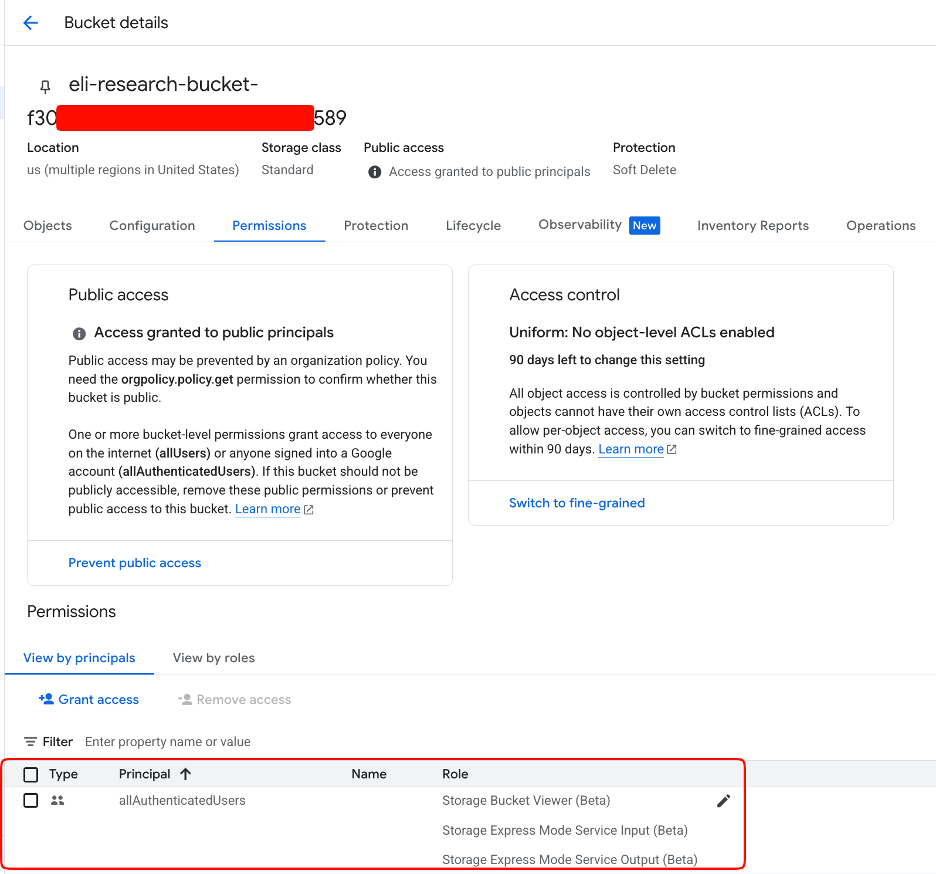
When triggered, the code executes on the reasoning engine’s compute instance, allowing attackers to extract credentials for the “Reasoning Engine Service Agent” through the instance metadata service.
By default, this service agent possesses extensive permissions, including access to Vertex AI memories, chat sessions, storage buckets, and logging capabilities.
Attackers can read all chat conversations, access LLM memories, and retrieve sensitive information from storage resources.
Critically, the attack requires only minimal permissions, as public buckets from any account can serve as staging locations.
Ray on Vertex AI
The second vulnerability affects Ray on Vertex AI clusters, where the “Custom Code Service Agent” automatically attaches to cluster head nodes.
Researchers from XM Cyber discovered that users with only aiplatform.persistentResources.list and aiplatform.persistentResources.
Those with permissions included in the standard “Vertex AI Viewer” role can gain root access to head nodes via the GCP Console.
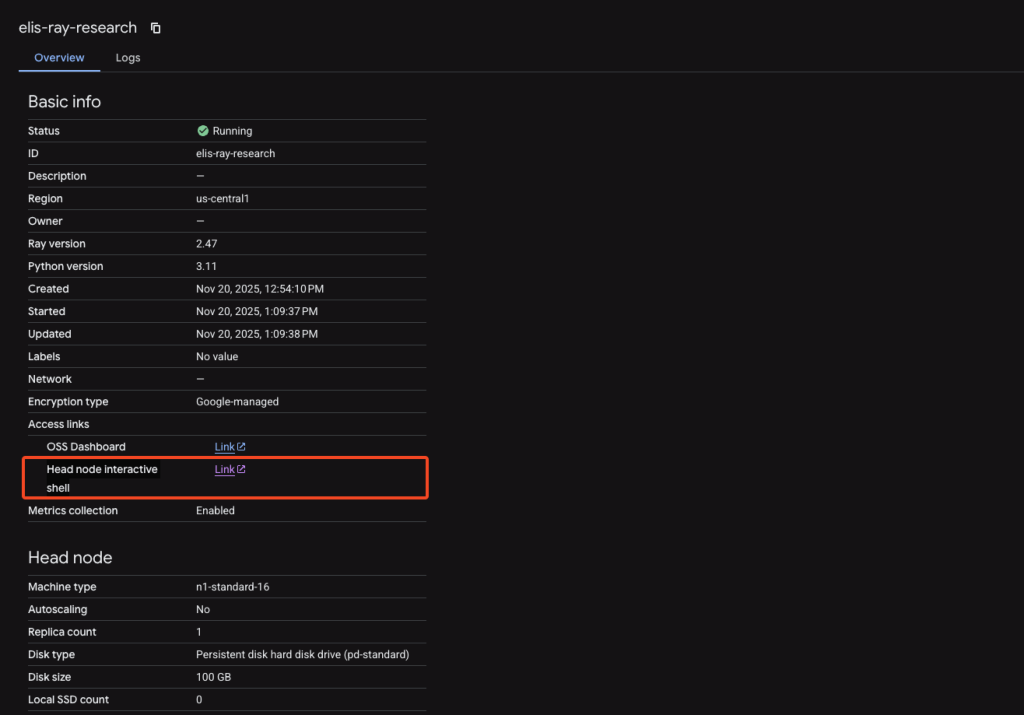
Despite having read-only viewer permissions, attackers can click the “Head node interactive shell” link in the console to obtain a root shell.
From there, they query the metadata service to retrieve the Custom Code Service Agent access token.
While the token has a limited IAM operation scope, it grants complete control over storage buckets, BigQuery resources, Pub/Sub, and read-only access across the cloud platform.
Organizations using Vertex AI should revoke unnecessary Service Agent permissions using custom roles, turn off head node shells, validate tool code before updates, and monitor metadata service accesses through Security Command Center.
Follow us on Google News, LinkedIn, and X to Get Instant Updates and Set GBH as a Preferred Source in Google.