
A critical vulnerability in IDIS Cloud Manager (ICM) Viewer exposes organizations using IDIS IP cameras to one-click remote code execution (RCE), potentially allowing attackers to compromise Windows systems used to monitor video surveillance fully.
IDIS, a South Korea–based global video surveillance vendor, offers an end-to-end ecosystem comprising IP cameras, NVRs, video management software, and a cloud platform called IDIS Cloud Manager.
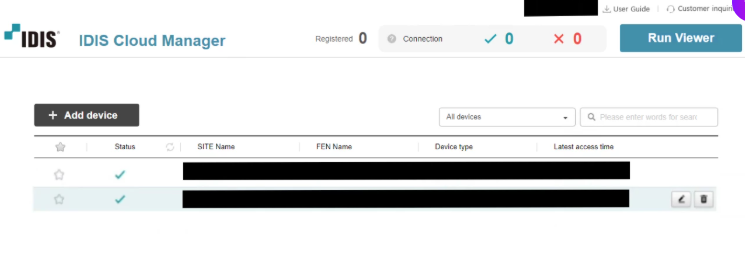
The ICM Viewer, installed on Windows, lets operators view live feeds, recordings, and perform video searches from the cloud. The flaw lies in how this viewer is launched and controlled from the web portal.
Under normal circumstances, even if a victim visits a malicious website, attackers are restricted to running JavaScript inside the browser sandbox.
In this case, however, the ICM Viewer design breaks that boundary. A Windows service named CWGService.exe listens on ws://localhost:16140 and launches WCMViewer.exe (the ICM Viewer) with parameters such as URL, JWT token, mode, and language when the user clicks “Run Viewer” in the web dashboard.
The web client first authenticates to the cloud using an RSA/AES-based flow and then opens a WebSocket connection to localhost:16140, sending encrypted messages with a hard-coded key to negotiate versions and then instruct CWGService.exe to start the viewer with specific arguments.
Critically, these arguments – including the URL – are passed through without sufficient validation or sanitization.
Because WCMViewer.exe is built using the Chromium Embedded Framework (CEF), it accepts Chromium command-line flags.
IDIS IP Camera Vulnerability
Researchers discovered they could inject additional flags into the command line, such as –utility-cmd-prefix, which can be abused to wrap browser utility processes with an arbitrary executable.
The issue is tracked as CVE-2025-12556 with a CVSS v4 score of 8.7. IDIS and CISA urge customers who continue to use ICM Viewer to upgrade to version 1.7.1 immediately; otherwise, the software should be uninstalled.
By crafting a malicious WebSocket message, they demonstrated that CWGService.exe would append the injected flag, and WCMViewer.exe would pass it to CEF, resulting in execution of arbitrary code (for example, spawning notepad.exe as proof of concept).
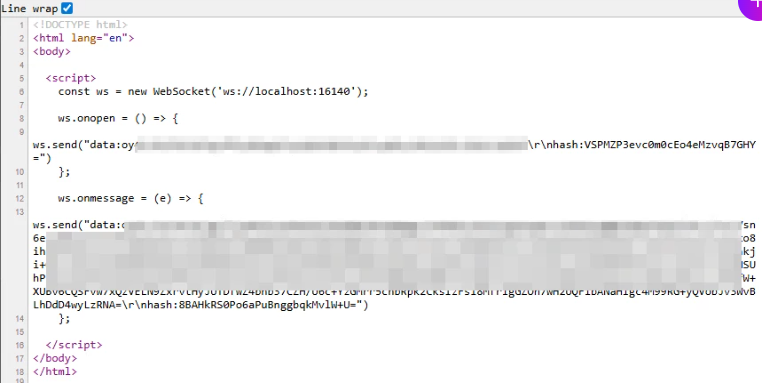
Although CWGService only listens on localhost, an attacker can still reach it via the victim’s browser. A malicious webpage can host JavaScript file that opens a WebSocket connection to ws://127.0.0.1:16140, performs the initial “hello” handshake, and then sends a crafted, encrypted command message that includes the argument injection.
Mitigations
If a user with ICM Viewer installed simply clicks an attacker-controlled link, the browser executes this JavaScript, which triggers the local service and leads to code execution on the host. This turns the issue into a true one-click RCE.
Once compromised, attackers could control the Windows host connected to the IDIS cloud, pivot laterally inside the network, and potentially target other endpoints and surveillance assets.
The root causes include lack of origin validation (no CORS checks on the local WebSocket), use of a constant encryption key, unsanitized arguments in CWGService, and insufficient validation within WCMViewer before passing parameters to CEF.
Organizations should also review exposed surveillance management hosts, harden local services, and ensure rapid patching of cloud-connected security tooling to prevent similar architectural flaws from becoming entry points into critical networks.
Follow us on Google News, LinkedIn, and X to Get Instant Updates and Set GBH as a Preferred Source in Google.