Phones, laptops, smart TVs, cameras, and smart home equipment all use the same network. Knowing what’s connected helps users manage performance and security. Fing Desktop provides tools that identify devices, test connectivity, and analyze network activity.
Account creation
The free plan gives access to core discovery and diagnostic features. You can scan a network, view device information, run speed tests, and use several troubleshooting utilities.
Network information and status
The Fing dashboard summarizes basic network information. Users can see the number of connected devices, the detected internet provider, and general network status indicators. It also provides context when diagnosing connection problems.
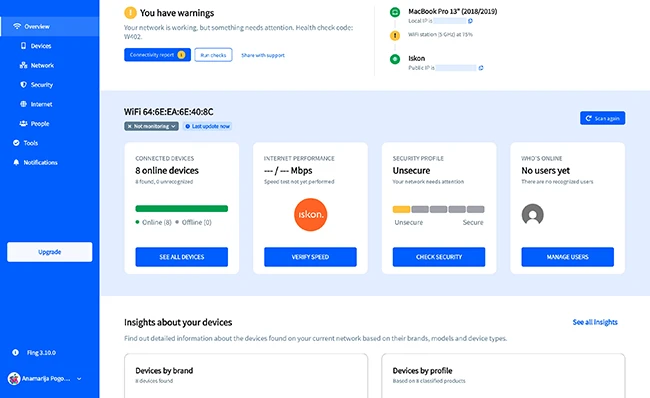
Overview
Device discovery and network inventory
A network scan identifies devices connected to a Wi-Fi or local network. Fing lists each device with details such as device name, manufacturer, IP address, MAC address, and device category.
This inventory shows which devices are active on the network. You can check whether personal devices are connected, confirm new connections, or identify unknown devices. The list also supports troubleshooting by showing which hardware is present on the network.
The free plan allows up to three manual scans per day, each providing a snapshot of the network at the time of the scan.
Internet speed testing
Speed tests measure download speed, upload speed, and latency, helping you assess internet performance. Results can reveal slow connections or instability. Tests can be run from different locations to evaluate Wi-Fi coverage and signal quality. The application stores past results for performance tracking over time.
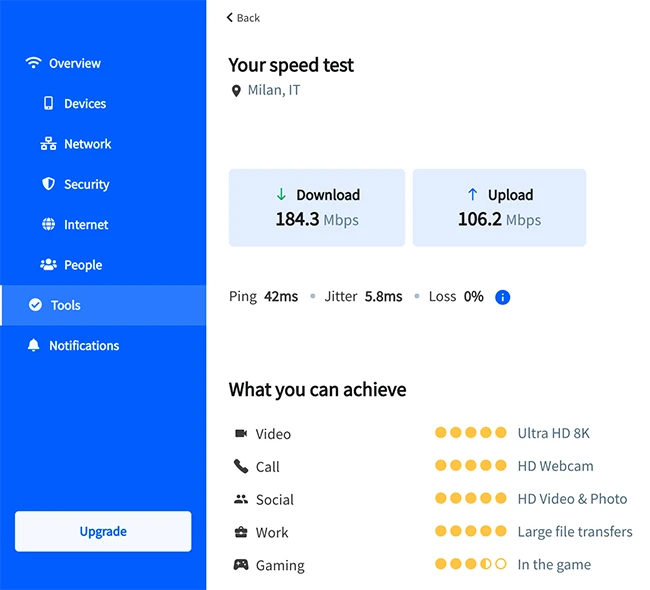
Speed test
Troubleshooting and diagnostics
Fing includes several diagnostic tools used for network analysis. These tools include ping tests, traceroute analysis, DNS lookup, and port scanning.
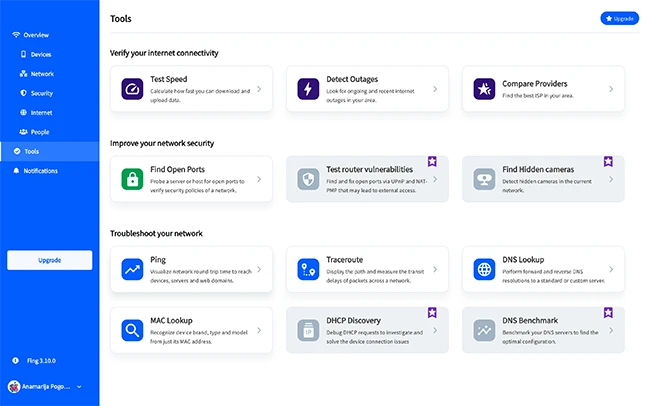
Tools
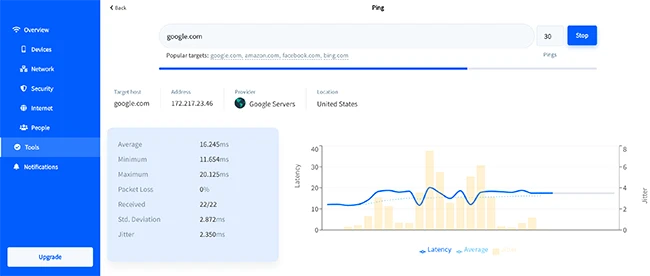
Ping
Ping tests check whether a device responds on the network. Traceroute shows the path data packets take between the network and external servers. DNS lookup verifies domain name resolution. Port scanning identifies open ports on connected devices.
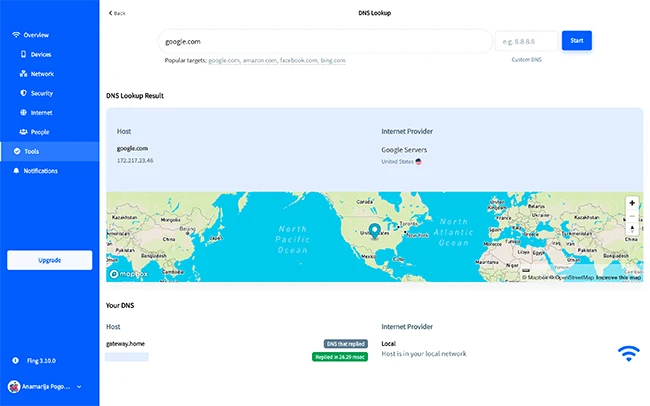
DNS lookup
These tools help diagnose connectivity issues, routing delays, and configuration problems and are commonly used in network troubleshooting.
Network insight without a subscription
Fing Desktop gives users visibility into their network without requiring a paid plan. The free tier helps individuals understand their home network, monitor connected devices, and troubleshoot common connectivity issues through desktop and mobile interfaces.