An ongoing phishing campaign impersonates popular brands, such as Unilever, Disney, MasterCard, LVMH, and Uber, in Calendly-themed lures to steal Google Workspace and Facebook business account credentials.
Although threat actors targeting business ad manager accounts isn’t new, the campaign discovered by Push Security is highly targeted, with professionally crafted lures that create conditions for high success rates.
Access to marketing accounts gives threat actors a springboard to launch malvertising campaigns for AiTM phishing, malware distribution, and ClickFix attacks.
Also, ad platforms allow geo-targeting, domain filtering, and device-specific targeting, enabling “watering-hole” styled attacks.
Ultimately, compromised marketing accounts can be resold to cybercriminals, so direct monetization is always a valid option.
Google Workspace accounts also often extend to enterprise environments and business data, especially via SSO and permissive IdP configurations.
Calendly phishing
Calendly is a legitimate online scheduling platform where the organizer of a meeting sends a link to the other party, allowing recipients to pick an available time slot.
The service has been abused in the past for phishing attacks, but the use of well-known brands to exploit trust and familiarity is what elevated this campaign.
The attack starts with the threat actor impersonating a recruiter for a well-known brand and then sending a fake meeting invitation to the target. The recruiters are legitimate employees who are also impersonated on the phishing landing pages.
The phishing emails are believed to have been crafted using AI tools and to impersonate over 75 brands, including LVMH, Lego, Mastercard, and Uber.
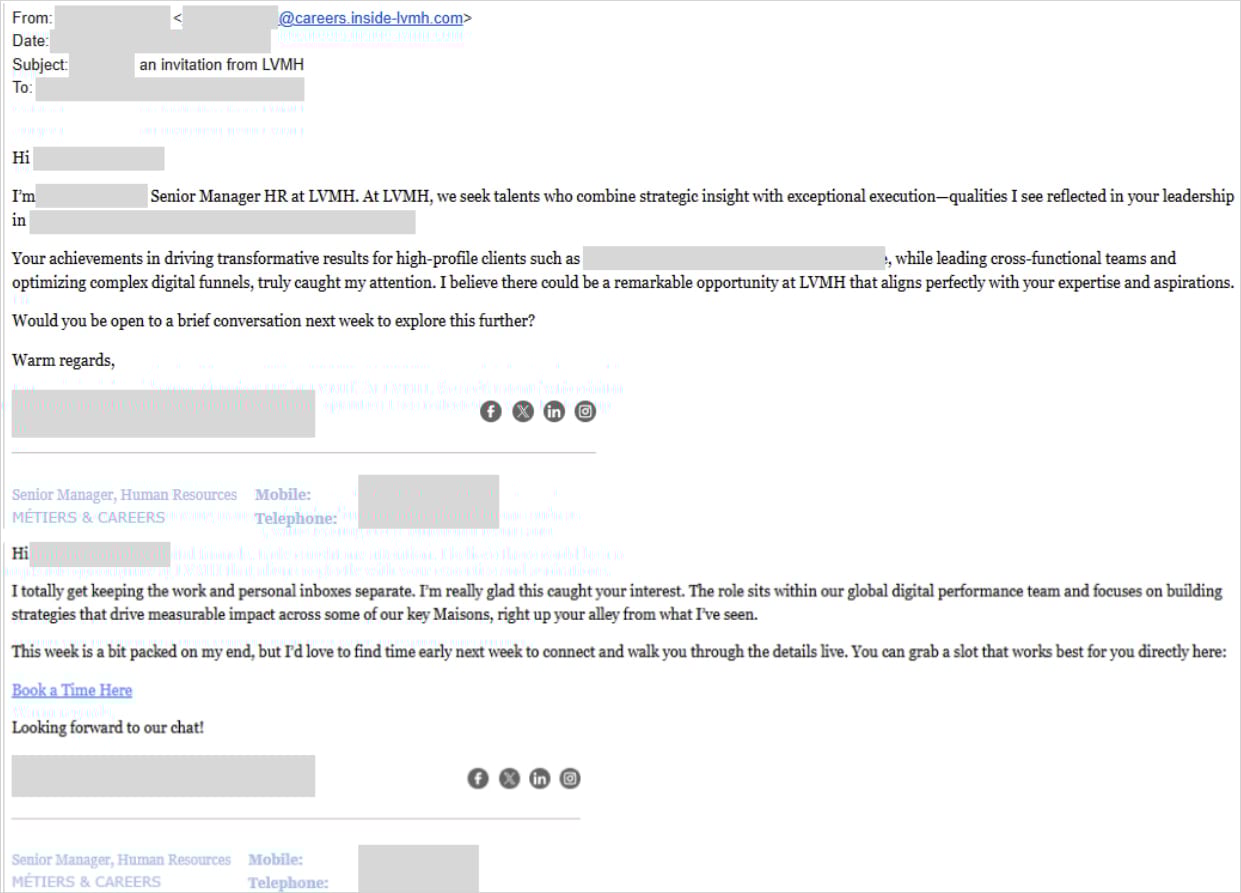
Source: Push Security
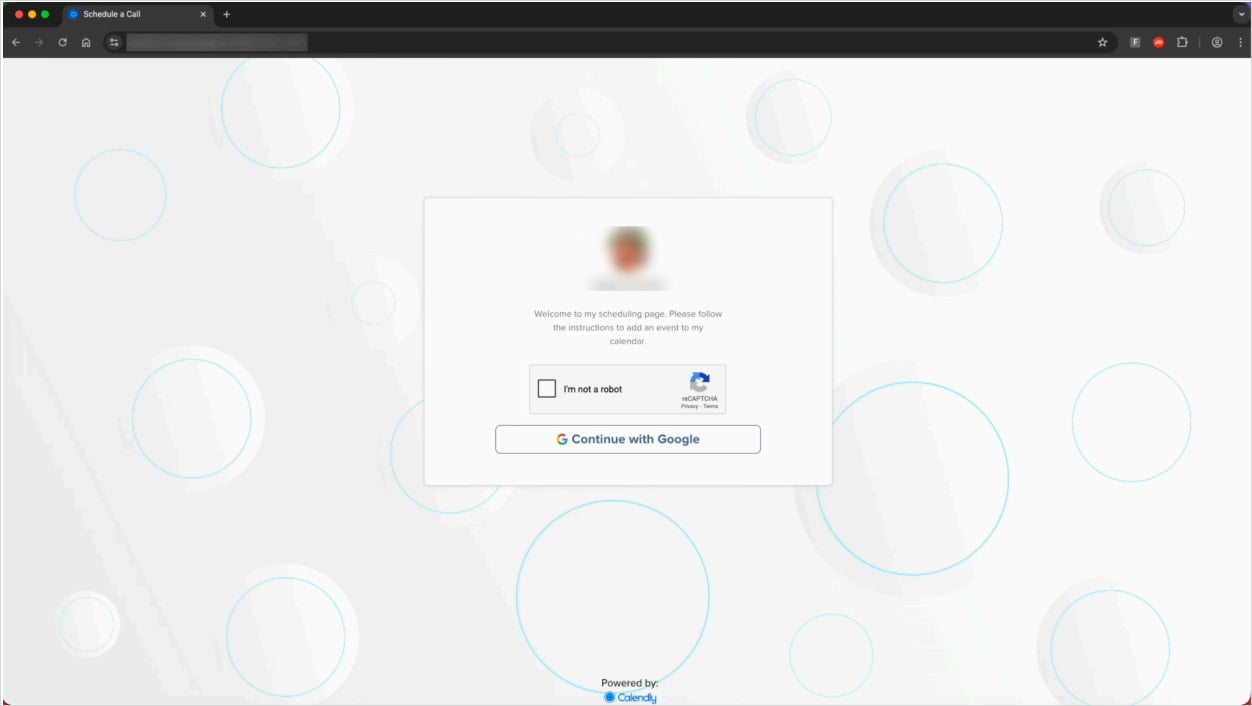
Once the victim clicks the link, they are taken to a fake Calendly landing page that presents a CAPTCHA, followed by an AiTM phishing page that attempts to steal visitors’ Google Workspace login sessions.
Push Security told BleepingComputer that they confirmed the campaign targets Google MCC ad manager accounts after speaking to one of the organizations impacted by the phishing attack.
Source: Push Security
Push Security found 31 unique URLs supporting this campaign, but upon further investigation, the researchers uncovered additional variants.
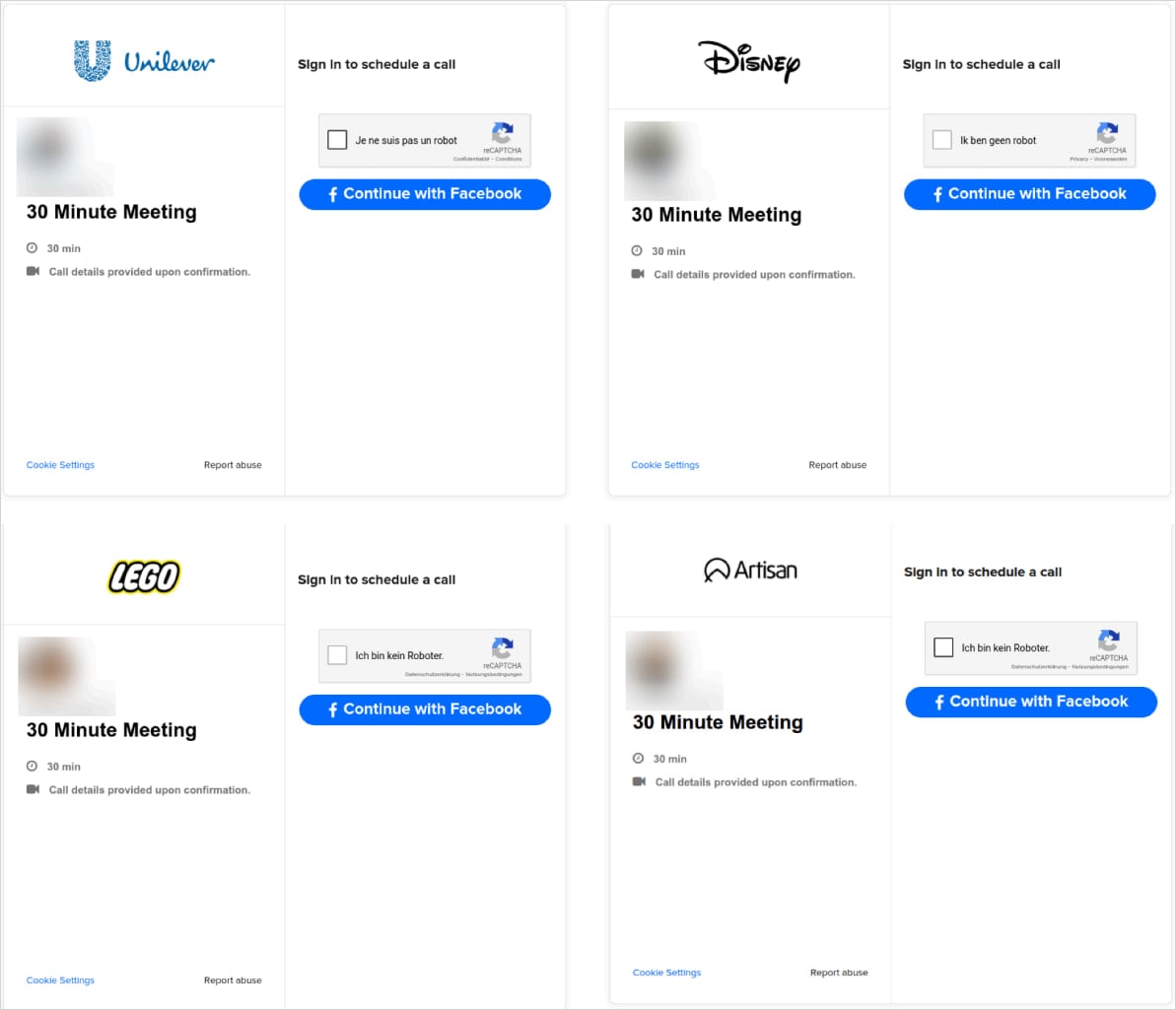
One variant impersonated Unilever, Disney, Lego, and Artisan to target Facebook Business credentials.
Source: Push Security
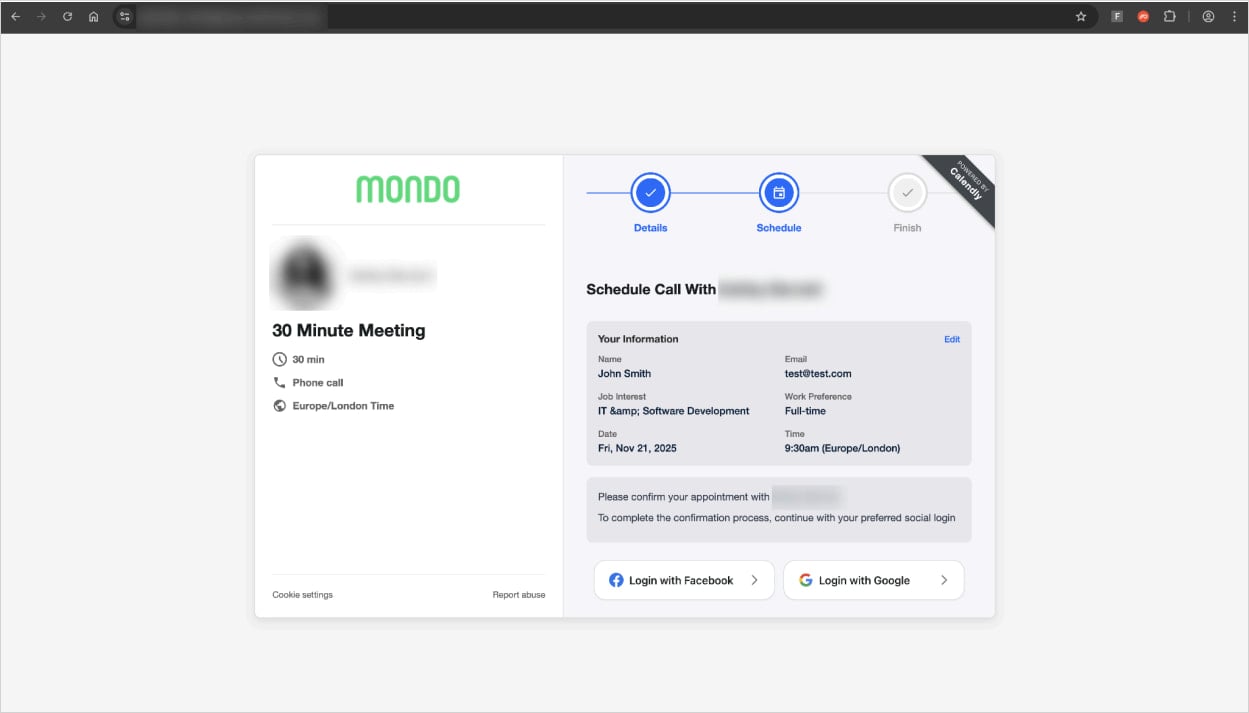
A more recent variant targets both Google and Facebook credentials using Browser-in-the-Browser (BitB) attacks that display fake pop-up windows featuring legitimate URLs to steal account credentials.
Source: Push Security
The phishing pages feature anti-analysis mechanisms, such as blocking VPN and proxy traffic and preventing the visitor from opening developer tools while on the page.
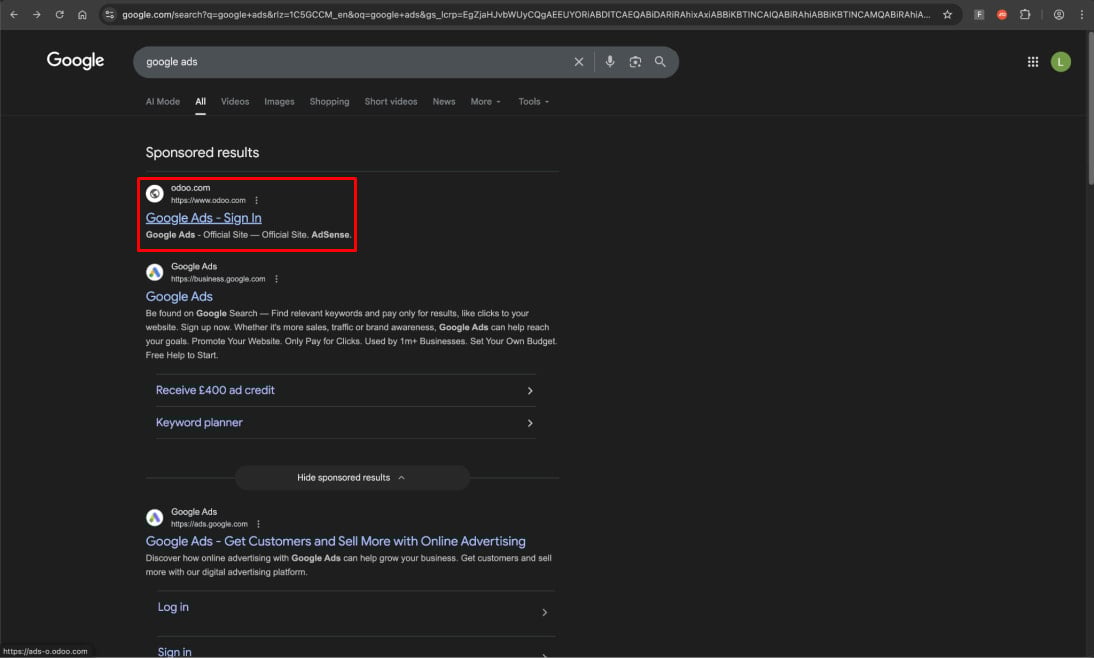
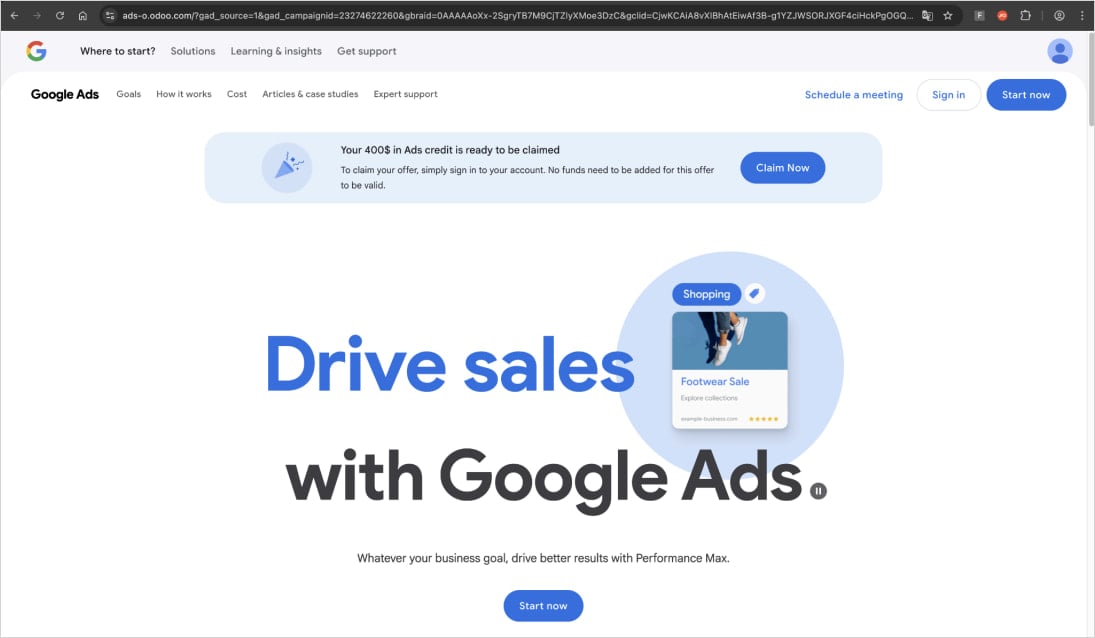
Simultaneously, Push Security observed another malvertising campaign targeting Google Ads Manager accounts, in which users who searched for “Google Ads” on Google Search ended up clicking a malicious sponsored ad.
Source: Push Security
These results direct victims to a Google Ads-themed phishing page, which then redirects them to an AiTM phishing page impersonating Google’s login screen.
Source: Push Security
Push Security discovered multiple instances of this campaign, hosted on Odoo, and sometimes routed via Kartra.
Similar campaigns targeting ad manager accounts have been documented before, but they remain lucrative for threat actors.
As AiTM techniques allow attackers to bypass two-factor authentication (2FA) protections, it is recommended that owners of valuable accounts use hardware security keys, verify URLs before entering their credentials, and drag login pop-ups to the edge of the browser window to verify their legitimacy.

Broken IAM isn’t just an IT problem – the impact ripples across your whole business.
This practical guide covers why traditional IAM practices fail to keep up with modern demands, examples of what “good” IAM looks like, and a simple checklist for building a scalable strategy.