A dedicated command-line tool, fix-react2shell-next, to help developers immediately detect and patch the critical “React2Shell” vulnerability (CVE-2025-66478).
This new scanner offers a one-line solution to identify vulnerable versions of Next.js and React Server Components (RSC). Automatically apply the required security updates included in the latest Next.js release.
Automated Detection and Patching
The tool simplifies the remediation process by recursively scanning all package.json files within a project.
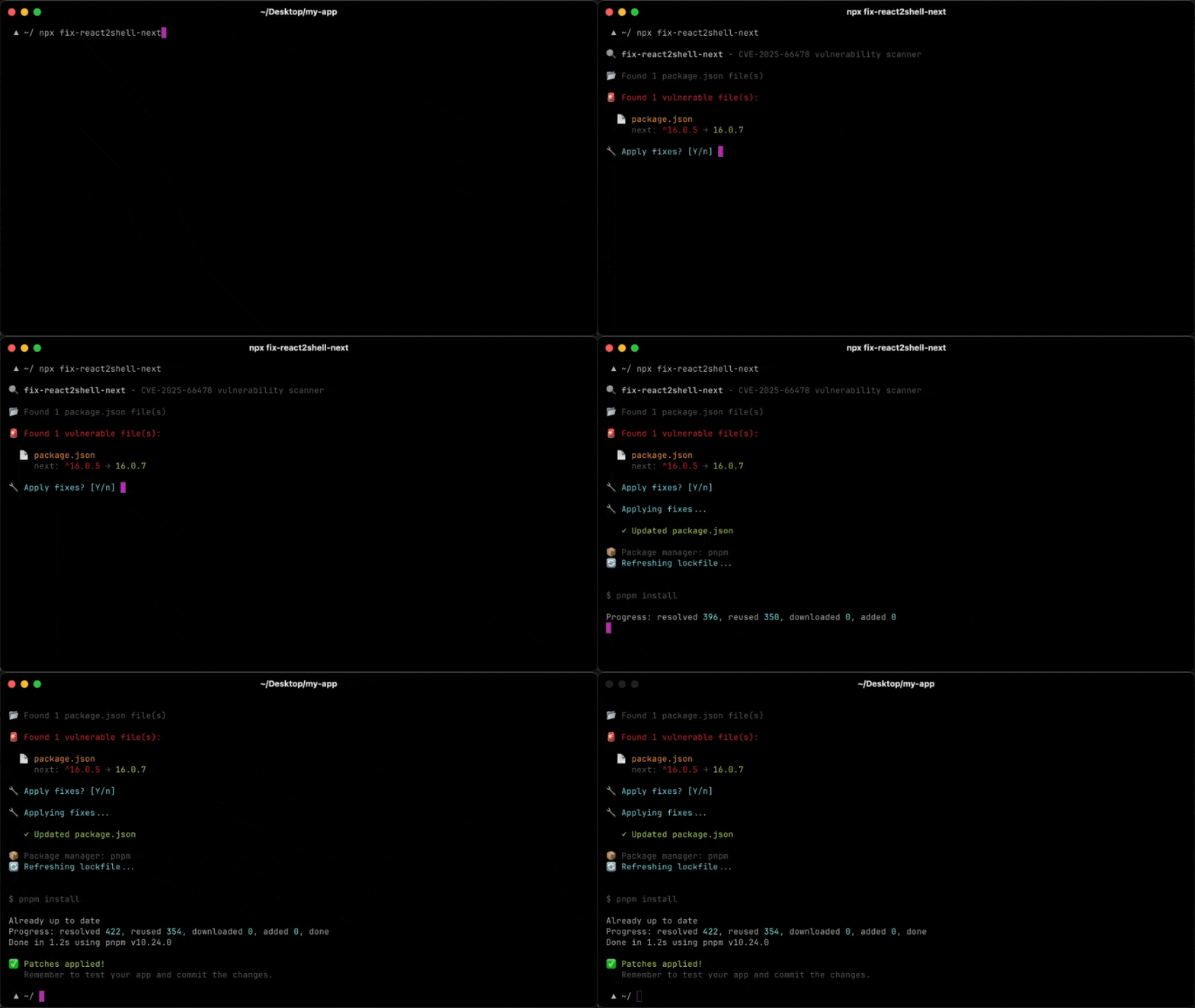
This design ensures it works effectively across both standard repositories and complex monorepos managed by npm, yarn, pnpm, or bun.
Unlike manual checks, which can be prone to human error, the scanner systematically verifies the installed versions of next, react-server-dom-webpack, react-server-dom-parcel, and react-server-dom-turbopack.
Once vulnerable packages are identified, the utility patches them to the correct, secure version, as determined by the official GitHub advisory.

It then refreshes the lockfile using the detected package manager to ensure the fix is properly locked in.
For example, it will automatically upgrade a vulnerable Next.js 15.1.0 installation directly to the fixed 15.1.9 release.
The vulnerability affects multiple release lines of Next.js and React RSC packages, as reported by GitHub.
Developers running any version within the “Affected” ranges below should upgrade immediately.
| Package | Affected Version Range | Patched Version |
|---|---|---|
| Next.js | 15.0.0 – 15.0.4 | 15.0.5 |
| 15.1.0 – 15.1.8 | 15.1.9 | |
| 15.2.0 – 15.2.5 | 15.2.6 | |
| 15.3.0 – 15.3.5 | 15.3.6 | |
| 15.4.0 – 15.4.7 | 15.4.8 | |
| 16.0.0 – 16.0.6 | 16.0.7 | |
| React RSC | 19.0.0 | 19.0.1 |
| 19.1.0 – 19.1.1 | 19.1.2 |
How to Use the Scanner
Developers can run the tool directly using npx. For an interactive experience that asks for confirmation before making changes, users can run the standard command.
For continuous integration (CI) environments or automated workflows where prompts are not possible, the fix flag forces the tool to apply patches automatically.
Conversely, teams who want to audit their project without making immediate changes can use the dry-run flag to see a report of what would be updated.
A json flag is also available for scripting purposes, allowing security teams to pipe the output into other monitoring tools. To run the interactive fix, execute the following command in your terminal: npx fix-react2shell-next.
Follow us on Google News, LinkedIn, and X for daily cybersecurity updates. Contact us to feature your stories.