Blokada is a network privacy and ad-blocking application available on Android, iOS, Windows, macOS, and Linux. It is designed to reduce ads, block trackers, and limit unwanted network connections at the system level.
Getting started
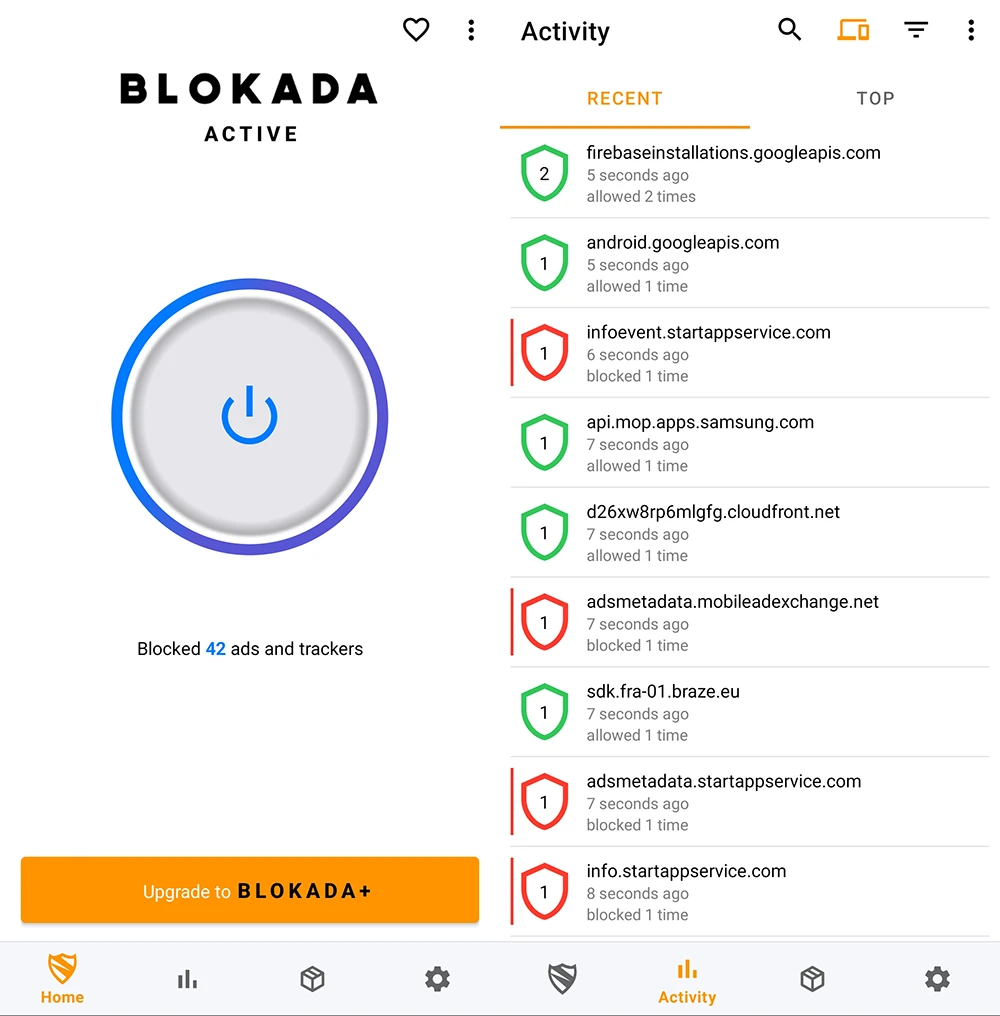
Blokada’s interface is simple. A single toggle enables or disables protection, while advanced options remain available for users who want more control. The app includes usage statistics, connection logs, and per-app settings, allowing users to exclude specific apps from filtering when needed.
The app works by creating a local VPN interface on the device. This allows Blokada to monitor DNS requests and block connections to known advertising, tracking, and malware domains before they reach the internet. Since all filtering is performed locally, user data does not need to be sent to external servers.
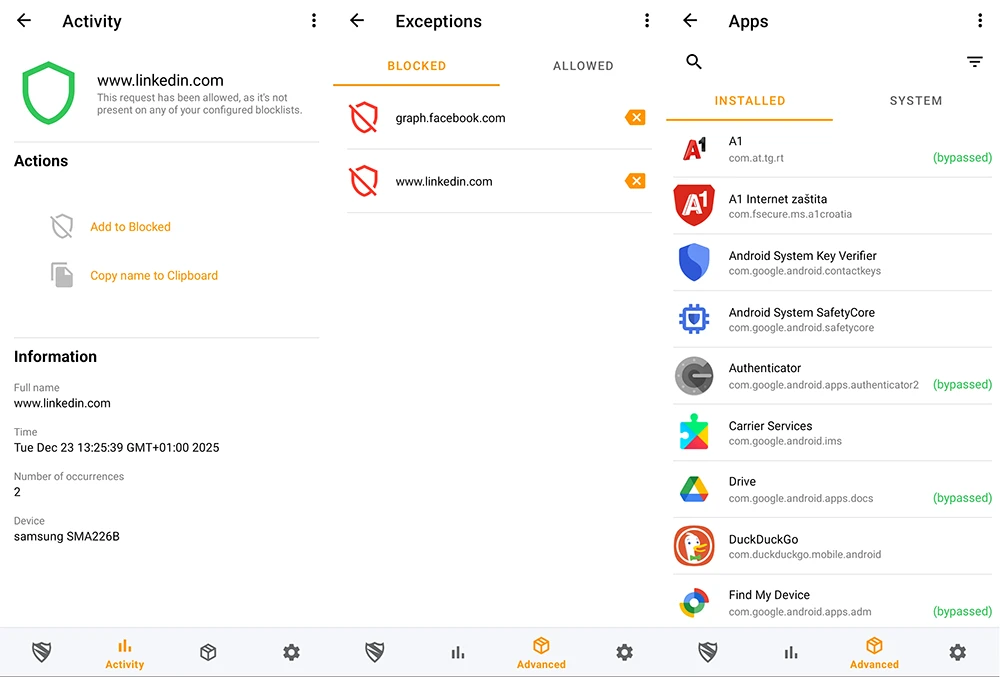
A built-in activity log shows which connections are blocked, providing visibility into network behavior.
Advanced features
Under Advanced settings on Android, users can manage blocklists, exceptions, app controls, and network rules to fine-tune how traffic is handled on the device.
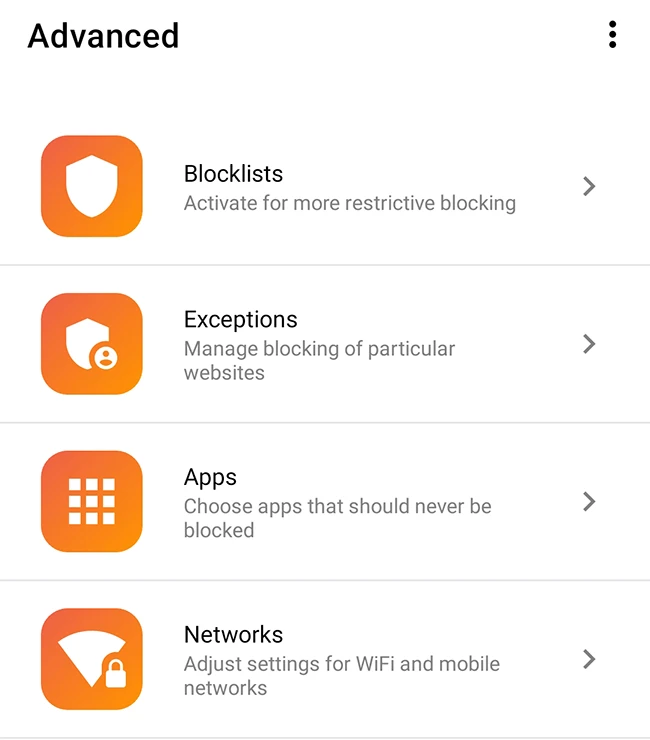
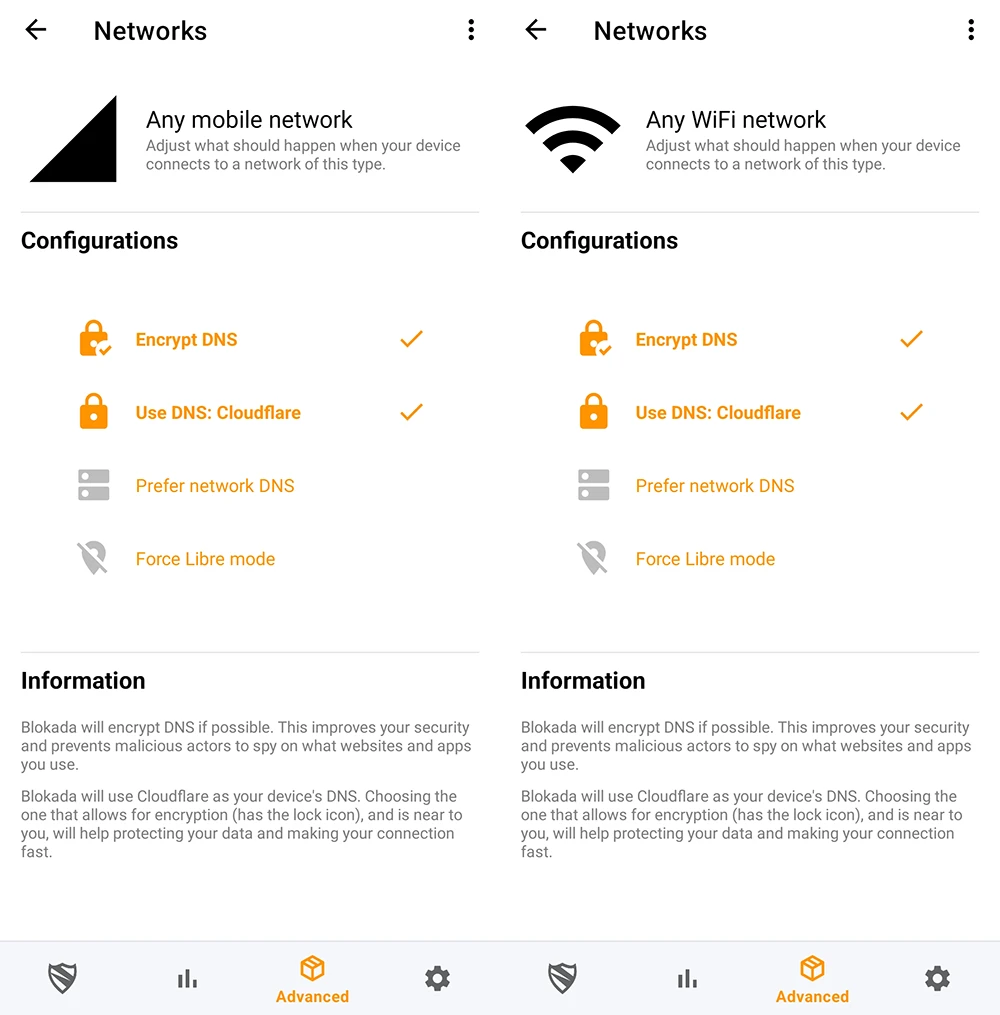
Blocklists define which domains, trackers, or content categories are blocked, while exceptions (allowlists) ensure that trusted apps or websites continue to function as expected. App-level controls make it possible to apply different rules to individual applications, and network settings allow behavior to be adjusted based on Wi-Fi or mobile connections. Together, these options give users control over filtering, privacy, and connectivity.
Free and subscription options
The free version of Blokada for Android focuses on local DNS-based blocking. Paid plans add optional cloud-based blocking and a full VPN for encrypted traffic and location masking.
Blokada 6, the newer version available on Google Play, generally requires a paid subscription (with a free trial) to access cloud-based blocking features. On iOS, the app is free to download, with in-app purchases or subscriptions available for features such as VPN encryption and cloud-based blocking.
The Family version is intended for households and includes enhanced content filtering, parental controls, and protection across multiple devices.
The Plus version targets advanced users, offering expanded blocklists, additional customization options, and performance-focused features for greater control and flexibility.
Conclusion
Blokada targets users who want to limit tracking, and improve privacy across apps and browsers without modifying their device. It’s used to reduce background data usage, minimize in-app clutter, and gain insight into how applications communicate over the network.
By combining local filtering, configurable DNS, and network visibility, Blokada for Android offers a practical approach to device-wide privacy control.