UserLock brings modern identity and access management (IAM) to Active Directory, adding granular multi-factor authentication (MFA), contextual access controls, single sign-on (SSO) and real-time session management. It helps AD-first teams secure logons and govern access to network and SaaS resources without overhauling their identity stack.
How UserLock works
Real-time visibility into your AD environment
For most AD teams, visibility is a big operational blind spot. Access controls are much more effective when you can see what you want to protect. Native Windows tools involve combing through event logs, and SIEMs rarely provide the session-level clarity needed for day-to-day access management.
UserLock pulls all AD users, machines, groups, and OUs (organizational units) into clear dashboards built for IT teams managing an AD environment.
With UserLock, you can see:
- All AD targets (users, groups, machines, and OUs)
- What, if any, access controls apply to each
- Group membership and relationships
- Which machines and accounts are protected or audited by UserLock
This makes it easy to apply policies consistently and identify gaps quickly.
Strong MFA and access controls
Of course, seeing what’s happening isn’t enough. Strong authentication and access control are essential to effective security that also supports compliance.
UserLock intervenes at the AD authentication layer via a custom credential provider to verify the AD identity and apply contextual access policies.
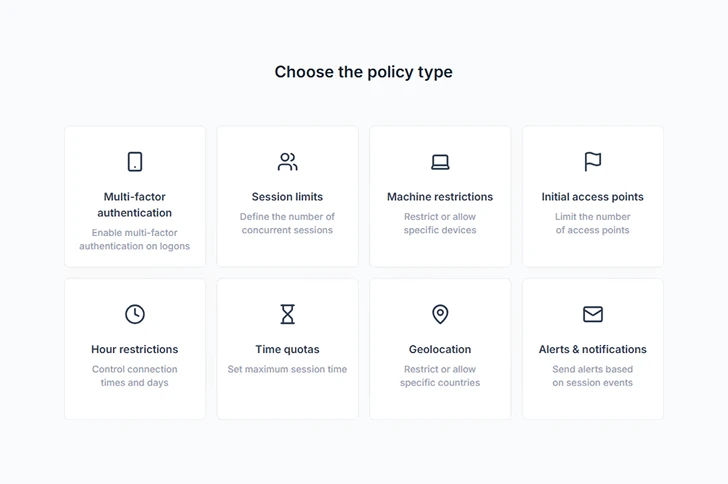
This means UserLock is the only solution you need to add MFA and access controls across Windows logons, remote access, SaaS, and more. No need to move or duplicate identity to the cloud.
Teams can apply policies on existing AD users, groups, or OUs.
Granular MFA
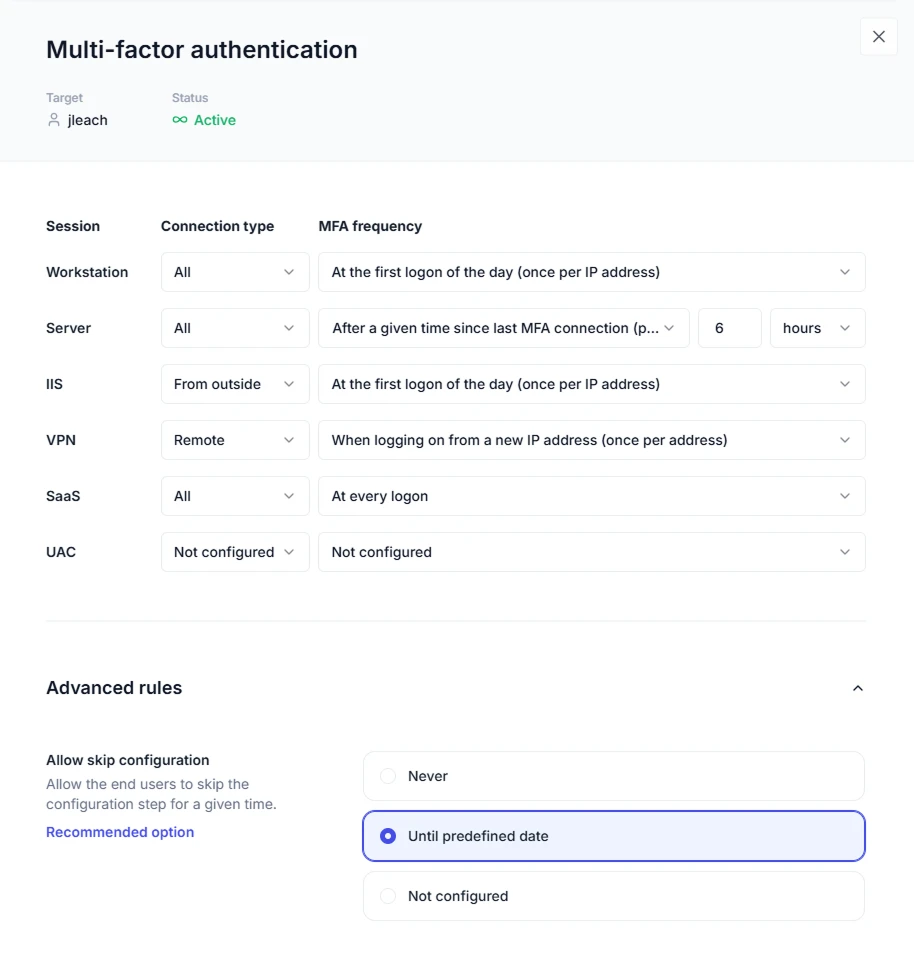
IT can enforce MFA and choose prompt frequency based on:
- Connection type (on- or off-LAN)
- Session type (workstation, RDP, VPN, SaaS, UAC)
Contextual access controls
IT can also restrict access by logon context. Since these controls are invisible to end users, they help keep security lightweight.
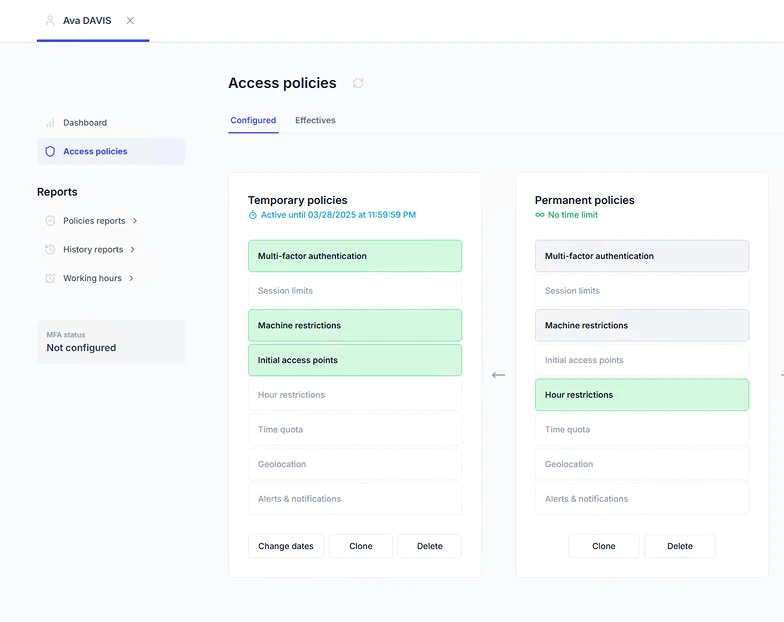
IT can limit access by:
- Device
- Location or IP range
- Time of day or working hours
- Concurrent session limits
- Number of initial access points (to limit concurrent logons)
These controls reduce attack surface at the exact points attackers target most.
Since UserLock software is agent-based, UserLock MFA and access policies can also be maintained in air gapped environments and offline scenarios (no internet access, off-LAN machine). Also, critically, all identity data stays on-prem, with you. Attack surface, shrunk.
Continuous session monitoring
UserLock also provides critical visibility on access across network and SaaS resources, an area where most fully on-prem and hybrid environments struggle.
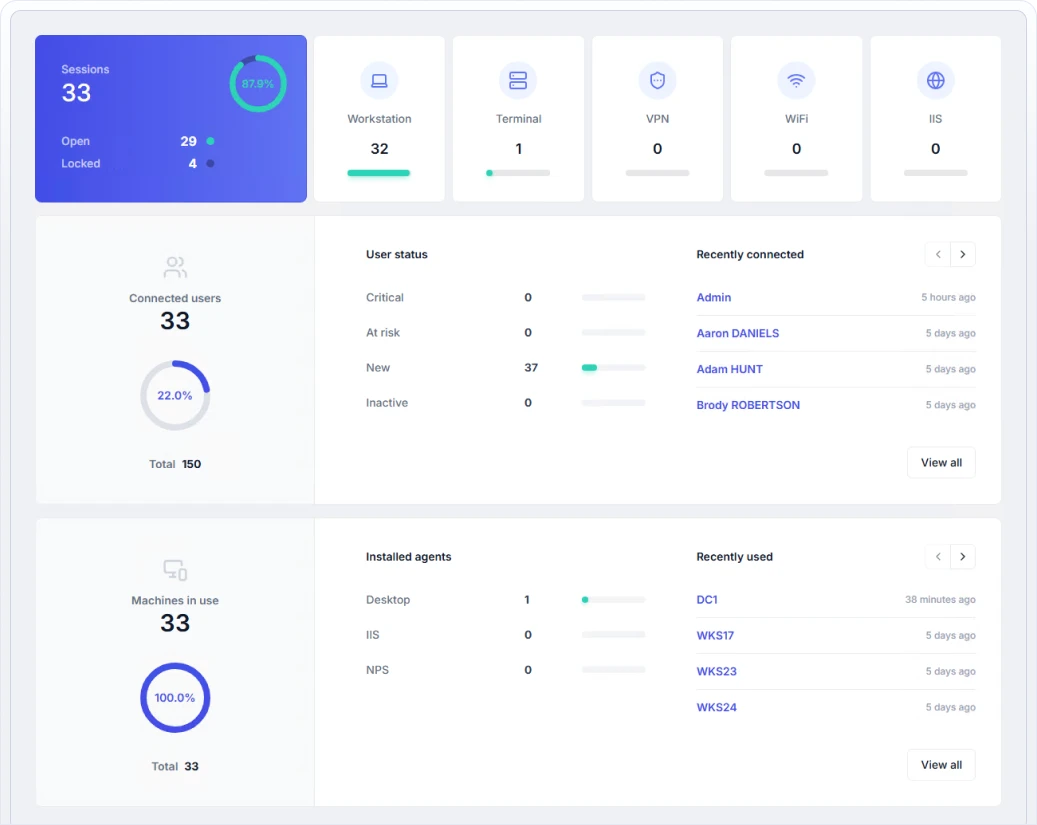
IT teams can see live and historic info for:
- Every Windows logon and logon attempt
- Who is logged in, from where, on which device, and via which session type
- After-hours or unusual activity
- Concurrent logons that may signal credential misuse
- Failed or denied logons with clear context
And since teams can set up custom alerts, block users, or interact remotely with any session, it’s easier to stop threats before damage is done.
Custom views
Focus only on the information you care about with custom views. You can filter, save, share, and generate custom reports from these views, particularly useful for teams with multiple administrators monitoring different aspects of the environment.
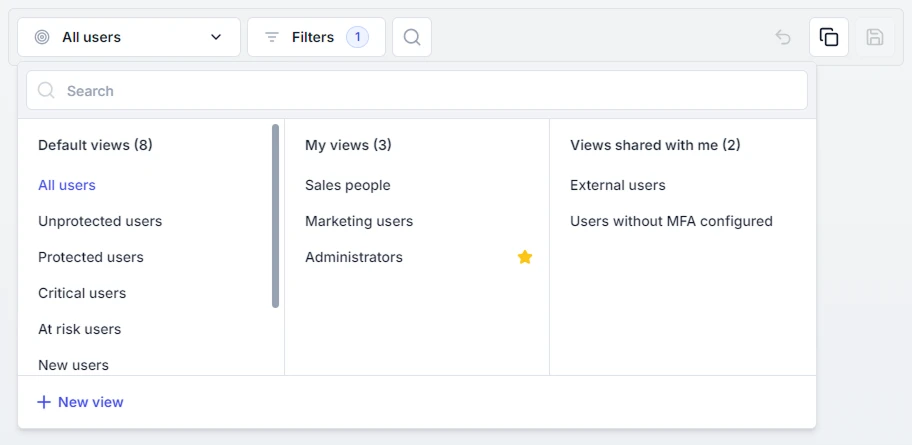
UserLock focuses on the operational layer, exactly where most AD security teams need help. This operational visibility is something governance platforms don’t try to provide, and cloud-first IAM tools can’t deliver for on-prem authentication.
Audit-ready reporting
Reporting is often a struggle for teams managing AD setups, and preparing for an audit can take days. UserLock helps teams prove they’ve implemented the required policies and that they’re doing the job they’re supposed to do.
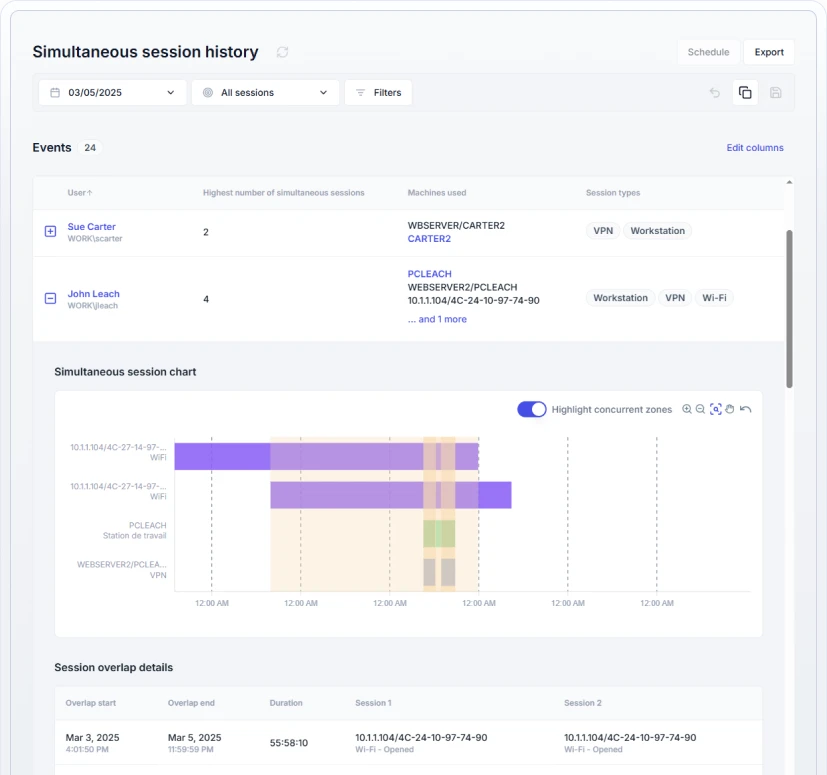
UserLock audit logs maintain a complete, searchable record of:
- Successful and failed logons
- User session history
- Simultaneous session history
- WiFi/VPN/IIS sessions
- SSO events
- UAC events
- MFA events (successful and failed)
- Administrator actions
- And more
Reports can be filtered, exported, or scheduled, giving auditors and security teams a clear, identity-focused record of who had access to the network, how, when, and what they did with that access.
Protect the identity the world runs on
Active Directory remains the identity provider for many of the world’s critical systems. Yet as identity-based threats grow, the dominant message has become: move identity to the cloud.
For many organizations, that isn’t possible because of regulatory, sovereignty, or security constraints. For others, it’s not practical. Cloud identity migrations can take years, are expensive, and often introduce new complexity and new attack surfaces.
UserLock takes a pragmatic approach. Keep the AD identity you already have, and strengthen it with the security layers it’s missing. This gets you to “secure and compliant” faster, with far less operational disruption and at a fraction of the cost of identity replacement.
Built for on-premises and hybrid AD environments, UserLock has a 25-year track record helping teams solve the day-to-day security challenges that come with protecting AD. And because complexity is bad for security, UserLock keeps things simple. IT teams decide what “secure enough” looks like for their environment through granular policy controls and session-based management.
Availability
Start a free 30-day trial to see how UserLock keeps MFA and access management for Active Directory simple.