DuckDuckGo announced that its browser can now block most video ads on YouTube, including those shown before the video starts playing and during playback.
The feature is enabled by default in the latest versions of DuckDuckGo for iOS, Mac, and Windows, while Android users can enable it manually by going to Settings > Ad Blocking.
YouTube is the world’s largest video platform, serving billions of users worldwide. Apart from YouTube Premium subscribers, free users are shown ads that help fund operational costs and creator payouts.

However, in recent years, these ads have become more frequent, longer, and in some cases, unskippable.
DuckDuckGo’s new ad-blocking mechanism is separate from ‘Duck Player,’ an embedded YouTube player in the browser that uses YouTube’s strictest privacy settings to prevent tracking cookies and personalized ads.
Instead, the new ad-blocking system relies on community-maintained filter lists from uBlock Origin to detect and block YouTube ads. It is supplemented by its own compatibility rules to further strengthen its effectiveness.
DuckDuckGo says users can enable both features simultaneously, allowing them to use Duck Player’s enhanced privacy protections while also using YouTube Ad Blocking when browsing the standard YouTube website.
“YouTube Ad Blocking blocks video ads on the YouTube website, so you can watch without interruption,” the feature announcement states.
“It’s the regular YouTube experience, just without ads […] so you’re free to take advantage of YouTube features like remembering your viewing history and saving your spot in playlists.”
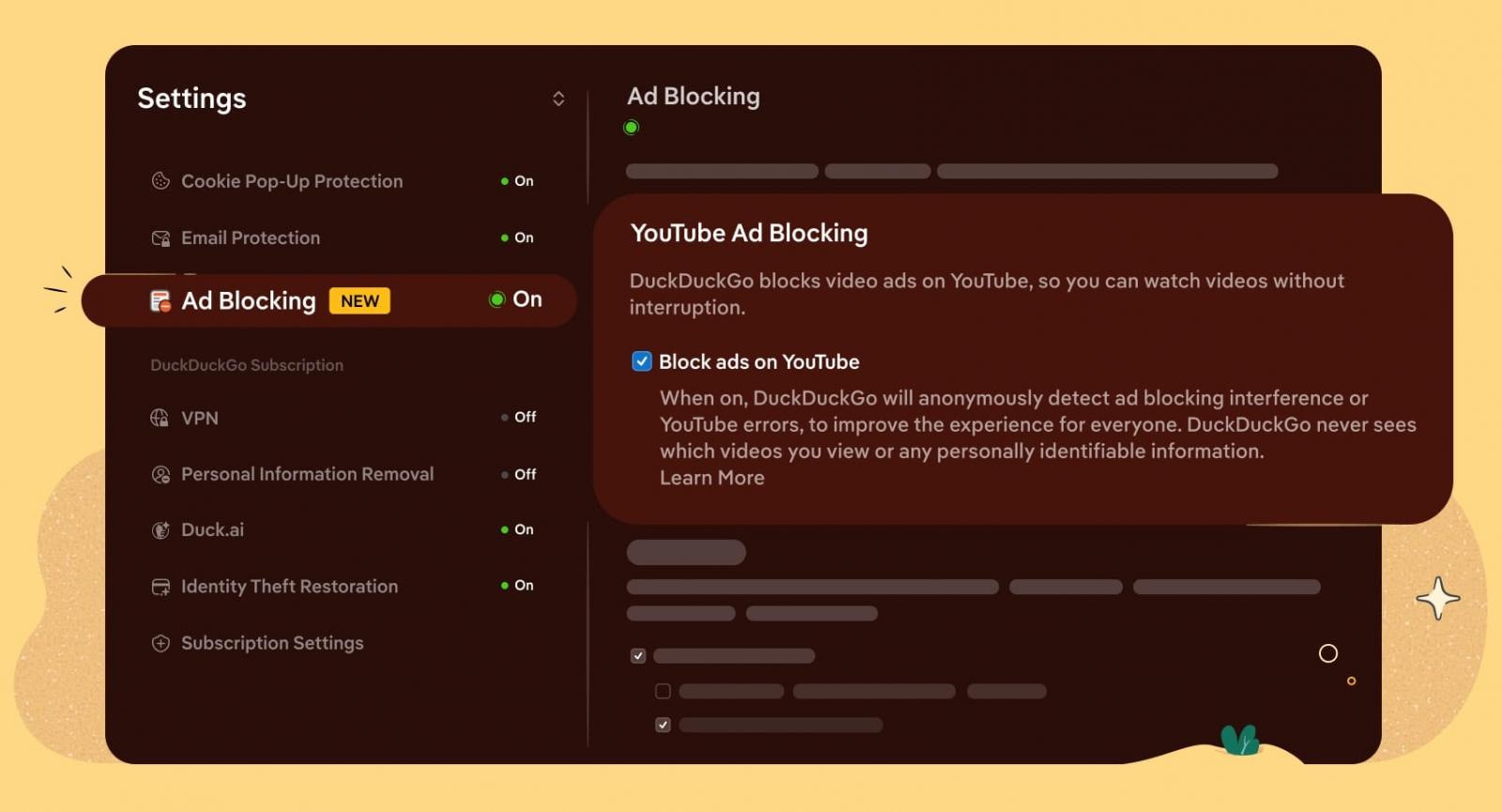
DuckDuckGo noted that the ad blocking may introduce slightly longer buffering times, but once the videos have loaded and start playing, the experience should be as smooth as usual on the platform.
Another potential issue is that YouTube frequently changes how it serves ads, so any ad-blocking solution may periodically and temporarily stop working until its filter rules are updated.
The team behind DuckDuckGo invites users to test out the new feature and submit anonymous feedback right from the browser’s options menu.
Considering this is a new feature, it might not work reliably or be fully stable yet, so user testing and feedback are important at this stage to help the team fix any issues.
With this new feature rollout, DuckDuckGo joins Brave and Opera, both of which include built-in ad and tracker blockers that can block most YouTube ads without requiring third-party extensions.

Security teams log 54% of successful attacks and alert on just 14%. The rest move through your environment unseen.
The Picus whitepaper shows how breach and attack simulation tests your SIEM and EDR rules so threats stop slipping by detection.
Get the whitepaper