A new variant of the macOS infostealer PamStealer is being distributed through a fake cryptocurrency wallet application, using a server-assisted decryption chain and Swift-based payload to steal credentials, browser data, Keychain items and sensitive user files.
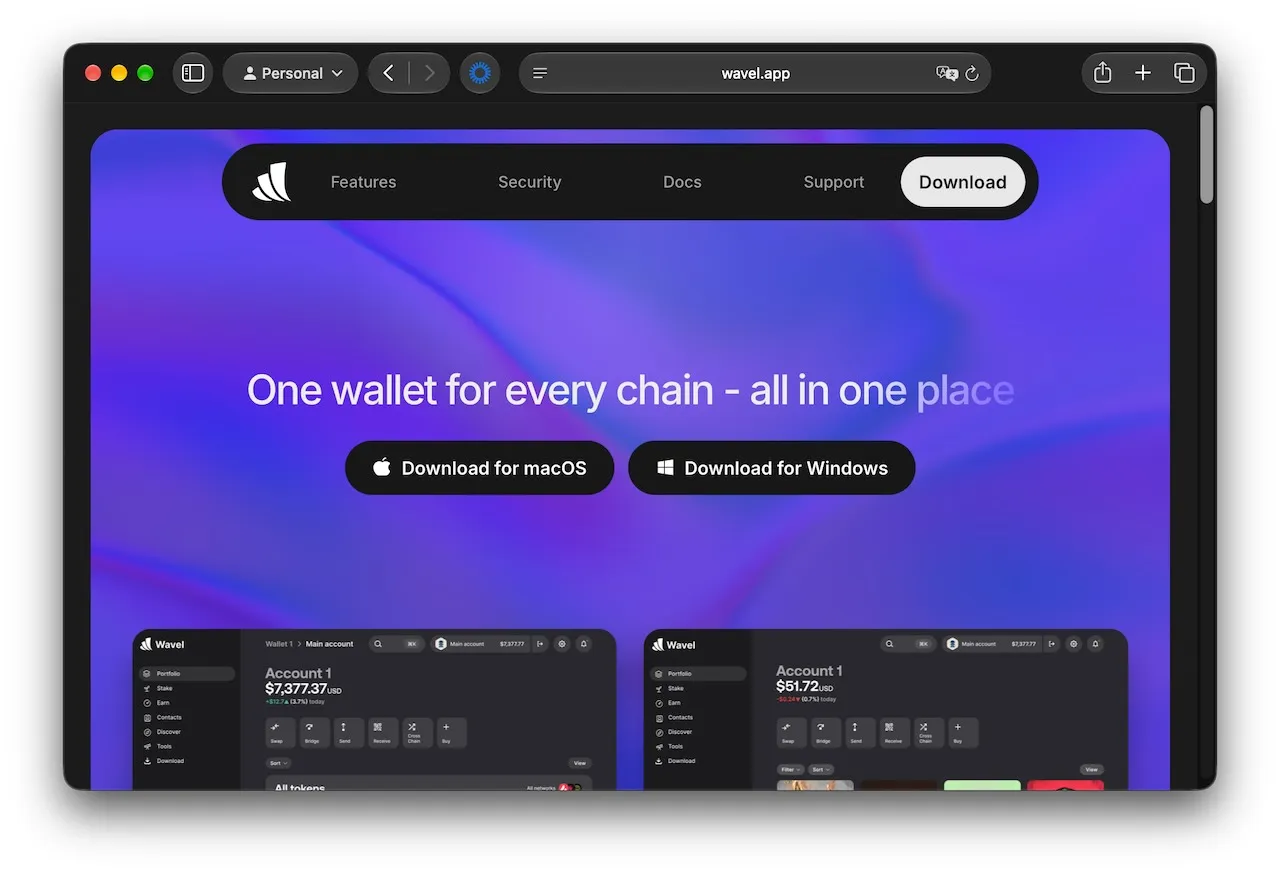
The campaign impersonates a multichain wallet called Wavel and demonstrates a significant upgrade in both evasion and persistence capabilities.
The earlier version used a compiled JavaScript for Automation (JXA) dropper to deliver a Rust-based secondary payload.
In the latest variant, the threat actors replaced the Rust stealer with a universal Swift Mach-O binary and shifted payload decryption to infrastructure controlled by the attackers.
The infection begins at wavel[.]app, a fraudulent website posing as a multichain cryptocurrency-wallet service. Clicking “Download for macOS” delivers a disk image from y32me8[.]com/Wavel.dmg.
The DMG contains a compiled AppleScript file with a .scpt extension. Since Finder normally hides extensions, the malicious file can appear as an innocuous generic document and opens in Script Editor, which then executes embedded JXA code.
Rather than embedding its full downloader and decryption material in the AppleScript source, the JXA layer decodes a large Base64 blob and pipes it directly into /bin/zsh.
The resulting zsh dropper launches a background function and exits, detaching subsequent execution from Script Editor and making process-tree investigations more difficult.
The dropper downloads a custom Mach-O utility named pkgunpack from attacker-controlled infrastructure at wavel.apple03cloudstore[.]com.
It removes the file’s quarantine attribute and applies an ad-hoc code signature before execution.
The utility supports both Apple Silicon and Intel Macs and uses X25519 key exchange, SHA-256 and AES-256-GCM to unwrap the payload’s data-encryption key.
This design is particularly notable because the encrypted second-stage archive cannot be recovered through static analysis alone.
Each infection generates a fresh ephemeral keypair and submits its public key to the command-and-control server, which responds with a wrapped decryption key.
Jamf Threat Labs, which first documented PamStealer, in July 2026 when it masqueraded as the Maccy clipboard manager, said the newer campaign alters the malware’s delivery architecture while retaining its core credential-harvesting behavior.
Fake Crypto Wallet App
The server retains the private key necessary to complete the exchange, binding payload recovery to an active attacker-controlled session.
The compiled JXA format used here is identical to the one documented in PamStealer’s first variant and in the earlier Scoppr and Nancy.
After decrypting the payload, the malware installs Wavel.app under ~/Library/Application Support/System/Finder.app, masquerading as a macOS component.
It creates a LaunchAgent named com.apple.finder.agent, configured to run at login, restart after crashes and execute every 15 seconds.
The malware also suppresses macOS background-item alerts by pausing BackgroundTaskManagementAgent, BTMNotificationAgent and Notification Center processes before registering persistence.
PamStealer reinforces persistence through a local repair script, a modified ~/.zshrc file and global Git hooks.
These mechanisms can restore the malicious application and LaunchAgent even if defenders remove one persistence layer. The local backup archive further allows recovery without contacting command-and-control infrastructure.
The Swift-based stealer, internally identified as MacClient, displays a fake “macOS wants to make changes” password prompt followed by a deceptive damaged-application warning.
Entered passwords are validated locally through macOS Pluggable Authentication Modules (PAM), ensuring attackers receive credentials that are likely to work before they are exfiltrated.
This PAM-based validation behavior is the defining characteristic behind the PamStealer name.
The malware targets browser databases from 17 applications, including Chrome release channels, Edge, Brave, Opera, Firefox, Arc, Zen, Waterfox, LibreWolf, Yandex Browser and CocCoc.
It also attempts to retrieve Keychain data, cryptocurrency wallet information, browser extensions, shell histories, Git configuration and the victim’s login Keychain database.
Notably, the stealer collects system profiling data and can extract the victim’s macOS account photo directly from Open Directory using dscl, potentially allowing operators to associate stolen credentials with a real user image.
Collected data is compressed into a ZIP archive and uploaded to wavel.apple03cloudstore[.]com using a stable X-Upload-Token header, making that header a useful network detection artifact.
Organizations should block the identified domains, hunt for the fake Finder.app path and suspicious com.apple.finder.agent LaunchAgents, and investigate unexpected Git hooks or .zshrc modifications.
Users should download wallet software only from verified vendor sites and avoid opening unexpected .scpt files delivered inside disk images.
Cut every SOC alert investigation by 21 min. Power your SOC with instant IOC context for immediate response: Integrate TI Lookup in your SOC