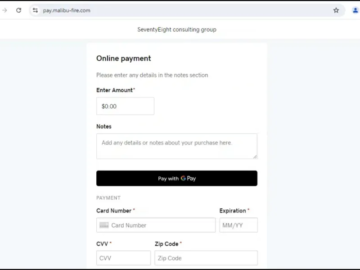
A newly identified device-code phishing kit dubbed GhostCode exploits Microsoft Entra device enrollment to maintain access after stolen tokens are revoked.
GhostCode begins with business-email social engineering rather than a conventional credential-harvesting page.
Operators impersonated procurement staff from legitimate organizations, including BJ’s Wholesale Club, and submitted benign inquiries through Salesforce contact forms.
Once a sales team responded, the actors introduced a supposedly routine NDA-signing process and sent a password-protected HTML attachment through WeTransfer.
The campaign’s infrastructure suggests scale. eSentire linked the observed sender domain, bjssourcing[.]com, to more than 30 recently registered lookalike domains impersonating U.S. distributors, manufacturers, warehouse firms, and other businesses.
The domains were mail-enabled but had no active websites, a common operational pattern for business-email-compromise staging.
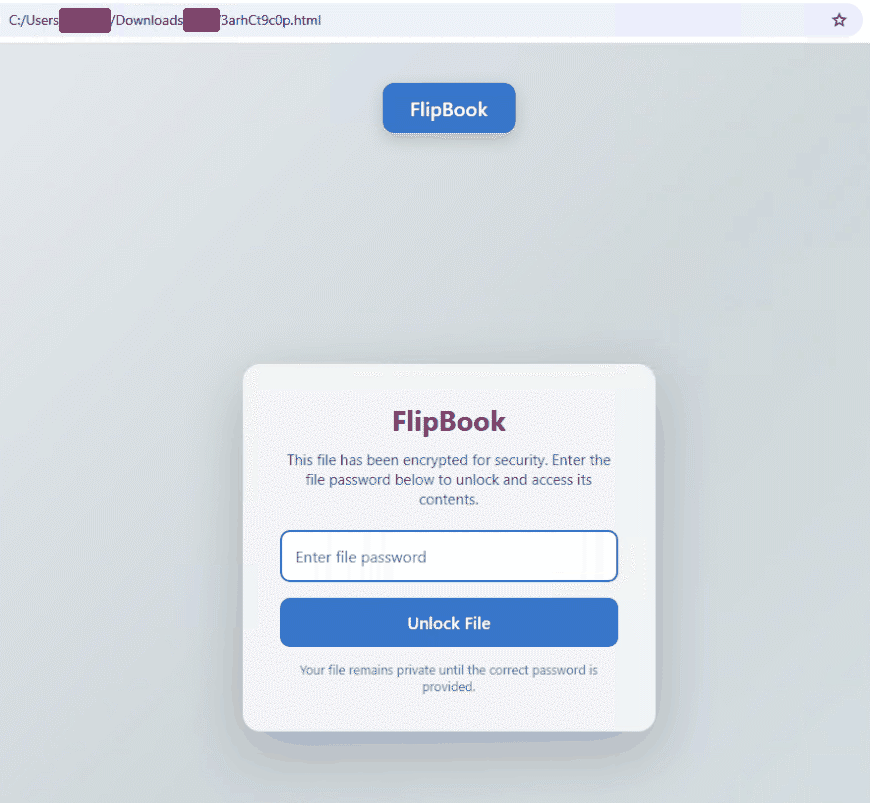
The attachment, masquerading as a FlipBook document-sharing portal, uses three layers of evasion.
First, large amounts of repeated junk data inflate the HTML file and interfere with similarity-hash and scanning workflows.
Second, GhostCode injects HTML comments between visible characters, allowing the browser to render normal-looking text while making the source difficult for static parsers, regex rules, and text-extraction systems to interpret.
The third layer encrypts the next-stage redirect with AES-256-GCM. The phishing URL is decrypted locally in the browser only after the victim enters the attacker-supplied password.
The decryption key is derived through PBKDF2-HMAC-SHA256 using a hard-coded salt and the supplied password, while Web Crypto API functions perform the redirect.
This means sandboxes, mail gateways, and proxy systems may never see the actual phishing destination unless they correctly execute the password-gated workflow.
After decryption, victims are routed through a JavaScript-based anti-bot stage, Cloudflare Turnstile, server-side GeoIP checks, and user-agent filtering.
The final phishing page is hosted on a subdomain of what appears to be a compromised legitimate site and is designed as a polished document portal rather than a Microsoft login clone.
Researchers at eSentire’s Threat Response Unit (TRU) observed, the campaign in late August 2026, showing how attackers can turn a single MFA-approved device-code login into multiple attacker-controlled Entra devices.
GhostCode abuses the OAuth 2.0 device authorization grant, an authentication flow intended for devices with limited input capabilities.
GhostCode Abuses Microsoft Entra
Rather than stealing a password, the kit initiates a device-code request as an OAuth client and displays Microsoft-issued user codes to victims.
The HTML file, “3arhCt9c0p.html”, is password-gated and masquerades as a document-sharing service named “FlipBook”.
Victims are then directed to Microsoft’s legitimate device login page, enter the supplied code, and complete their normal sign-in process including MFA.
This is particularly dangerous because the authentication is technically valid from Microsoft’s perspective: the user approves a real device-code request.
Microsoft recommends blocking device-code flow where it is not explicitly required, using Conditional Access authentication-flow controls.
GhostCode’s operators reportedly used Microsoft Authentication Broker’s application ID and requested Microsoft Graph default permissions plus offline_access.
The victim clicks the “Authenticate” button in the device code phishing page, causing their browser to redirect to the legitimate Microsoft sign-in page for device code authorization.
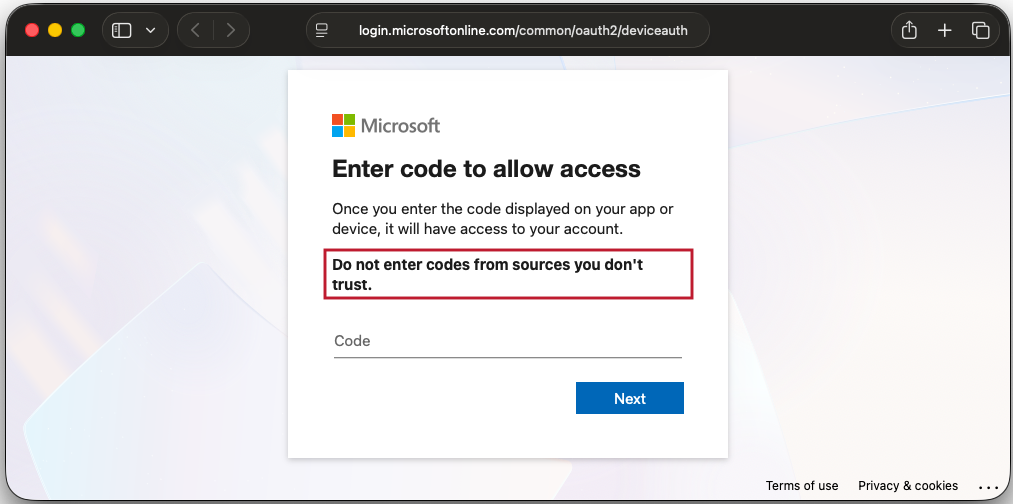
Following approval, the kit retained the device code, polled for successful authorization, and redirected the victim to a convincing NDA PDF to reduce suspicion.
The post-compromise activity is the campaign’s most consequential feature. Within five seconds of successful authentication, operators began making API calls to Intune Enrollment, Device Registration Service, Windows Azure Active Directory, and Microsoft Graph.
In 78 seconds, they registered three Entra devices and obtained a Primary Refresh Token, or PRT.
A PRT can support single sign-on across tenant resources and is normally associated with a managed or registered device.
The practical implication is that revoking the initially stolen session or refresh token may not fully remove the attacker’s foothold if rogue enrolled devices remain in the tenant.
eSentire said the attacker-created Intune enrollment record persisted until explicitly removed, even after token revocation.
The operation also rotated IP addresses through residential proxy infrastructure, largely using UK exit nodes aligned with the victim’s geography.
That tactic makes the Microsoft device-authentication prompt appear more credible and reduces the likelihood of country-based Conditional Access anomalies.
Organizations investigating suspected device-code phishing should treat rogue device registrations as a containment priority, not merely revoke sessions.
Microsoft’s emergency-response guidance recommends deactivating the affected account, revoking refresh tokens, and disabling registered devices associated with the compromised user.
Security teams should immediately review Entra sign-in and audit logs for deviceCode authentication activity, rapid Device Registration Service calls, unexpected Intune enrollments, Microsoft Graph sessions using incoming primaryRefreshToken credentials, and anomalous user agents such as python-requests.
Detection should also focus on device names patterned after user identities, tenant-ID fragments, and retry suffixes.
The strategic mitigation is straightforward but operationally important: block device-code flow for all users who do not have a documented business requirement, pilot the policy in report-only mode, and maintain tightly controlled exception groups for legitimate shared-device, Teams-room, IoT, or CLI use cases.
Cut every SOC alert investigation by 21 min. Power your SOC with instant IOC context for immediate response: Integrate TI Lookup in your SOC