Google says it’s rolling out a new feature called ‘AI Inbox,’ which summarizes all your emails, but the company promises it won’t train its models on your emails.
On Thursday, Google announced a new era of Gmail where Gemini will be taking over your default inbox screen.
Google argues that email has changed since 2004, as users are now bombarded with hundreds of emails every week, and volume keeps rising.

With AI Overviews in Gmail, Google says it can address the high-volume problem and allow you to ask anything about your inbox.
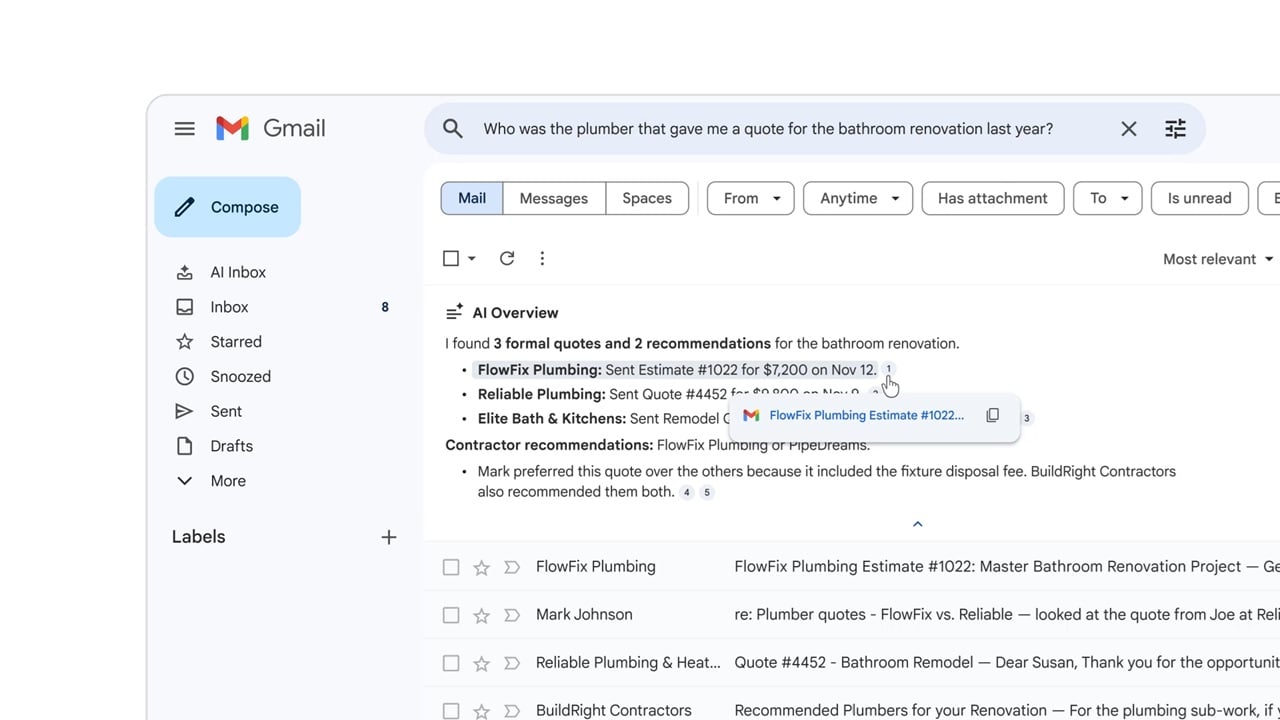
For example, when you find the right emails, you might be staring at a list of messages, as emails can be long conversations, especially in corporate environments, and you are forced to dig through the long list.
Similar to Google Search, AI Overviews summarizes your email and provides a short overview, so you don’t have to read all previous emails in the thread
AI Overview conversation summaries are rolling out today for everyone at no cost.
AI Inbox
AI Inbox is a new section that appears above the traditional Inbox on the left sidebar, and it’s like your personalized briefing.
“AI Inbox is like having a personalized briefing, highlighting to-dos and catching you up on what matters,” Google explained in a blog post.
“It helps you prioritize, identifying your VIPs based on signals like people you email frequently, those in your contacts list, and relationships it can infer from message content,” the company added.
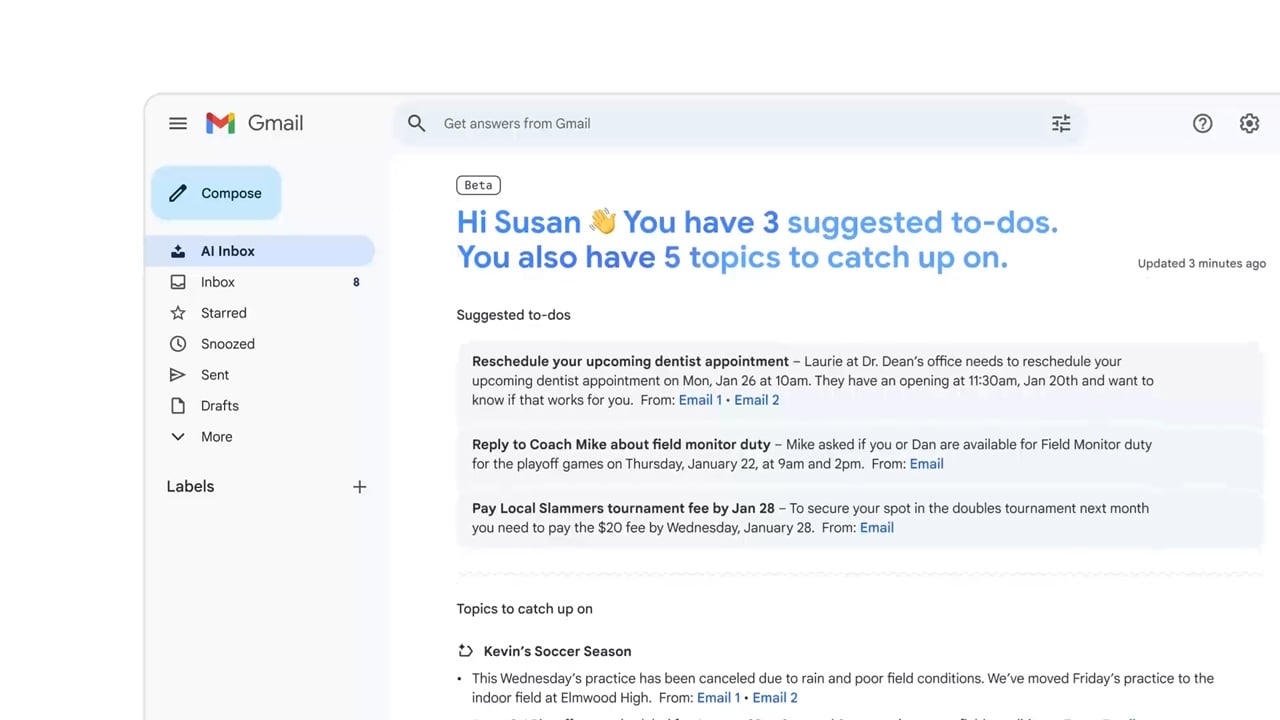
AI Inbox in Gmail is powered by Gemini, and it’s rolling out to users with Google AI Pro and Ultra subscribers in the United States.
Google confirmed that you’ll be able to turn off the AI features in Gmail, and it’s promising that it won’t train its AI models on your emails.

Whether you’re cleaning up old keys or setting guardrails for AI-generated code, this guide helps your team build securely from the start.
Get the cheat sheet and take the guesswork out of secrets management.