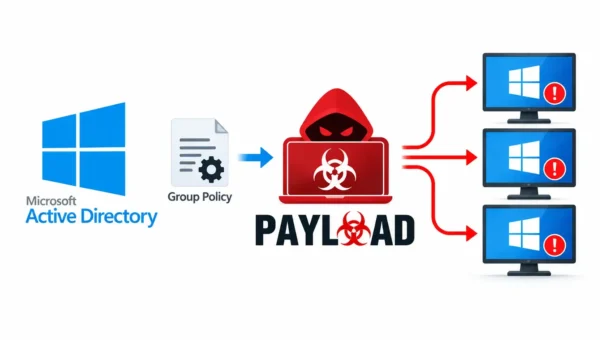
A rising phishing technique is exploiting a legitimate Microsoft authentication flow to hijack corporate accounts without stealing passwords.
Attackers are weaponizing the OAuth 2.0 Device Authorization Grant commonly used to sign in input-constrained devices via a one-time user code to trick victims into approving access on Microsoft’s own domain.
Because the final authentication occurs on trusted microsoft.com and login.microsoftonline.com pages, traditional anti-phishing heuristics that focus on suspicious domain names can fail.
The Device Authorization Grant was designed to let devices such as smart TVs, printers, and IoT hardware request user consent using a short user_code and a verification URI (for example, https://microsoft.com/devicelogin).
In normal use an unauthenticated device posts to https://login.microsoftonline.com/{tenant}/oauth2/v2.0/devicecode, receives a user_code and verification_uri, displays them to the user, and polls the token endpoint until the user approves.
Once approved, the authorization server issues an access_token and refresh_token so the device can access resources and renew access without further user interaction.
Researchers in Kaspersky said, malicious campaigns observed in April–May 2026 abuse this exact workflow. Phishing emails masquerading as law-firm notices or order confirmations deliver either a password-protected PDF or a link hosted on a trusted third-party platform such as cacoo.com.
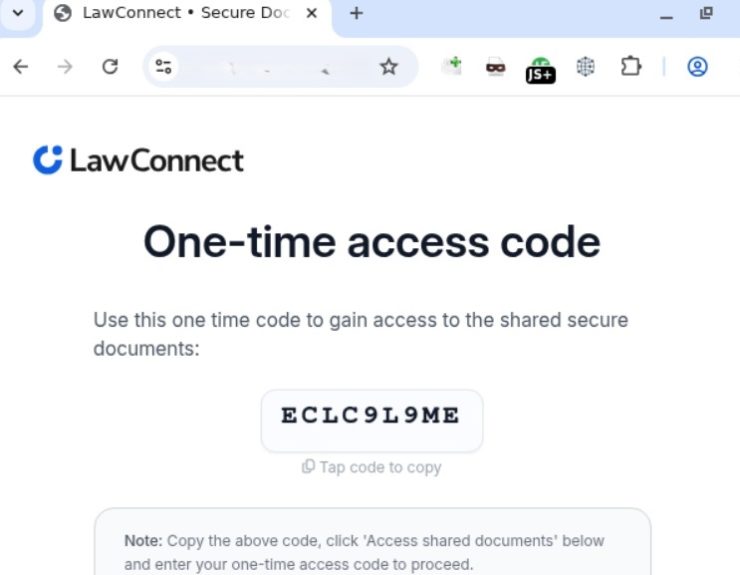
The PDF or link routes victims to a phishing landing page that first displays a short one-time code (the attacker’s user_code already requested from Microsoft).
Microsoft Domain Abused
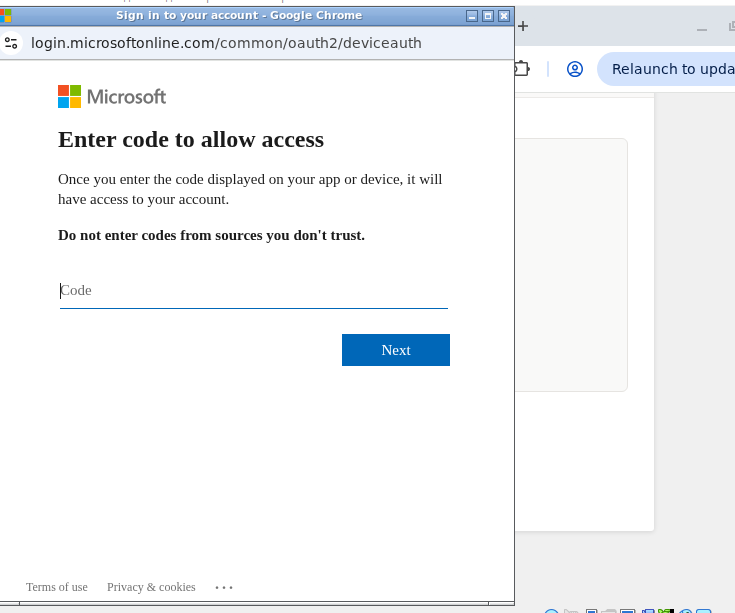
Users are then redirected to the legitimate Microsoft verification URI and instructed to paste the code. Because the verification page is genuine, users complete multi-factor prompts on Microsoft’s site, unknowingly approving an attacker-controlled device.
Immediately after approval, the attacker harvests the access_token, id_token, and crucially the refresh_token enabling prolonged, stealthy access to email, OneDrive, and Teams.
The campaign includes evasive measures: CAPTCHA gates to block automated crawlers, legitimate domains used as open redirects, and localized variations such as Portuguese-language emails targeting Brazil.
Using reputable domains as redirectors makes initial screening harder because the visible domain appears trustworthy while URL parameters steer victims to attacker infrastructure.
Defenders must adapt beyond simple domain checks. Users should be explicitly trained to refuse any device authorization they did not initiate, and to never paste one-time codes received out of band or via unsolicited messages.
Hovering to inspect full URLs and checking for redirect parameters (redirect_uri, return_url, next) helps but is insufficient when the final interaction is on Microsoft’s site.
At the enterprise level, administrators should evaluate whether Device Code Flow is necessary and, if not required, disable it through Conditional Access policies in Microsoft Entra ID.
Where it is required, implement strict Conditional Access rules: require device compliance, restrict allowed platforms and IP regions, and enforce session and token lifetime limits to reduce the window of misuse.
Monitor DeviceCodeSignIn events and create alerts for anomalous approvals, unexpected refresh_token usage, and sign-ins from unfamiliar locations or new applications.
Implementing token lifetime policies and revoking suspicious refresh_tokens quickly will limit persistent access.
Follow us on Google News, LinkedIn, and X to Get Instant Updates and Set GBH as a Preferred Source in Google.