Kali Linux has released version 2025.4, its final update of the year, introducing three new tools, desktop environment improvements, and enhanced Wayland support.
Kali Linux is a distribution designed for cybersecurity professionals and ethical hackers to perform red-teaming, penetration testing, security assessments, and network research.
The distribution is available as an installable operating system or a live environment and supports a wide range of hardware, including Raspberry Pi devices and compatible Android phones through Kali NetHunter.
New tool added to Kali Linux 2025.4
Every new Kali release brings a few fresh tools to play with, and this update is no exception.
This time, we’re getting three new additions:
- bpf-linker – Simple BPF static linker
- evil-winrm-py – Python-based tool for executing commands on remote Windows machines using the WinRM
- hexstrike-ai – MCP server that lets AI agents autonomously run tools
Desktop environment updates
Kali Linux 2025.4 brings many new updates to its desktop environments, including Gnome 49, KDE Plasma, and Xfce.
GNOME 49 includes refreshed themes, a new Showtime video player, reorganized tool folders in the app grid, and new shortcuts for quickly opening a terminal. GNOME also entirely removes X11 support in this release, now running solely on Wayland.
The developers also added support for keyboard shortcuts to open a terminal quickly.
“Another quality-of-life improvement is the addition of a shortcut to quickly open a terminal (finally!), using Ctrl+Alt+T or Win+T – just like in our other desktops,” explains the Kali Linux 2025.4 announcement.
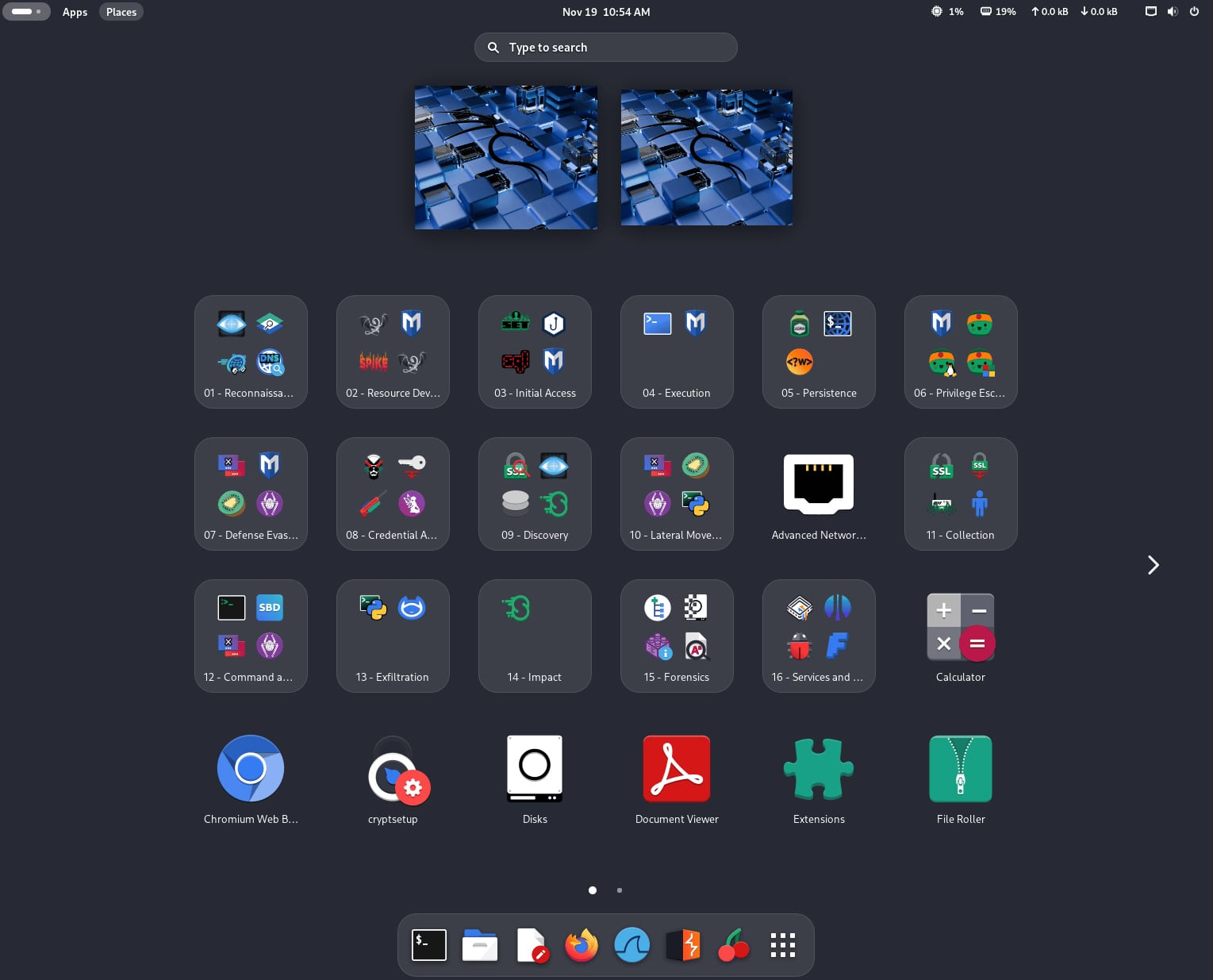
Source: Kali
KDE Plasma has been updated to version 6.5, introducing improved window tiling, an enhanced screenshot tool, easier clipboard access, and more flexible fuzzy search in KRunner.
Xfce now supports color themes that offer functionality similar to that already available in GNOME and KDE, allowing users to adjust icons and interface colors more easily.
With GNOME now running entirely on Wayland, the Kali Linux team has added full VM guest utilities support for VirtualBox, VMware, and QEMU.
Kali Nethunter updates
Kali NetHunter received new updates with this release, including expanded device support for Android 16 on the Samsung Galaxy S10 and the OnePlus Nord, and Android 15 on Xiaomi Mi 9.
The NetHunter Terminal has also been restored with updated compatibility for Magisk versions that use interactive mode. This prevents terminal sessions from closing when pressing CTRL+C.
Wifipumpkin3 also sees enhancements, including updated phishing templates and the addition of a preview tab in the NetHunter app.
Other changes
This release also includes additional updates and improvements, including:
- The Kali Live image is now distributed only via BitTorrent, as its size has grown too large for traditional HTTP downloads.
- Three new community mirrors have been added in Asia and one in the United States to improve download availability.
- Kali Cloud and the Kali WSL app received several behind-the-scenes improvements and reliability fixes.
How to get Kali Linux 2025.4
To start using Kali Linux 2025.4, you can upgrade your existing installation, select a platform, or directly download ISO images for new installs and live distributions.
For those updating from a previous version, you can use the following commands to upgrade to the latest version.
echo "deb http://http.kali.org/kali kali-rolling main contrib non-free non-free-firmware" | sudo tee /etc/apt/sources.list

sudo apt update && sudo apt -y full-upgrade

cp -vrbi /etc/skel/. ~/

[ -f /var/run/reboot-required ] && sudo reboot -f
If you are running Kali on the Windows Subsystem for Linux, upgrade to WSL2 for a better experience, which includes the ability to use graphical apps.
You can check the WSL version used by Kali with the ‘wsl -l -v’ command in a Windows command prompt.
Once done upgrading, you can check if the upgrade was successful by using the following command:
grep VERSION /etc/os-releaseYou can view the complete changelog for Kali 2025.4 on Kali’s website.

Broken IAM isn’t just an IT problem – the impact ripples across your whole business.
This practical guide covers why traditional IAM practices fail to keep up with modern demands, examples of what “good” IAM looks like, and a simple checklist for building a scalable strategy.