A new report dubbed “BrowserGate” warns that Microsoft’s LinkedIn is using hidden JavaScript scripts on its website to scan visitors’ browsers for installed extensions and collect device data.
According to a report by Fairlinked e.V., which claims to be an association of commercial LinkedIn users, Microsoft’s platform injects JavaScript into user sessions that checks for thousands of browser extensions and links the results to identifiable user profiles.
The author claims that this behavior is used to collect sensitive personal and corporate information, as LinkedIn accounts are tied to real identities, employers, and job roles.
“LinkedIn scans for over 200 products that directly compete with its own sales tools, including Apollo, Lusha, and ZoomInfo. Because LinkedIn knows each user’s employer, it can map which companies use which competitor products. It is extracting the customer lists of thousands of software companies from their users’ browsers without anyone’s knowledge,’ the report says.
“Then it uses what it finds. LinkedIn has already sent enforcement threats to users of third-party tools, using data obtained through this covert scanning to identify its targets.”
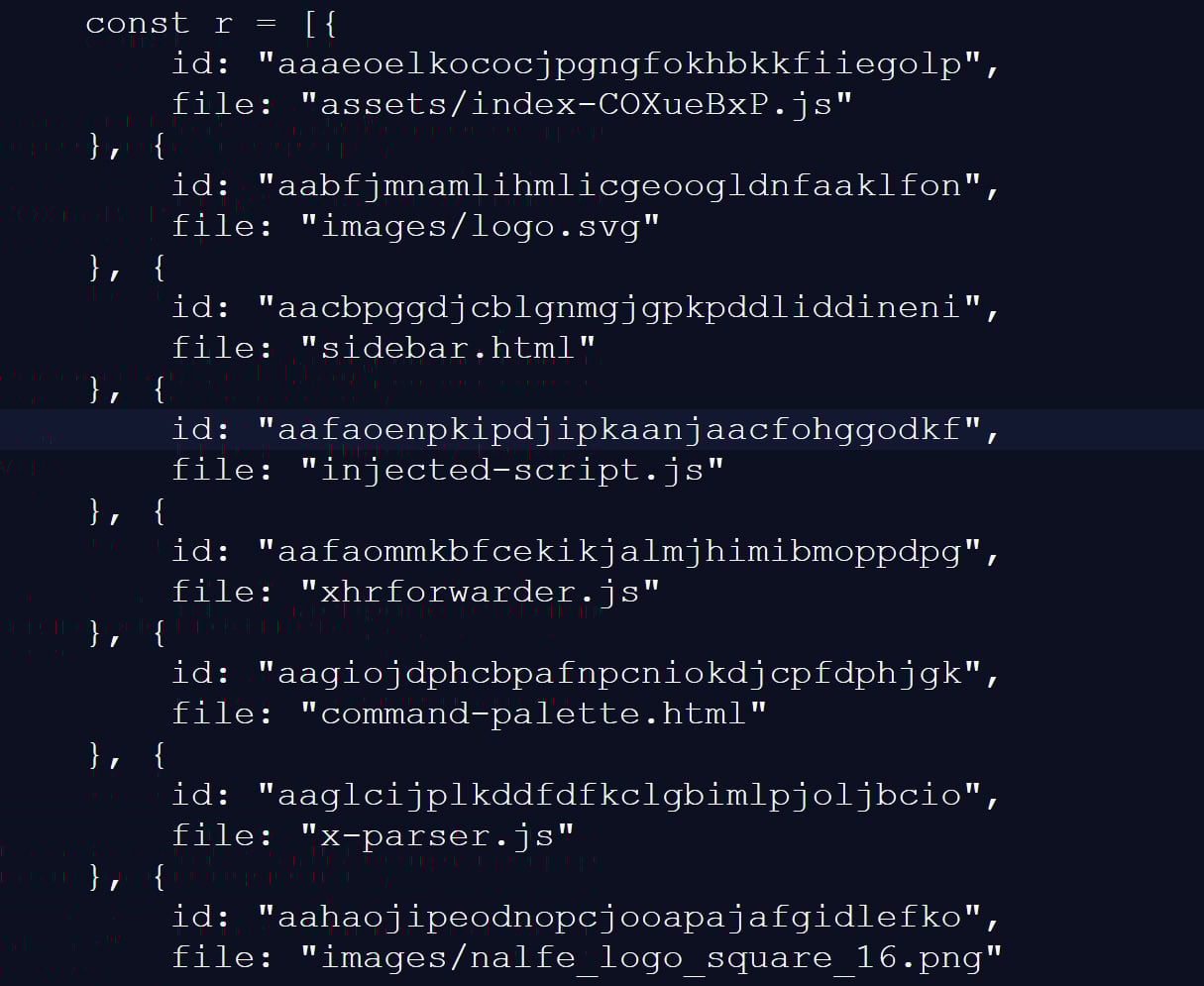
BleepingComputer has independently confirmed part of these claims through our own testing, during which we observed a JavaScript file with a randomized filename being loaded by LinkedIn’s website.
This script checked for 6,236 browser extensions by attempting to access file resources associated with a specific extension ID, a known technique for detecting whether extensions are installed.
This fingerprinting script was previously reported in 2025, but it was only detecting approximately 2,000 extensions at that time. A different GitHub repository from two months ago shows 3,000 extensions being detected, demonstrating that the number of detected extensions continues to grow.
Source: BleepingComputer
While many of the extensions that are scanned for are related to LinkedIn, the script also strangely detected language and grammar extensions, tools for tax professionals, and other seemingly unrelated features.
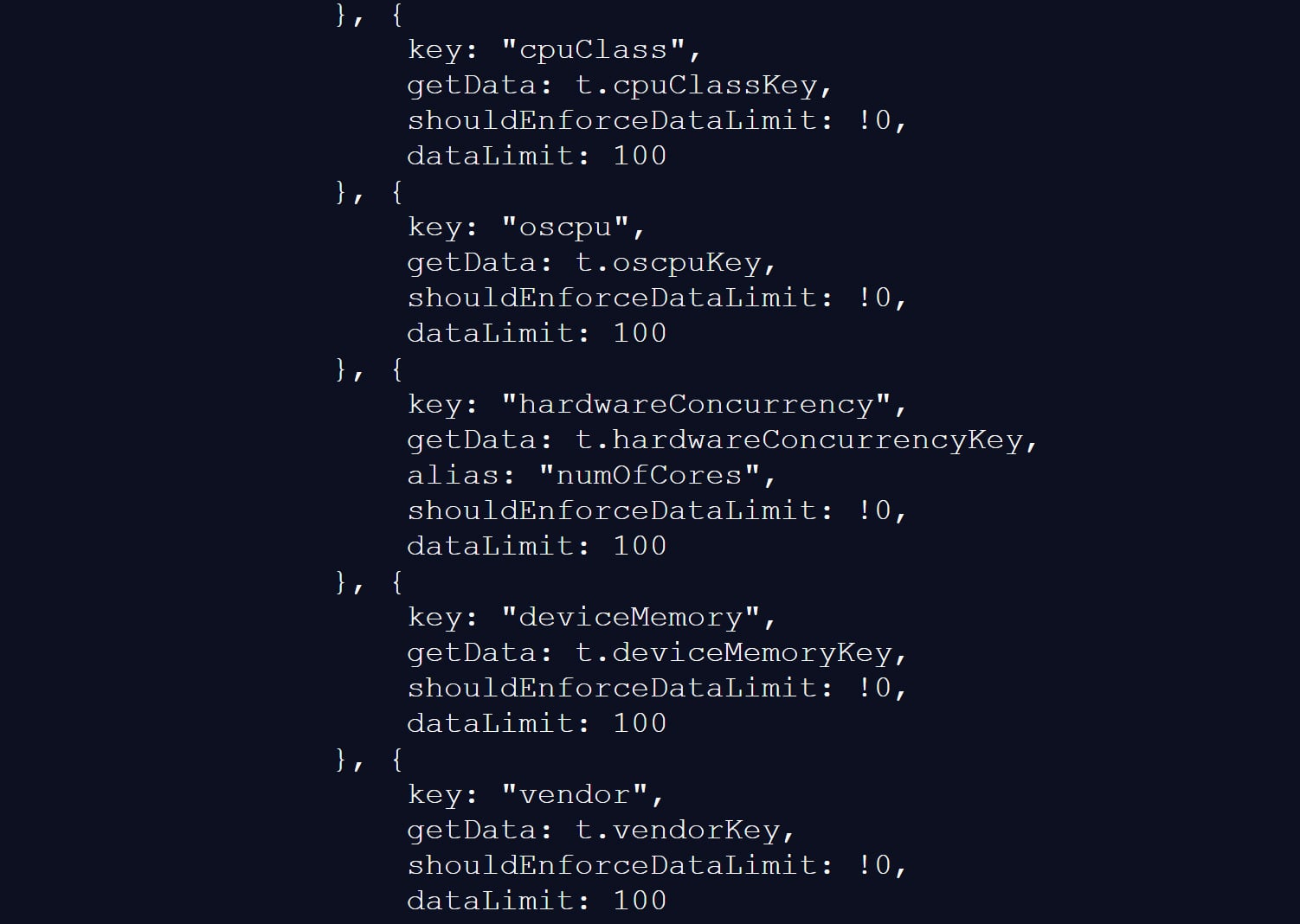
The script also collects a wide range of browser and device data, including CPU core count, available memory, screen resolution, timezone, language settings, battery status, audio information, and storage features.
Source: BleepingComputer
BleepingComputer could not verify the claims in the BrowserGate report about the use of the data or whether it is shared with third-party companies.
However, similar fingerprinting techniques have been used in the past to build unique browser profiles, which can enable tracking users across websites.
LinkedIn denies data use allegations
LinkedIn does not dispute that it detects specific browser extensions, telling BleepingComputer that the info is used to protect the platform and its users.
However, the company claims the report is from someone whose account was banned for scraping LinkedIn content and violating the site’s terms of use.
“The claims made on the website linked here are plain wrong. The person behind them is subject to an account restriction for scraping and other violations of LinkedIn’s Terms of Service.
To protect the privacy of our members, their data, and to ensure site stability, we do look for extensions that scrape data without members’ consent or otherwise violate LinkedIn’s Terms of Service.
Here’s why: some extensions have static resources (images, javascript) available to inject into our webpages. We can detect the presence of these extensions by checking if that static resource URL exists. This detection is visible inside the Chrome developer console. We use this data to determine which extensions violate our terms, to inform and improve our technical defenses, and to understand why a member account might be fetching an inordinate amount of other members’ data, which at scale, impacts site stability. We do not use this data to infer sensitive information about members.
For additional context, in retaliation for this website owner’s account restriction, they attempted to obtain an injunction in Germany, alleging LinkedIn had violated various laws. The court ruled against them and found their claims against LinkedIn had no merit, and in fact, this individual’s own data practices ran afoul of the law.
Unfortunately, this is a case of an individual who lost in the court of law, but is seeking to re-litigate in the court of public opinion without regard for accuracy.”
LinkedIn claims the BrowserGate report stems from a dispute involving the developer of a LinkedIn-related browser extension called “Teamfluence,” which LinkedIn says it restricted for violating the platform’s terms.
In documents shared with BleepingComputer, a German court denied the developer’s request for a preliminary injunction, finding that LinkedIn’s actions did not constitute unlawful obstruction or discrimination.
The court also found that automated data collection alone could infringe upon LinkedIn’s terms of use and that it was entitled to block the accounts to protect its platform.
LinkedIn argues the BrowserGate report is an attempt to re-litigate that dispute publicly.
Regardless of the reasons for the report, one point is undisputed.
LinkedIn’s site uses a fingerprinting script that detects over 6,000 extensions running in a Chromium browser, along with other data about a visitor’s system.
This is not the first time that companies have used aggressive fingerprinting scripts to detect programs running on a visitor’s device.
In 2021, eBay was found to use JavaScript to perform automated port scans on visitors’ devices to determine whether they were running various remote support software.
While eBay never confirmed why they were using these scripts, it was widely believed that they were used to block fraud on compromised devices.
It was later discovered that numerous other companies were using the same fingerprinting script, including Citibank, TD Bank, Ameriprise, Chick-fil-A, Lendup, BeachBody, Equifax IQ connect, TIAA-CREF, Sky, GumTree, and WePay.

Automated pentesting proves the path exists. BAS proves whether your controls stop it. Most teams run one without the other.
This whitepaper maps six validation surfaces, shows where coverage ends, and provides practitioners with three diagnostic questions for any tool evaluation.