Socket’s Threat Research Team has uncovered a highly deceptive Google Chrome extension designed to steal private keys and seed phrases from cryptocurrency users.
The malicious add-on, named “lmΤoken Chromophore” (extension ID bbhaganppipihlhjgaaeeeefbaoihcgi), disguises itself as a harmless hex color visualizer for developers and digital artists.
However, its true purpose is to impersonate the widely used non-custodial wallet brand, imToken, and siphon sensitive wallet recovery secrets from unsuspecting victims.
The extension automatically launches its attack upon installation and repeats the process whenever a user clicks its icon.
Since its launch in 2016, the legitimate imToken wallet has amassed over 20 million users globally across more than 150 countries.
Because imToken operates strictly as a mobile application and has never officially released a Chrome extension, it represents a prime target for threat actors exploiting brand recognition.
Socket’s Threat Research Team has also uncovered that the malicious storefront listing leverages this exact vulnerability, presenting fake 5-star user reviews and official wallet-themed branding imagery to build immediate, unwarranted trust.
It also includes a privacy policy claiming no data collection to appear legitimate before a victim even inspects the code.
Technical Breakdown of Phishing
The threat actors behind this campaign rely heavily on sophisticated evasion techniques to bypass automated detection tools and manual human scrutiny.
Instead of housing obvious local theft logic within the extension itself, the malware functions purely as a lightweight browser redirector.
Upon installation, the extension’s background JavaScript silently retrieves a destination URL from a hardcoded external JSONKeeper configuration endpoint.
The victim is then instantly redirected to a threat actor-controlled phishing site hosted on a deceptive lookalike domain, chroomewedbstorre-detail-extension.com.
To further the deception, the attackers utilize mixed-script Unicode homoglyphs to bypass simple text matching and URL-based security filters.
The phishing landing page displays the title “іmΤоken” rather than “imToken,” substituting standard Latin characters with visually identical Cyrillic and Greek letters.
Once on the phishing page, the user is presented with a highly convincing wallet import interface that perfectly mirrors the real application.
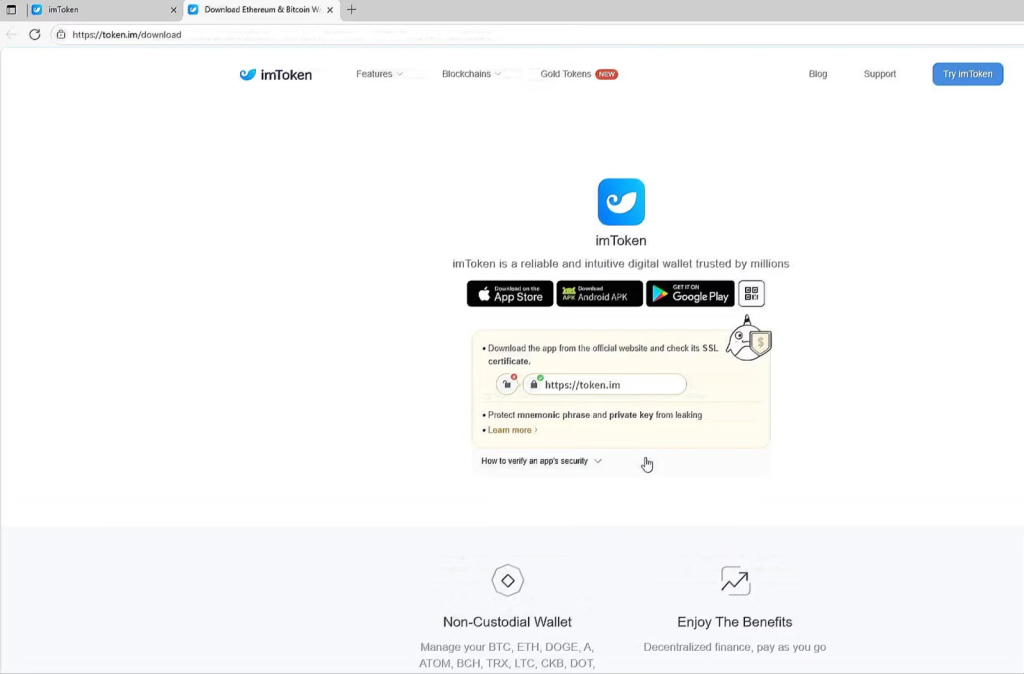
token.im site as a decoy after the wallet secret has already been collected. (Source: Socket)Victims are prompted to directly input either their 12 or 24-word seed phrase or their plaintext private key into the threat actor’s infrastructure.
Supplying either of these critical secrets grants the attackers immediate, total control over the associated cryptocurrency funds.
To ensure the victim remains entirely unaware of the ongoing theft, the phishing workflow seamlessly transitions into a fake local password setup screen.
This step perfectly mimics legitimate onboarding behavior and collects an additional credential for potential future use.
Finally, the page displays a bogus wallet upgrade loading screen before quietly redirecting the user to the legitimate token.im website.
This clever handoff serves as a final decoy, leaving the victim under the false impression that they successfully interacted with official imToken software.
Indicators and Mitigation Strategies
Security analysts must remain continuously vigilant against browser extensions that execute remote configurations or unexpectedly open external domains upon installation.
Because these attackers utilize off-box control mechanisms, the underlying threat infrastructure can be easily pivoted or retargeted without needing to update the extension itself.
Key Indicators of Compromise (IoCs) include:
- Malicious Extension ID: bbhaganppipihlhjgaaeeeefbaoihcgi
- Malicious Extension Name: lmΤoken Chromophore
- Primary Phishing Domain: chroomewedbstorre-detail-extension.com
- Configuration Endpoint: jsonkeeper.com/b/KUWNE
To effectively mitigate these security risks, organizations and individuals must treat all browser extensions as high-risk third-party software.
Administrators should aggressively restrict extension installations within sensitive browser profiles and strictly verify all cryptocurrency-related software through official vendor distribution channels.
If any user has mistakenly entered their seed phrase, private key, or wallet password into a suspicious browser page, the wallet must be considered entirely compromised.
Affected users must immediately transfer all remaining digital assets to a newly generated wallet with fresh cryptographic keys before the attackers drain the funds.
Follow us on Google News, LinkedIn, and X to Get Instant Updates and Set GBH as a Preferred Source in Google.