Say hello to the upgraded Malwarebytes for Mac—now with more robust protection, more control, and the same trusted defense you count on every day.
We’ve given our Mac scan engine a serious intelligence boost, so it thinks faster and digs deeper. The new enhanced scan searches across more of your system to hunt down even the most advanced threats, from stealthy infostealers to zero-hour malware, all while keeping the straightforward experience you love.
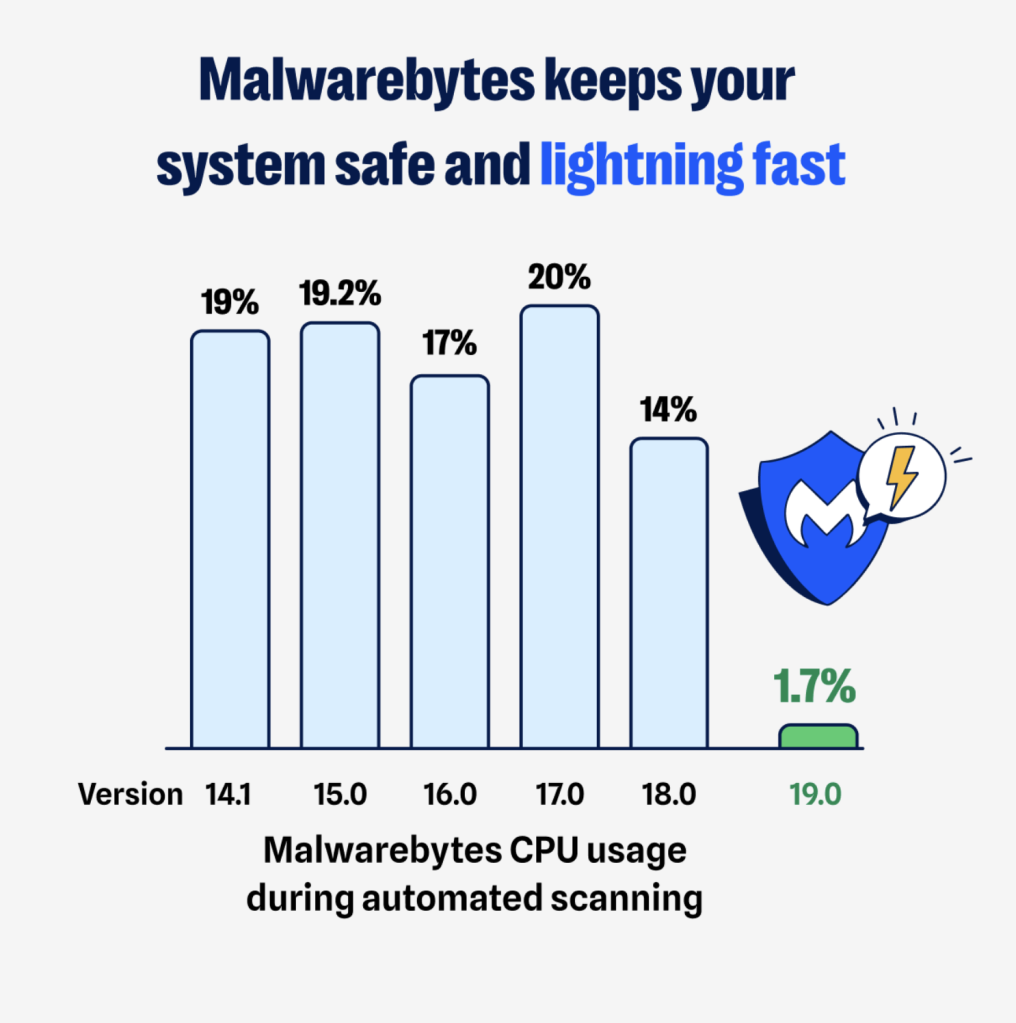
But that’s not all. We’ve also achieved a major performance boost, with up to 90% lower CPU usage for Malwarebytes for Mac.
What’s new
The upgrade comes with three new scan options designed to fit the way you work:
- Quick scan: A speedy sweep of the usual suspects.
- Threat scan: A full system check that is now your default.
- Custom scan: Total control, letting you choose exactly what to scan, including folders and external drives.

It’s smarter protection that adapts to your needs.
What to expect
Your first enhanced scan may take a little longer. That’s because it’s covering more of your system than ever before to make sure nothing slips through the cracks. And with external drive scanning and WiFi security alerts, there is nowhere for viruses, infostealers, or spyware to linger.
After that, you’ll notice the difference. Scans will feel faster, lighter, and more intuitive.
In fact, the always-on, automated protection from Malwarebytes for Mac has always kept your Mac safe by monitoring every file you open, download, or save. Now, we have made it significantly more efficient. Our latest enhancements reduced CPU usage by up to 90%. What that means for you is a faster, snappier, and more responsive experience.
No action needed. Your protection just got better.
You don’t have to lift a finger; your protection simply levels up. Open Malwarebytes and explore the new scan options when you’re ready. Don’t see them yet? Make sure you’re on the latest version (5.18.2) under Profile → About Malwarebytes. If you aren’t, go to the Malwarebytes menu and select Check for updates.
Welcome to the next era of Mac security from Malwarebytes. More robust coverage, harnessing the same trusted protection you know, directly in your control.