Microsoft has released the Windows 10 KB5078885 extended security update to fix the March 2026 Patch Tuesday vulnerabilities, including 2 zero-days and an issue that prevents some devices from shutting down.
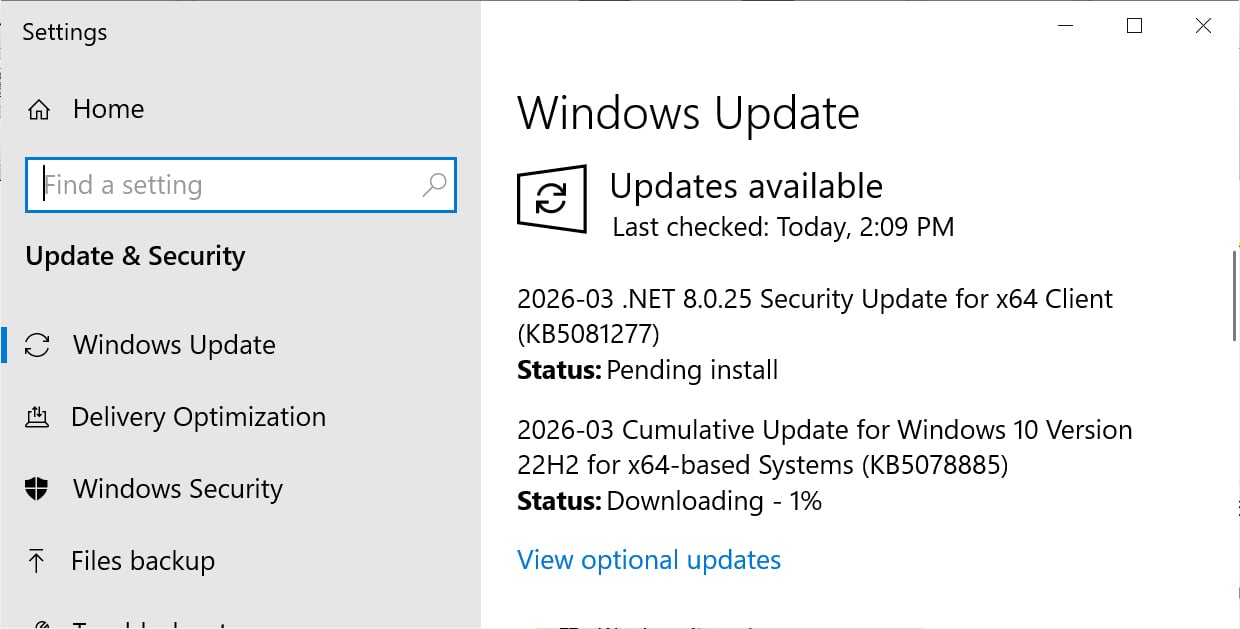
If you are running Windows 10 Enterprise LTSC or are enrolled in the ESU program, you can install this update like normal by going into Settings, clicking on Windows Update, and manually performing a ‘Check for Updates.’
Source: BleepingComputer
After installing this update, Windows 10 will be updated to build 19045.7058, and Windows 10 Enterprise LTSC 2021 will be updated to build 19044.7058.
What’s new in Windows 10 KB5078885
Microsoft is no longer releasing new features for Windows 10, and the KB5078885 update contains only security fixes and bug fixes introduced by previous security updates.
With today’s March 2026 Patch Tuesday, Microsoft has fixed 79 vulnerabilities, including two actively exploited zero-day flaws.
The complete list of fixes is below:
[Windows System Image Manager] This update adds a warning dialog to help users confirm that the selected catalog file comes from a trusted source.
[File History] Improved: File History in Control Panel when backing up files. New files with names containing some Chinese and Private Use Area characters can now be backed up.
[Graphics] Improved: A stability issue affecting certain GPU configurations.
[Secure Boot] With this update, Windows quality updates include additional high-confidence device targeting data, increasing coverage of devices eligible to automatically receive new Secure Boot certificates. This targeting is based primarily on client device diagnostic data; due to limited data, servers are unlikely to qualify, though not explicitly excluded. Devices receive new certificates only after demonstrating sufficient successful update signals, maintaining a controlled and phased rollout.
[Fonts] This update includes changes to Chinese fonts to meet GB18030-2022A compliance.
[OS Security (known issue)] Fixed: After installing the Windows security update released on or after January 13, 2026, some Secure Launch-capable PCs with Virtual Secure Mode (VSM) enabled are unable to shut down or enter hibernation. Instead, the device restarts.
[Folders] Fixed: This update fixes an issue that affects folder renaming with desktop.ini files in File Explorer. The LocalizedResourceName setting was ignored, so custom folder names did not show. Now, custom folder names appear as expected.
This update also fixes a known issue that prevented Windows 10 devices from shutting down or hibernating if System Guard Secure Launch is enabled.
Microsoft is also continuing to roll out new Secure Boot certificates to replace older 2011 certificates that expire in June 2026.
These certificates are used to validate Windows boot components, third-party bootloaders, and Secure Boot revocation updates, and if expired, could allow threat actors to bypass security protections.
Microsoft states that there are no known issues with this update.

Malware is getting smarter. The Red Report 2026 reveals how new threats use math to detect sandboxes and hide in plain sight.
Download our analysis of 1.1 million malicious samples to uncover the top 10 techniques and see if your security stack is blinded.