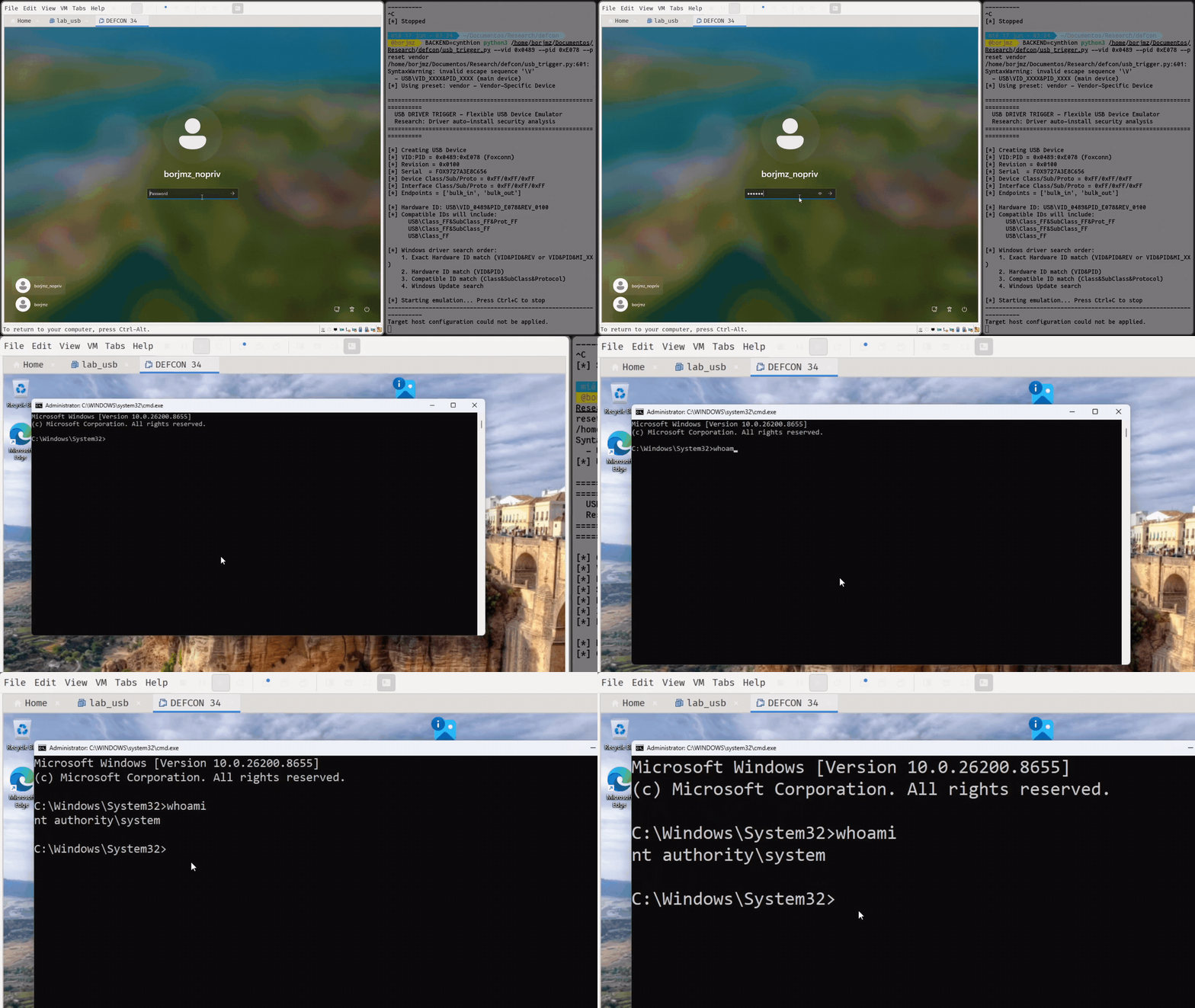
Plug and Pwn attack details that the Windows Plug and Play driver installation can lead to execution as NT AUTHORITYSYSTEM. The technique, published by researchers Alejandro Hernando and Borja Martínez, does not rely on a Windows kernel zero-day. Instead, it abuses the process Windows uses to detect hardware, find a matching vendor package, download it, and run installation components with SYSTEM rights.
The researchers say the issue can be triggered when a USB device is connected to a Windows 11 computer, even when no user is signed in.
An attacker can emulate a device identity with a FaceDancer. Windows resolves its driver package and starts vendor-supplied code in a privileged installation context.
Their physical proof-of-concept chains weaknesses in Sierra Wireless and Sony FeliCa software first; a Sierra service running as SYSTEM exposes a named pipe that permits broad access.
The researchers use this primitive to change the target system’s DNS server. They then emulate a Sony device, in which the co-installer retrieves configuration data over unencrypted HTTP.
Plug&Pwn Attack Exploits Windows PnP Drivers
By redirecting the Sony domain to an attacker-controlled server, they can provide crafted files that cause an arbitrary file write as SYSTEM.
A DLL placed in the Windows System32 directory is later loaded through the Sierra component, resulting in SYSTEM code execution before logon.
Plug and Pwn also describes a remote route named NoPlug and Pwn. It targets environments where RDP USB redirection is deliberately enabled, including some VDI deployments.
A standard RDP user can send forged USB descriptors over the URBDRC channel, making the remote host enumerate a device that does not physically exist. The project uses an Intel RealSense driver package as an example.
Its installer reportedly launches an executable from a directory that is writable by standard users, enabling DLL sideloading when the installation runs as SYSTEM.
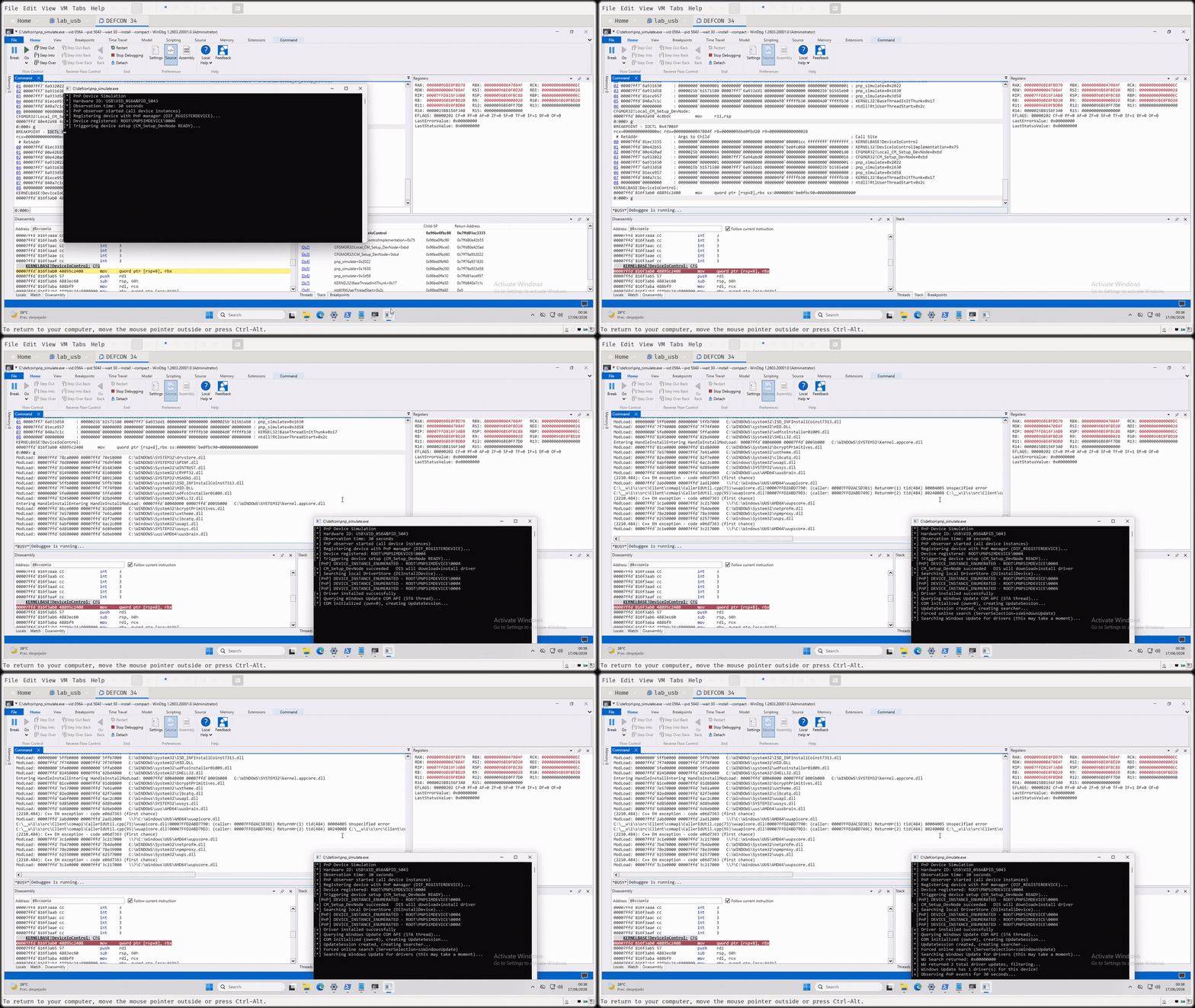
The researchers also released PNP Simulate, a tool for examining the driver discovery and installation path without requiring physical hardware.
It creates a root enumerated device, assigns USB hardware IDs, queries package availability, and can optionally force the device into the installation flow.
Their testing highlights an important distinction: Windows Update metadata may identify many matching packages, but only a smaller set is eligible for automatic Plug and Play installation.
Another demonstration combines Wacom and Atheros packages. The Atheros service can perform attacker-influenced registry operations as SYSTEM.
In contrast, a Wacom service contains a registry-controlled path that can launch a command shell as SYSTEM. The final chain uses a malicious print monitor DLL, loaded by the Windows Print Spooler after a reboot, to bridge the two behaviors.
The research reinforces the point that signed drivers and trusted update channels are not enough on their own. Enterprises should limit USB device exposure, turn off RDP USB redirection where unnecessary, restrict driver installation, monitor unexpected driver package downloads, and review vendor installers, services, co-installers, and privileged registry operations.
Microsoft administrators should especially assess VDI systems with USB redirection enabled, as a standard remote session may expose a privileged Plug and Play path.
Strengthen Your SOC by Accelerating Threat Detection & Rapid Investigations. -> Integrate ANY.RUN With Your SOC Now.