Security researchers Alejandro Hernando, also known as 0xedh, and Borja Martínez have unveiled a research project titled “Plug & Pwn.”
This project demonstrates how the Windows Plug and Play (PnP) driver installation workflows can be exploited to execute vendor-supplied code with NT AUTHORITYSYSTEM privileges.
Presented at DEF CON 34, the research explores the risky intersection of automatic driver retrieval, signed vendor packages, USB device emulation, and vulnerable privileged components.
The researchers have released proof-of-concept tools, source code, and demonstrations aimed at helping defenders reproduce and evaluate the exposed attack paths.
Plug & Pwn Attack Exploits Windows PnP
The main issue is not a single vulnerability in Windows. Instead, the researchers illustrate how Windows can identify a connected device, download the corresponding driver package through Windows Update, and invoke installation components under SYSTEM privileges.
Notably, a local attacker does not require administrator rights, a logged-in user session, or pre-installed vendor software to activate this process.
In the physical “Plug & Pwn” scenario, a Linux system using a FaceDancer device-emulation platform impersonates selected USB hardware identities.
The target is a fully patched Windows 11 system with no active user session. Windows recognizes the emulated device and automatically installs the matching vendor software.
The demonstrated attack chain combines weaknesses in the Sierra Wireless and Sony FeliCa components. The Sierra service reportedly exposes a named pipe that ordinary users can access, allowing them to make calls that alter the system’s DNS configuration.
The researchers exploit this capability to redirect requests intended for Sony infrastructure to attacker-controlled servers.
A Sony FeliCa co-installer, which is installed through the PnP workflow, allegedly downloads configuration data over unencrypted HTTP and processes attacker-controlled paths insecurely.
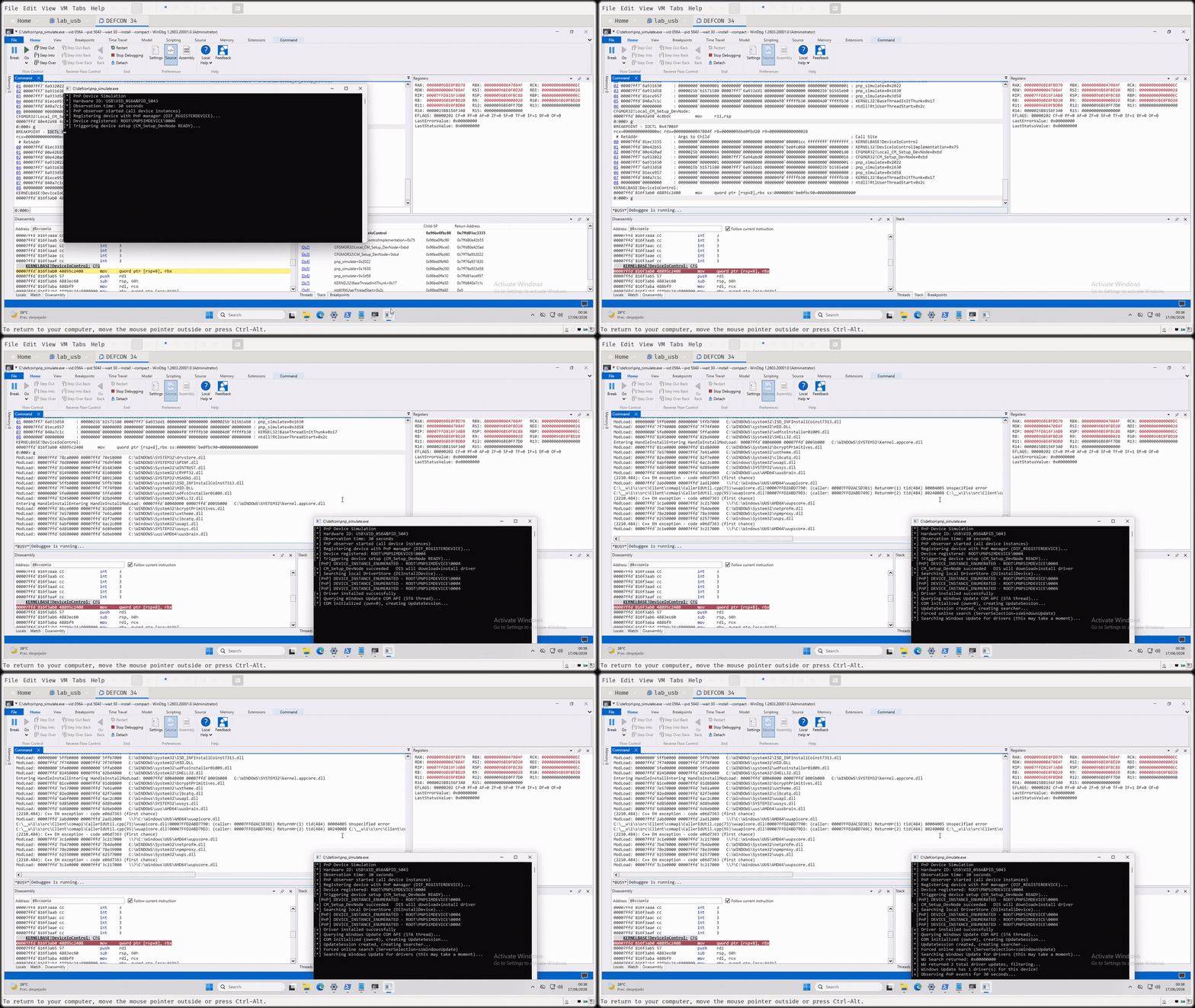
According to the researchers, this vulnerability enables arbitrary file writing as SYSTEM, allowing a malicious DLL to be placed in a privileged Windows directory.
Re-emulating the Sierra device then causes the planted DLL to load, resulting in SYSTEM-level code execution before a user has signed in.
An even more concerning scenario, referred to as “NoPlug & Pwn,” eliminates the need for physical USB access. It exploits Remote Desktop Protocol (RDP) USB redirection, a feature commonly enabled in virtual desktop infrastructure environments.
RDP USB redirection allows devices connected to a client machine to be accessed in a remote session. However, the researchers discovered that a client can supply USB descriptors representing devices that do not physically exist.
Using a custom Python RDP client built on the aardwolf library, the researchers forged USB device descriptors over the URBDRC virtual channel. If PnP redirection is enabled on the RDP server, Windows accepts the supplied hardware identity and follows its standard driver-resolution process.
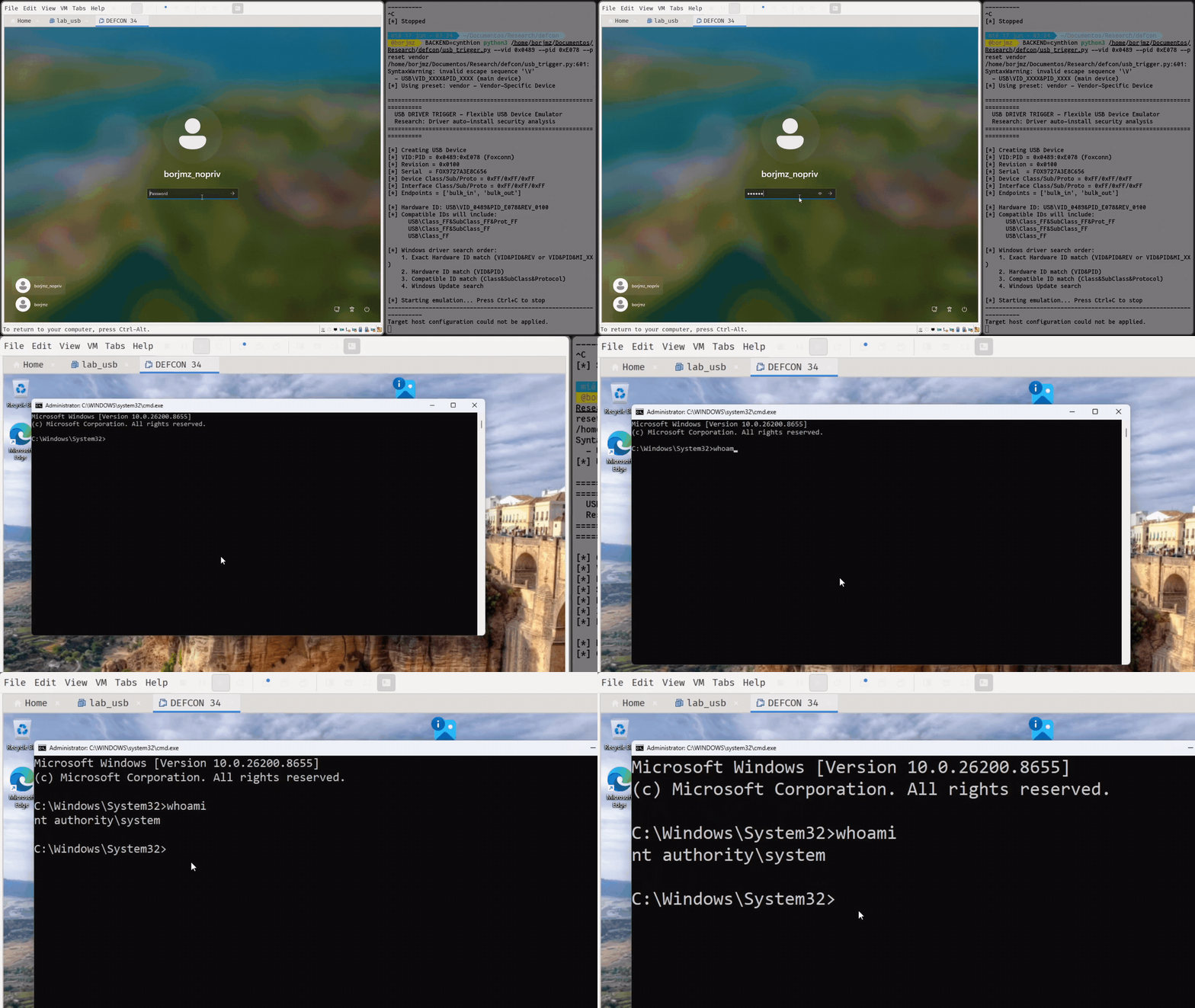
Their demonstration utilized an Intel RealSense driver package. The package’s co-installer reportedly launches an executable as SYSTEM from a user-writable directory.
Because the executable searches its own directory for a DLL before checking protected system locations, a standard user can place a malicious DLL in that location and trigger SYSTEM execution through the forged device installation.
The research also highlights a broader supply-chain concern: while code signing verifies a package’s publisher and integrity, it does not guarantee the security of every service, installer, co-installer, registry operation, or support utility within that package.
In another attack chain, the team combined the behavior of a Wacom service with an older Atheros privileged registry-write vulnerability.
The Atheros service can be manipulated to register a malicious Print Monitor DLL, which the Windows Print Spooler then loads with SYSTEM privileges. This access enables the activation of a Wacom service path that launches an interactive SYSTEM command shell.
For defenders, these findings underscore the importance of restricting USB device installations, disabling unnecessary RDP USB and PnP redirection, auditing vendor driver packages, and monitoring unexpected driver installations.
Organizations should also review privileged services that consume files, registry values, named pipes, or network-delivered configurations from locations writable by non-administrative users.
Stop new phishing & malware before they compromise your business. Integrate live intel from 15K SOCs around the world