NetGuard is a free, open-source firewall for Android phones and tablets that provides users with a simple way to block internet access. Android does not allow VPN services to be chained, so the app uses the Android VPN service to route all internet traffic through itself. NetGuard can be used without root access, although it also works on rooted devices.
Activating NetGuard
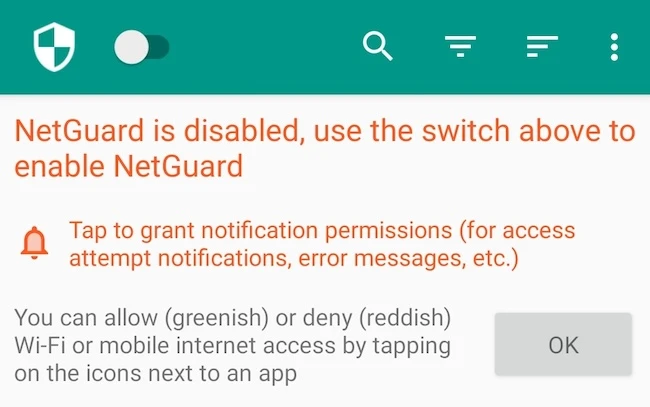
To activate the firewall, I enabled NetGuard using the switch in the action bar. Android then prompted me to approve a VPN connection so that the app could monitor and control network traffic. The app also recommended disabling battery optimization to ensure consistent performance.
Features and network monitoring
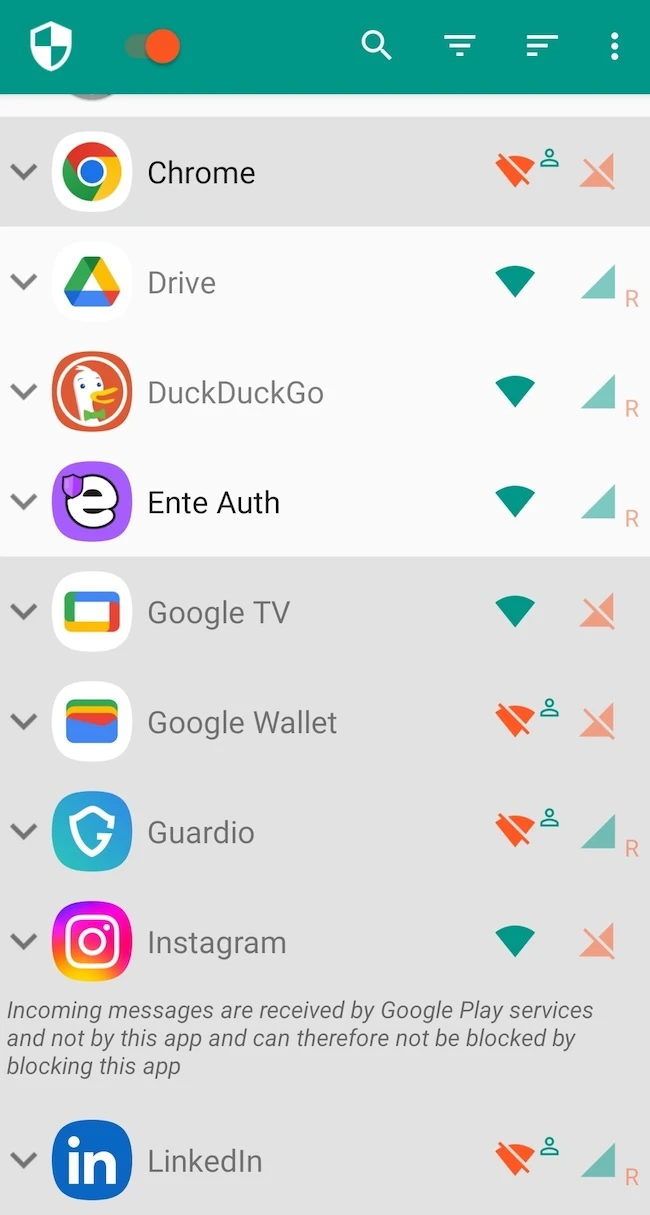
The main interface displayed a list of installed applications together with separate controls for Wi-Fi and mobile data access. Green icons indicated allowed connections, while red icons represented blocked access. Users can expand individual applications to configure additional rules and conditions.
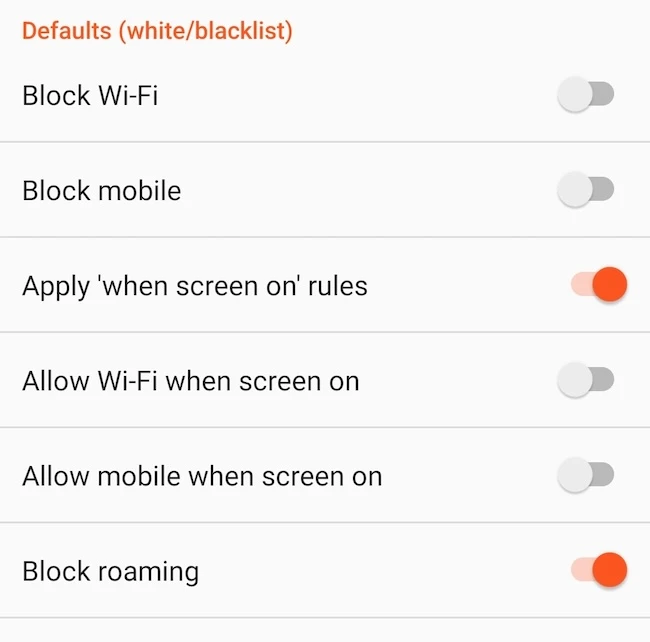
NetGuard provides several configuration options in the settings menu. These include blacklist and whitelist modes, blocking roaming connections, applying rules only when the screen is on, managing system applications, handling metered networks, and enabling LAN access.
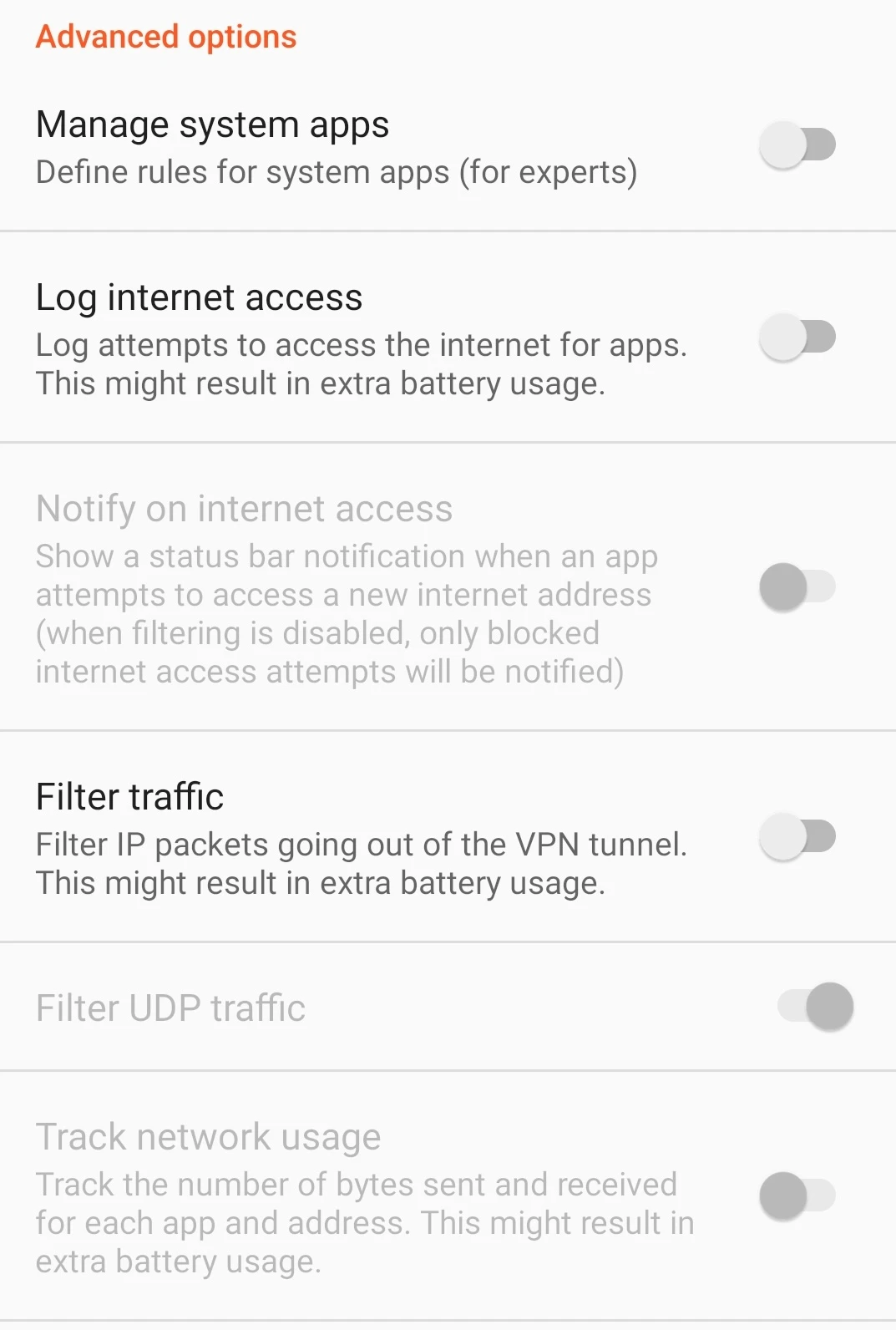
Advanced features such as traffic filtering, UDP filtering, logging internet access attempts, and tracking network usage are also available.
I changed the application-specific settings for Chrome, where additional rules such as blocking internet access during roaming and allowing access in lockdown mode could be configured.
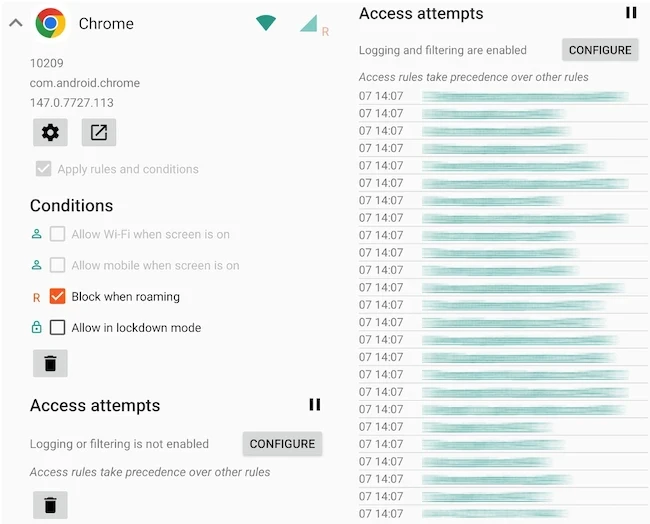
NetGuard also allows users to log and monitor network activity. The access logs displayed outgoing connections, accessed domains, ports, timestamps, and both IPv4 and IPv6 traffic.
Final thoughts
NetGuard is a user-friendly solution for monitoring and controlling internet access on Android devices. The app also offers a wide range of customization, filtering, and logging features, making it a useful tool for improving privacy, security, and overall control of network activity.