Think your Macs are immune? Think again.
In a recent attack observed by the Huntress AI-Centric SOC, one employee fell for what looked like an official “macOS Protection Service” prompt. What ensued was an infostealer attack that could’ve led to significant damage to their business if they didn’t have the right security tools in place.
By entering their password into a malicious “macOS Protection Service” pop-up, the user unknowingly launched the MacSync infostealer.
Within moments, it began scraping credentials, browser cookies, and even crypto wallets—quietly stuffing everything into a local folder aptly named (but incorrectly spelled) /tmp/salmonela/.
The attacker might’ve failed their spelling test, but they didn’t fail to scrape sensitive data. Fortunately, Huntress spotted the mess and shut it down before anything could be served to the attacker.
Inside the attack: How MacSync tried to steal it all
This incident centered on MacSync, a macOS infostealer designed to quietly grab as much valuable data as possible from a single machine.
Once the user entered their password into the fake “macOS Protection Service” dialog, MacSync went to work:
All of this loot was staged locally under /tmp/salmonela/.
Once the folder was full, MacSync:
Zipped the contents of salmonela/
- Used curl to POST the archive to a command‑and‑control (C2) server at a sketchy domain
- Tried to cover its tracks by deleting the archive after exfiltration
From the attacker’s perspective, this is the ideal play: a quiet, one‑time harvest of everything from cloud sessions to wallet keys, all packaged neatly and shipped off‑host.
The social engineering hook: Fake macOS protection
The infostealer relied on one critical user action: trusting a fake system prompt.
The dialog presented itself as “macOS Protection Service” and used awkward, off‑brand phrasing like:
“In order to process action required. Input device password to authorize your access.”
That password request wasn’t about “protection” at all. It was there to:
Unlock Apple Keychain, where sensitive credentials are stored
Grant the malware the access it needed to scrape and exfiltrate data
For busy employees, this kind of prompt can feel routine. That’s what the attacker is counting on. The difference between legitimate system prompts and fake ones is a critical user‑education gap, especially on macOS, where many still assume they’re safer by default.
How Huntress stopped the “salmonela” stealer
While MacSync was trying to quietly plate up stolen data, Huntress Managed EDR and our 24/7 AI-Centric SOC were already on the case.
Here’s how the response unfolded:
Suspicious process flagged on the Mac endpoint
- Huntress detected the infostealer’s activity and its use of LOOBins (“Living off the orchard binaries,” like curl) to prepare for data exfiltration.
SOC analysts verified malicious behavior
- With AI allowing for quick triage and analysis, human analysts reviewed the activity, confirmed it was malicious, and identified the infostealer’s behavior pattern.
The host was isolated to stop the attack
- The endpoint was isolated from the network, cutting off outbound communication so the the attacker could upload the stolen data.
Partner accepted remediations
- An incident doesn’t end with containment. The Huntress SOC let the customer know what went down in the incident, along with guidance for full remediation to completely evict the adversary.
The result: MacSync never got to serve the stolen data to the attacker. The threat was contained before data could be exfiltrated, and the endpoint was returned to a safe state without a full rebuild. And the customer avoided a nasty data breach (and possibly more) if their credentials were abused for more malicious activity.
What this incident tells us about modern Mac threats
There are a few big takeaways from this incident:
-
macOS isn’t off the menu for attackers
Threat actors are increasingly targeting Apple users who assume they’re safe from malware. If a user can be tricked into running code and entering their password, the platform alone won’t save you.
-
Fake “security” prompts are powerful lures
That “macOS Protection Service” dialog was not from Apple. Users need to be trained to recognize when a prompt is out of character, oddly worded, or out of context.
-
Infostealers know exactly what to look for
From 200+ crypto wallet extensions to mainstream browsers and Keychain, this stealer had a clear shopping list of digital assets and credentials.
-
Everything from cookies to notes is in play
Safari cookies, saved logins, personal notes, and documents were stolen and packaged for exfiltration. Infostealers don’t just go after “passwords”—they go after anything that can be reused later.
-
Network activity still gives them away
Those POST requests to shady domains are a dead giveaway that data is being set up for exfiltration. With the right visibility and a 24/7 AI-Centric SOC keeping watch, you have a chance to cut the connection before the damage is done.
How to protect your business from infostealers like MacSync
Incidents like this don’t just threaten one device. They put cloud accounts, financial assets like cryptocurrency, and even entire identities at risk. A few practical defenses go a long way:
-
Educate your users on social engineering and fake prompts
Teach employees to slow down when asked for their device password, especially from anything that doesn’t clearly come from IT or the operating system.
-
Limit local admin and sensitive access where you can
Reducing what a single endpoint can reach or unlock helps contain the blast radius if a stealer lands.
-
Deploy Managed EDR on macOS
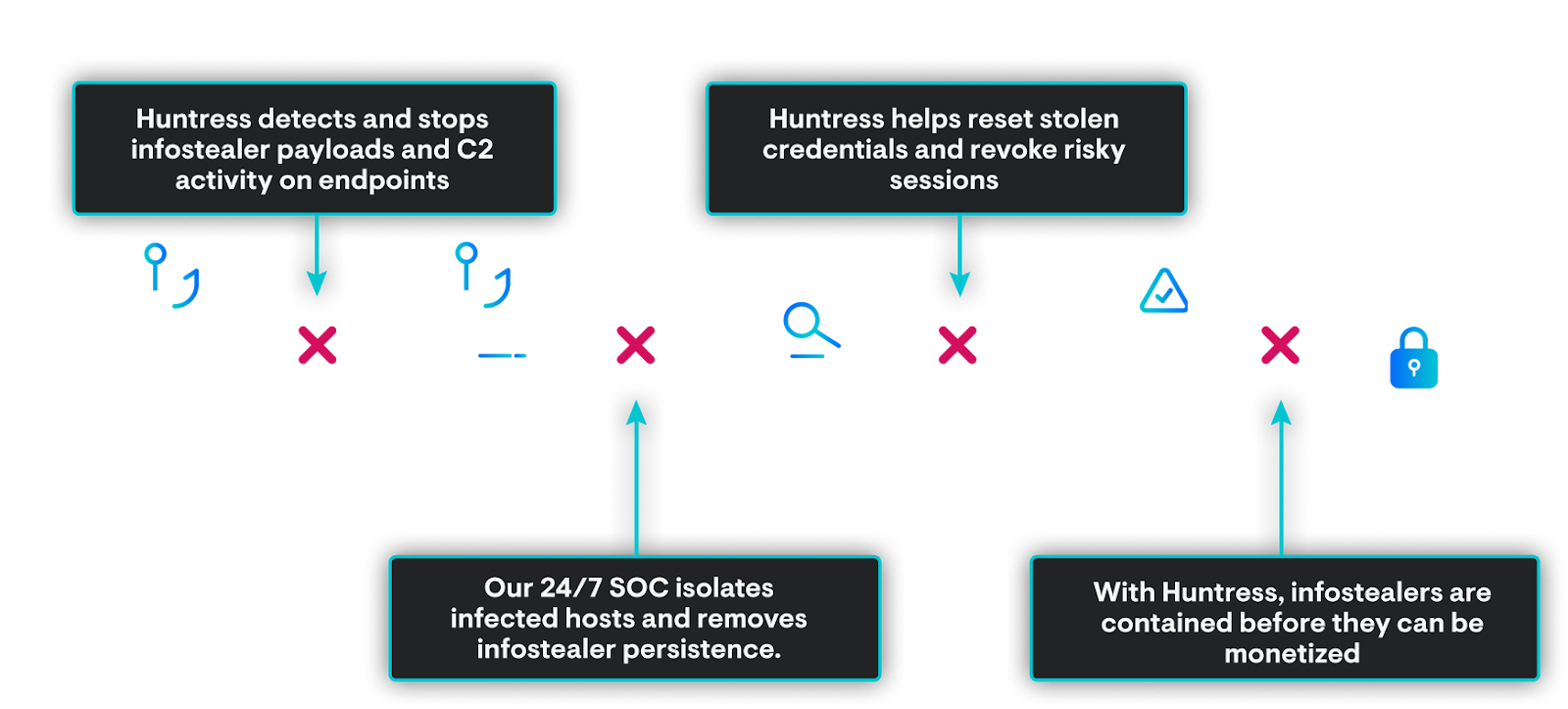
Macs need the same level of visibility, detection, and response. Huntress Managed EDR for macOS with a 24/7 AI-Centric SOC means you don’t have to watch every alert yourself to catch a one‑off infostealer session.
-
Rotate credentials and kill sessions after any infostealer event
If an infostealer did run, treat cookies, Keychain entries, and passwords as compromised: invalidate sessions, rotate passwords, and assume staged data might be in someone else’s hands.
MacSync and its “salmonela” folder are a reminder that modern attackers don’t always smash and grab with ransomware. Sometimes, they sit quietly, gathering information so they can walk away with the keys to your digital kingdom.
With the right combination of user education, least‑privilege access, and managed detection and response, you can catch these incidents early. And keep your data off the attacker’s menu.
See how the Huntress Agentic Security Platform can protect you from Infostealer attacks.
Book a demo today.