A dangerous malware campaign has been silently targeting cryptocurrency users by hiding inside a fake version of Proxifier, a popular proxy software tool.
Threat actors set up a GitHub repository designed to look like a legitimate Proxifier download, but the installer bundled inside it is actually a Trojan that monitors and hijacks clipboard activity to steal crypto wallet funds.
The attack begins in a very ordinary way. A user searches for “Proxifier” on a popular search engine, and one of the top results points directly to the malicious GitHub repository.
The project page looks genuine — it even displays source code for a basic proxy service. In the Releases section, visitors find a downloadable archive containing an executable file and a text document with software activation keys, making the whole package appear trustworthy.
What the user does not know is that the executable is a malicious wrapper built around the genuine Proxifier installer.
.webp)
Securelist researchers identified this campaign in early 2026, with analyst Oleg Kupreev noting that it had been active since the beginning of 2025.

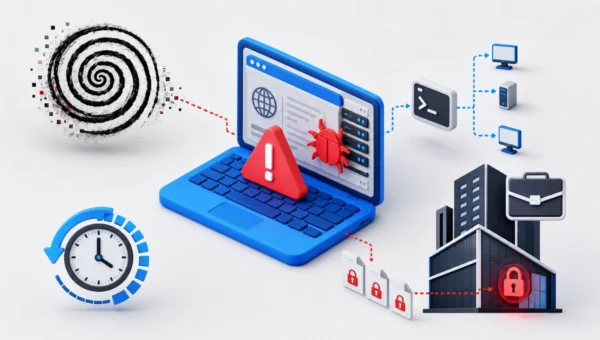
The researchers described the infection chain as unusually long, with multiple layered stages designed to keep the malware hidden throughout the process.
Since early 2025, more than 2,000 users of Kaspersky security solutions have encountered this threat, with the majority of victims located in India and Vietnam.
ClipBanker is a clipboard-hijacking Trojan built specifically to go after cryptocurrency users. Any time a victim copies a wallet address — to send funds to someone, for instance — the malware silently swaps it out with an address owned by the attackers.
The threat covers more than 26 blockchain networks, including Bitcoin, Ethereum, Solana, Monero, Dogecoin, TRON, Ripple, Litecoin, and many others, giving the attackers a very wide reach across different crypto ecosystems.
What makes this campaign particularly effective is how convincingly it is packaged. The attackers have been actively pushing their malicious GitHub repository up through search engine results, making sure more users find it.
A user downloading what appears to be free legitimate software would have no obvious reason to suspect anything — until their cryptocurrency silently disappears.
Inside the Infection Chain: How ClipBanker Evades Detection
Once the user runs the trojanized installer, the malware gets to work immediately. Its first move is to create a small stub file — roughly 1.5 KB — in the system’s temp folder, with a name that mimics a legitimate Proxifier process.
A .NET application called api_updater.exe is then injected into this stub to quietly add Microsoft Defender exclusions for TMP files and the current directory. This step makes sure the following stages of the infection run without triggering any security alerts.
While the real Proxifier installer opens in the foreground to keep the victim calm and unsuspecting, the Trojan quietly continues working in the background.
It injects another module — proxifierupdater.exe — which in turn pushes malicious code into conhost.exe, a trusted Windows system utility.
Through this process, an obfuscated PowerShell script executes directly in memory, without leaving any visible trace on the hard drive. This fileless approach is what makes the malware so difficult to detect and remove in time.
The PowerShell script handles several key tasks: it adds PowerShell and conhost processes to Defender’s exclusion list, stores an encoded script inside a registry key at HKLMSOFTWARESystem::Config, and registers a scheduled task named “Maintenance Settings Control Panel” that activates each time the user logs in.
The task reads the stored script, decodes it, and pulls the next payload from Pastebin-type services.
After one final download from GitHub, the shellcode is injected into fontdrvhost.exe, where ClipBanker begins quietly watching the clipboard for any crypto wallet address to replace.
To stay safe, users should download software only from official and verified sources. Running a reliable, up-to-date security solution is strongly recommended, as it can stop infections before they cause real damage.
If a paid security tool is not an option, every download source should be carefully verified before any file is launched.
Follow us on Google News, LinkedIn, and X to Get More Instant Updates, Set CSN as a Preferred Source in Google.