A new large-scale phishing campaign is abusing fake event invitations to compromise U.S. organizations, combining credential theft, OTP interception, and the deployment of remote monitoring and management (RMM) tools in a single operation.
The campaign stands out because it blends familiar user workflows with legitimate-looking infrastructure, making it harder for security teams to spot and contain early.
The attack typically begins when a victim clicks a link in an email that appears to be a corporate or social event invitation.
Instead of going straight to a login form, the user is first sent through a CAPTCHA page, often presented as a Cloudflare check, which helps filter out automated scanners and makes the flow feel routine.
After passing the CAPTCHA, the victim lands on an event-themed page that claims they have received an invitation and must sign in or download details to proceed.
ANY.RUN researchers found that the campaign uses a repeatable phishing framework to create event-themed lure pages at scale.
From this point, the chain can move in two directions: towards credential theft and OTP interception, or towards the installation of legitimate RMM software such as ScreenConnect, ITarian, Datto RMM, ConnectWise, or LogMeIn Rescue.
Phishing Attack Weaponizes Calendar
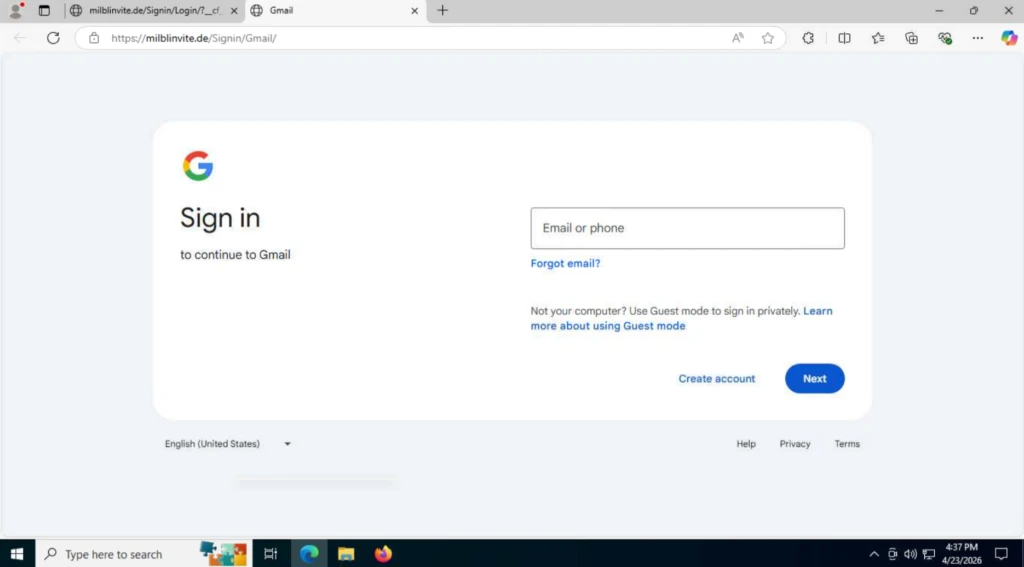
When the page is configured for credential theft, users are prompted to choose a mail or identity provider and then enter their login details on a fake sign-in form.
For non-Google services, victims see a generic login window that asks for email and password; after the first attempt, the page always shows an “Incorrect Password” message to coax a second entry, giving attackers two copies of the credentials in case of typos.
Once the victim submits credentials, the page sends a POST request to attacker-controlled endpoints such as /processmail.php to capture the email and password, followed by a second form that asks for a one-time password (OTP).
The OTP is then exfiltrated through another POST request (for example, to /process.php), allowing attackers to bypass multi-factor authentication and access corporate mailboxes or other services with full session control.
In the RMM delivery path, the fake invitation page pushes a download that appears to be related to the event but actually installs a legitimate remote management tool.
In some observed cases, the download starts automatically as soon as the page loads, while in others it is triggered by a “Download invitation” button that still initiates the file transfer without extra confirmation.
Because tools like ScreenConnect, ITarian, Datto RMM, ConnectWise, and LogMeIn Rescue are widely used by IT teams, their presence on endpoints may not immediately raise alarms.
This lets attackers establish persistent remote access that blends into normal admin activity, increasing the chance of lateral movement and data access before the organization realizes anything is wrong.
ANY.RUN researchers found that the campaign is built on a reusable phishing framework or phish kit, allowing operators to mass-deploy event-themed lure pages across many domains.
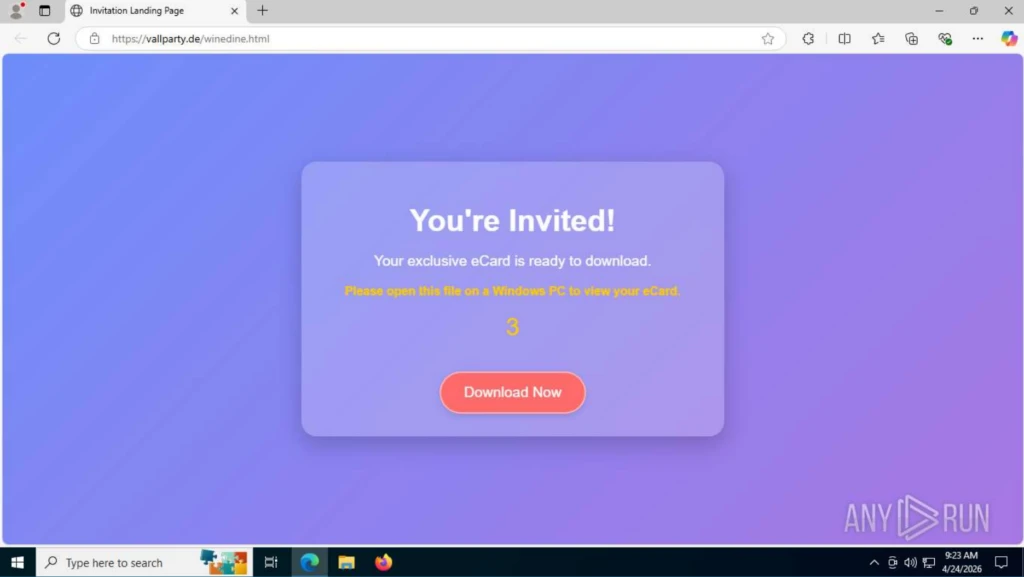
Domain names often reference parties, invitations, or greetings, and the phishing URLs follow a consistent pattern such as https://
The underlying infrastructure also exposes fixed resource paths and a characteristic request chain: initial GET /, followed by GET /favicon.ico, GET /blocked.html, and then requests to /
These stable elements give SOC teams concrete hunting indicators they can use in network logs and threat intelligence platforms to link seemingly separate alerts back to the same campaign.
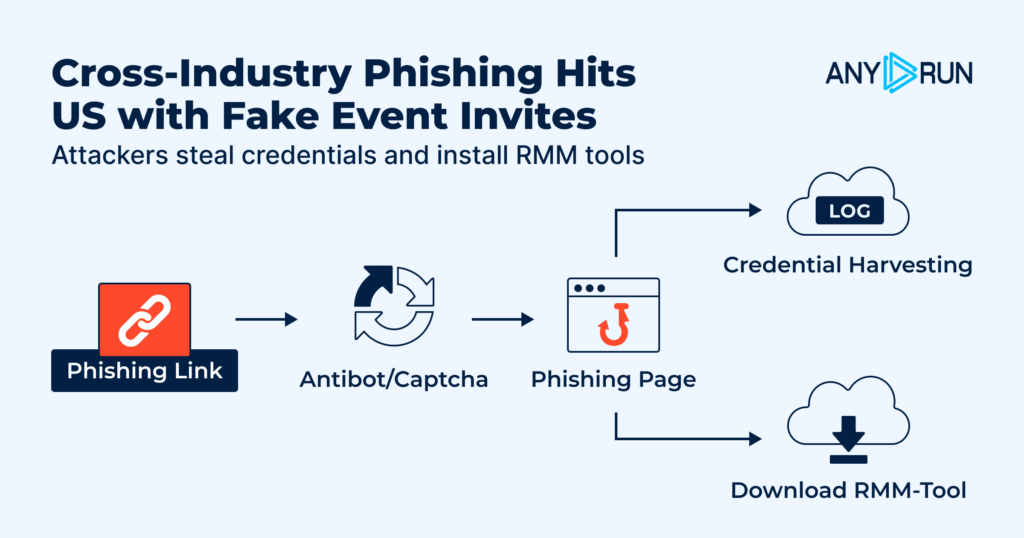
For CISOs, the core risk is that each step in this attack CAPTCHA checks, event pages, logins, and RMM installs can look normal in isolation, but together they form a path from lure to full account or remote access compromise.
If detection only happens after credentials are abused or an RMM session is active, the organization is already on the back foot.
When the user selects Gmail as the login method, a different chain is observed. First, the user is redirected to a page disguised as a Google authorization form.
Security teams should tune detection content for the shared URL and request patterns, monitor for unsanctioned RMM installations and connections, and treat event-themed invitations as high-risk when they lead to external domains or repeated login prompts.
Dynamic analysis platforms such as ANY.RUN’s interactive sandbox and Threat Intelligence Lookup can help analysts safely open suspicious invitations, observe credential and OTP capture endpoints, and pivot on shared indicators like /blocked.html, /favicon.ico, and /Image/*.png to reveal the broader campaign surface.
Follow us on Google News, LinkedIn, and X to Get Instant Updates and Set GBH as a Preferred Source in Google.