TotalAV Mobile Security helps protect devices from malicious websites, SMS scams, unsafe public Wi-Fi networks, and exposed credentials. The app is available for Windows, Android, macOS, and iOS devices.
After downloading the app from the App Store, users provide an email address, select what they want to scan, and start a Smart Scan. The scan reviews device settings, browser protections, breach exposure, and other security-related areas before presenting a summary of the device’s status.
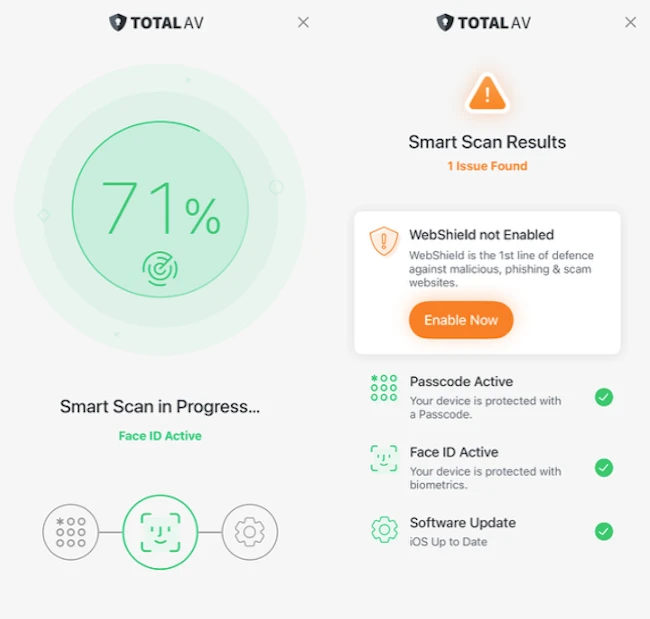
The interface uses a dashboard layout with quick access to scans, VPN controls, breach monitoring, and cleanup tools. Most features are grouped into separate sections that can be enabled individually depending on the user’s preferences.
Protection features
WebShield blocks malicious and untrustworthy websites before they load. The feature is designed to warn about phishing pages, fake login portals, scam websites, suspicious redirects, and other unsafe content commonly used in mobile attacks. It uses reputation systems and trusted website databases to help determine whether a website should be blocked or allowed.
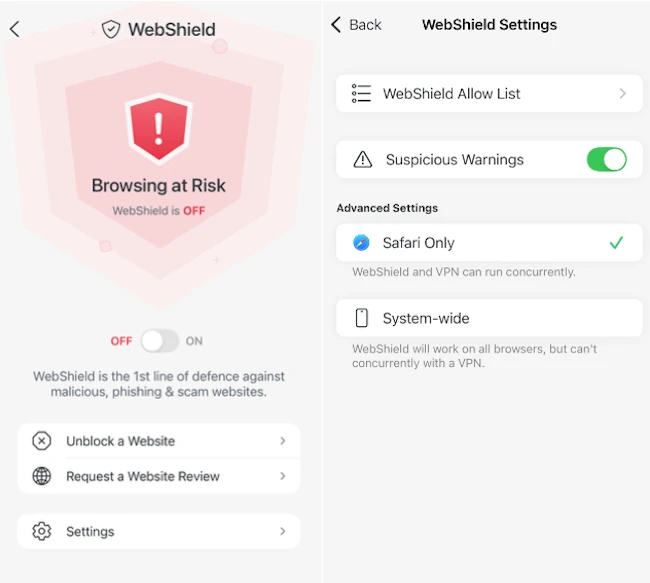
WebShield can block trackers and prevent unsafe pages opened through browsers, links in text messages, emails, or QR codes. Under WebShield settings, people can create an allow list to mark websites they consider trusted or safe. Websites added to the allow list bypass certain warnings and filtering checks.
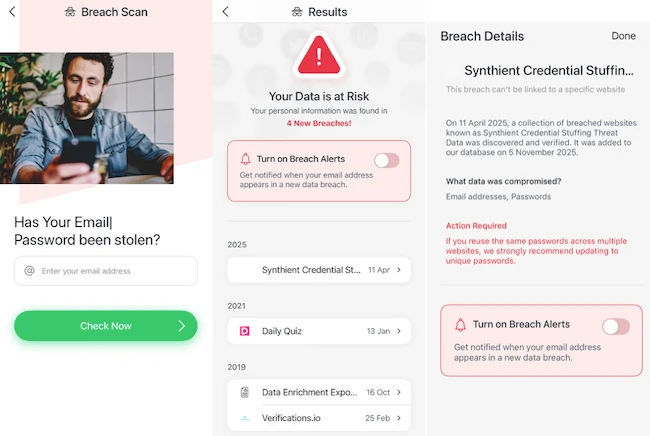
Breach Scan checks whether an email address appears in known data breaches and alerts if personal information has been exposed online. If credentials are found in breach databases, the app encourages password changes and account reviews.
Device cleanup and maintenance
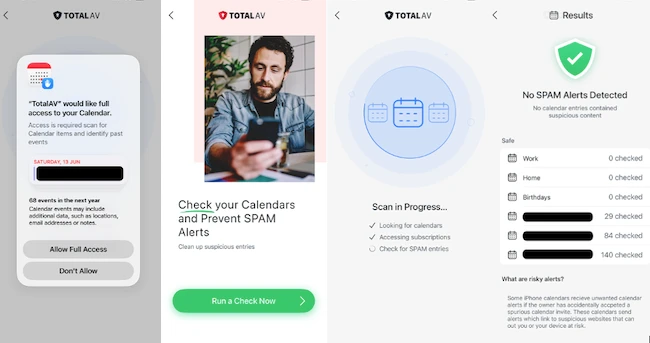
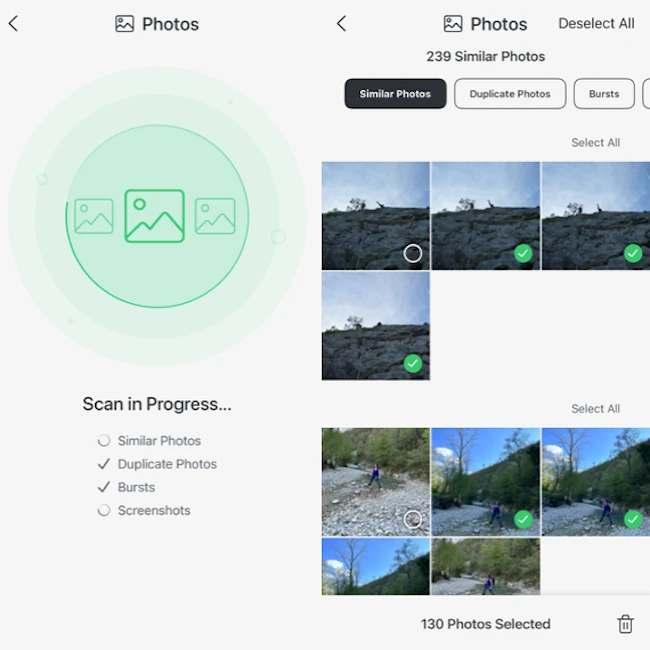
TotalAV includes several device maintenance tools alongside its security features. Users can remove duplicate photos, clean screenshots, manage contacts, and review suspicious calendar events or spam subscriptions through the Event Check feature.
Final thoughts
TotalAV fits users who want phishing protection, breach monitoring, VPN access, and device cleanup tools in a single mobile app instead of managing several separate services. During testing, I liked the maintenance features because I had not come across similar functionality in other mobile security apps I tested.